
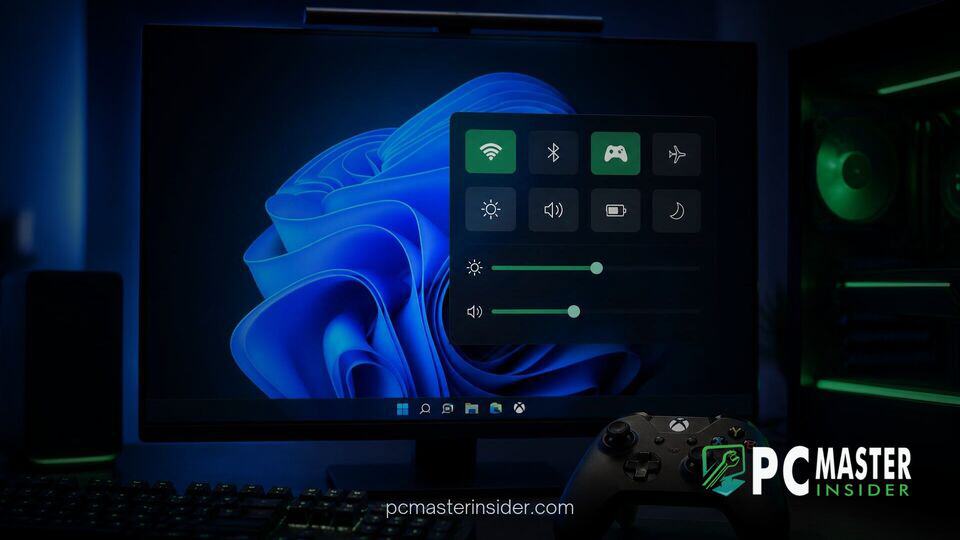
Microsoft has released Windows 11 Insider Experimental Preview Build 26340.9843 to test users, introducing key enhancements designed to refine the controller-friendly gaming experience. The highlight of the update is the integration of the full Quick Settings overlay directly into the Gaming Task View navigation bar within Xbox mode.
This update builds upon ongoing platform updates designed to streamline navigation across mobile devices, handheld gaming PCs, and media center configurations. Alongside the gaming overlay adjustments, the latest build includes management tools for Microsoft 365 Family cloud storage and temporary design adjustments across system interface components.
windows 11 xbox mode quick settings overlay
The primary addition in Build 26340.9843 is the expansion of Xbox mode, a controller-first interface mode tailored for gaming handhelds and living room PC setups. With this build, Microsoft has integrated the complete Quick Settings panel directly into the Gaming Task View navigation bar. Players can now invoke key taskbar toggles, adjust volume and brightness, monitor network connections, and toggle Bluetooth devices without leaving the full-screen gaming environment.
Previously, accessing fundamental system controls required exiting Xbox mode or reverting to standard desktop overlays, which created friction for controller-only input methods. By housing the system overlay inside the Gaming Task View, Microsoft ensures that users maintaining active game sessions can quickly adjust hardware settings or manage active wireless peripherals.
Xbox Mode Quick Settings Navigation Bar
Controller-Friendly Controls and Overlay Integration
The updated navigation bar is structured around gamepads and handheld controls. Players accessing the Gaming Task View interface can instantly select the Quick Settings action item to reveal the system overlay. This design iteration eliminates reliance on traditional mouse input or complex keyboard shortcuts, bringing desktop-level system control into alignment with dedicated console operating systems.
In previous releases, such as Build 26340.9750, Microsoft introduced basic navigation bar capabilities including power management options and quick desktop exit buttons. Incorporating the entire suite of Quick Settings toggles represents a logical progression toward transforming Windows 11 into a seamless operating environment for dedicated gaming hardware.
Additional Changes in Experimental Build 26340.9843
Microsoft 365 Family Cloud Storage View in Settings
Beyond gaming enhancements, Build 26340.9843 introduces functional updates to the Windows Settings application. Subscribers to Microsoft 365 Family plans can now view shared cloud storage consumption under the Accounts section. Navigating to Settings > Accounts > Cloud storage displays a centralized meter detailing total storage utilization across family member accounts.
Microsoft noted that availability for this page depends on subscription purchase dates. Accounts registered after October 8, 2026, can access the interface immediately, while subscriptions activated prior to that date will see the view enabled after their next scheduled annual renewal. Microsoft plans to deliver granular per-member breakdowns in a future preview build.
Alongside storage adjustments, Microsoft confirmed a temporary rollback regarding system loading animations. The solid circular loading spinners previously introduced for boot, logon, restart, shutdown, and update screens have been disabled while engineers resolve an unexpected bug. The classic animated progress ring has been reinstated temporarily.
Future Outlook for Windows 11 Handheld and Gaming UI
The continuous refinement of Xbox mode underscores Microsoft's broader strategy to position Windows 11 as a versatile platform capable of powering both enterprise workstations and dedicated portable gaming hardware. As handheld PCs continue to gain market share, providing tailored user interfaces remains critical to competing with Linux-based handheld operating systems.
Similar to recent technical improvements like DirectX Raytracing VRAM optimizations and engine-level stutter fixes seen in Unreal Engine updates, interface revisions demonstrate a focus on lower-level gaming performance and usability. Meanwhile, general desktop users benefit from broader platform improvements, such as granular desktop privacy controls and simplified system recovery features.
Features tested within the Experimental Insider Channel are currently rolling out to a subset of preview participants. Successful additions are expected to be incorporated into broader release branches as part of upcoming cumulative updates.



