
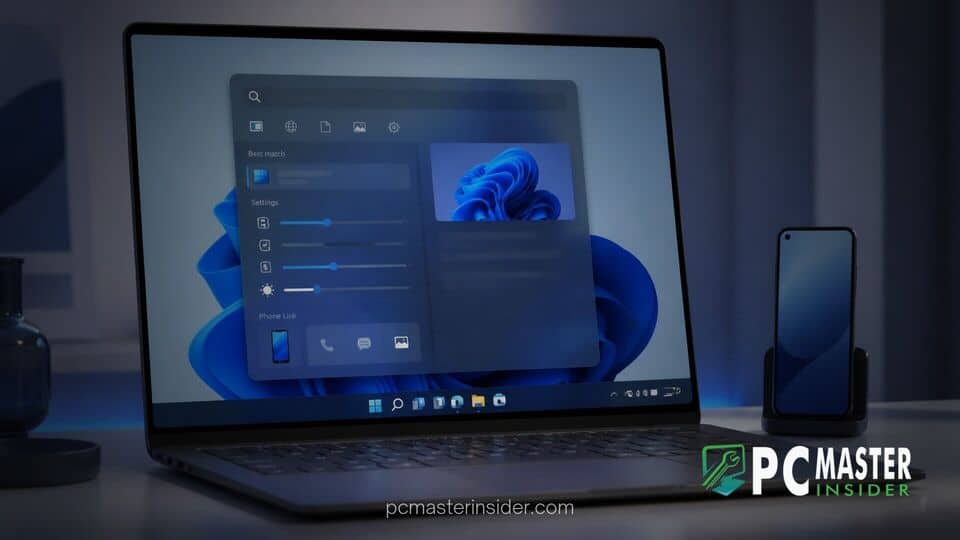
Microsoft has released a significant update to its rebuilt Windows 11 Search experience, introducing interactive UI controls and expanding cross-device functionality. Building upon the recently overhauled search architecture, the company is making it possible for users to modify key system settings and execute mobile phone tasks directly within the search bar results.
The latest enhancements bring live control sliders for daily display and audio adjustments alongside deeper integration with the Phone Link application. Rather than serving solely as an indexing index or file finder, Windows 11 Search is evolving into a unified command hub designed to complete actions without opening separate configuration menus or external applications.
New Feature Additions in Windows 11 Search
The updated search experience continues Microsoft's push to modernise core desktop interfaces. By replacing traditional multi-step navigation paths with contextual controls, users can execute tasks instantly from the taskbar. The expansion focuses heavily on reducing workflow interruptions, giving desktop users instant control over core hardware levels and connected mobile devices.
Alongside these functional additions, Microsoft is refining search accuracy with improved synonym and typo matching, richer file previews for Office documents, and intuitive filter chips to separate apps, settings, and documents faster. For users keeping an eye on platform stability, these changes follow recent system recovery enhancements such as the Windows 11 Cloud Rebuild feature.
Inline Volume Brightness and Cursor Size Sliders
The headline addition for desktop usability is the rollout of interactive inline sliders. When users type queries related to device hardware or accessibility, such as screen brightness, volume, or mouse pointer dimensions, Windows Search displays a live, functional slider bar inside the result list.
Users can drag these sliders in real time to increase monitor brightness, tune system volume levels, or adjust cursor dimensions instantly. This eliminates the need to open the Quick Settings flyout or navigate into the primary Windows Settings app. Suggested action labels also appear alongside the controls to highlight secondary functions, such as toggling night light or switching display profiles.
Direct Phone Link Controls and Actions
Cross-device connectivity receives a major boost through updated Phone Link integrations embedded inside search results. When a compatible smartphone is paired with the PC, typing a contact's name or a mobile command exposes direct communication options.
Users can place phone calls, compose short text messages, or toggle mobile modes such as Do Not Disturb directly from the Windows Search interface. Android device support is available immediately for testing, while Microsoft confirmed that iPhone compatibility will follow in an upcoming release cycle. These additions complement other mobile management options, similar to how Outlook for Windows integrates unified tools to consolidate communication streams.
Private Feedback Policy Changes for Commercial Tenants
In tandem with the search enhancements, Microsoft is introducing a new administrative control designed specifically for commercial and enterprise environments. IT administrators managing managed devices through Microsoft Intune can now enforce a private feedback policy for the Windows Feedback Hub.
When enabled, feedback submitted by enterprise end-users remains strictly confidential to the tenant organization and Microsoft engineers. Diagnostic comments, feature requests, and bug reports will no longer be visible to the public community or external entities. This enterprise policy addresses corporate data privacy concerns while allowing IT teams to maintain feedback streams without risking proprietary information exposure.
Insider Channel Availability and Rollout Timeline
The new search features are currently rolling out to testers enrolled in the Windows Insider Program across the Beta and Experimental preview channels. The modular search surface, constructed using WinUI 3, delivers noticeable performance gains and lower memory overhead compared to legacy search frames. As testing continues, Microsoft is working to adapt the redesigned search overlay to support floating configurations and alternative taskbar alignments.
While preview participants can test the inline sliders and Phone Link capabilities today, a general availability rollout for all stable Windows 11 users is expected later in the release schedule. Recent operating system updates, including the Windows 11 26H2 update release, demonstrate Microsoft's ongoing strategy of delivering iterative functional upgrades to core user interface components.
By combining underlying architecture upgrades with practical interface controls, Microsoft continues to transform Windows Search into a proactive productivity workspace. These inline sliders and phone actions represent a clear step toward making everyday OS tasks faster and less intrusive for desktop users.



