
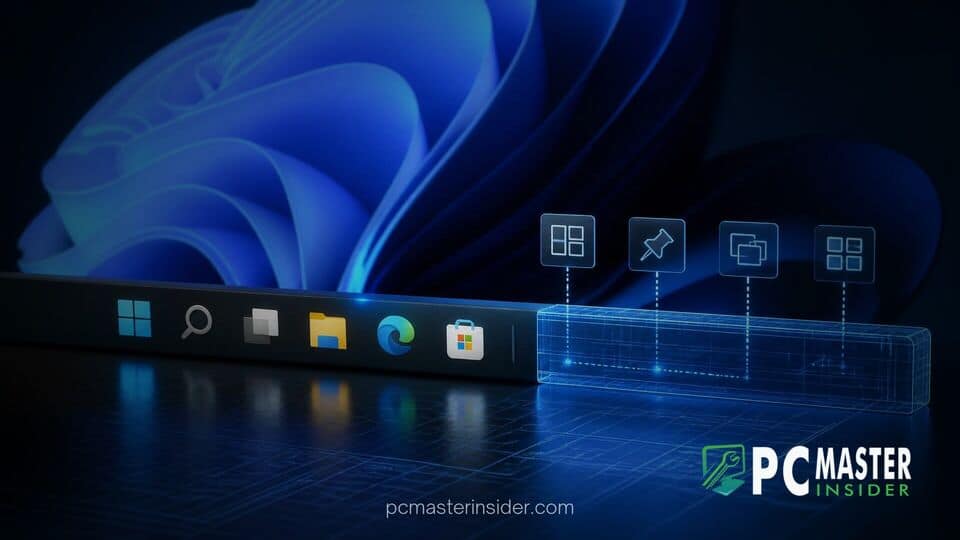
When Microsoft launched Windows 11, users immediately noticed that several long-standing interface features had disappeared from the taskbar. Engineering leaders at the company have now detailed why rewriting the operating system's primary navigation bar required a complete ground-up build that delayed the return of classic capabilities.
According to Microsoft, the decision to discard decades of accumulated legacy code in favor of a modern framework meant every feature, from taskbar positioning to small icon modes, had to be engineered and tested individually before returning to users.
Microsoft Explains Windows 11 Taskbar Redesign and Legacy Rework
The redesign of the Windows 11 taskbar was driven by a need to modernize the desktop interface, transition away from legacy C++ components, and adopt the modern WinUI architecture. However, replacing the legacy codebase meant that decades of incremental feature additions, edge-case fixes, and deep shell integrations built up since Windows 95 were effectively set aside. As a result, when Windows 11 debuted, basic functions such as moving the taskbar, dragging and dropping files, and applying granular customization options were notably missing.
Microsoft software engineers clarified that porting code from the original taskbar implementation was not feasible. The old taskbar was deeply interwoven with legacy Explorer dependencies and system host routines that prevented modular updates. Rebuilding the shell using WinUI allowed for cleaner code, better performance scaling, and modern touch targets, but it forced the team to prioritize core system stability over complete feature parity during initial release.
Why Rebuilding the Windows 11 Taskbar Took Microsoft Years
The primary hurdle in restoring classic taskbar functionality stemmed from structural differences between the old taskbar architecture and the modern desktop shell. In previous versions of Windows, the taskbar relied heavily on legacy APIs that directly manipulated window boundaries, display adapters, and multi-monitor setups. Transitioning these functions to a modern XAML and WinUI framework required re-architecting how the system tray, notification center, and task buttons interact with the operating system.
Architectural Disconnects Between Windows 10 and Windows 11 Shell
In Windows 10, taskbar logic was embedded inside the primary desktop shell processes. While functional, this tightly coupled architecture created maintenance hurdles and performance bottlenecks. When Microsoft transitioned the Windows 11 interface to a streamlined modern stack, the engineering team had to write entirely new render logic.
Because the new shell handles layouts differently across varying screen resolutions, DPI scaling factors, and device form factors, basic legacy behaviors like placing the taskbar on the top or sides of the display required complex recalculations for window snapping, flyout animations, and context menus. Ensuring these features worked seamlessly without breaking the unified visual language took years of internal development and insider testing.
Restoring Classic Features in Recent Windows 11 Builds
In response to persistent user feedback, Microsoft has spent recent release cycles re-implementing missing options. Rather than applying quick patches over legacy code, developers have systematically rebuilt these capabilities within the new WinUI architecture. Recent preview releases, such as Windows 11 Preview Build 28000.3079, demonstrate the culmination of this multi-year effort.
Movable Taskbar, Smaller Icons, and Start Menu Customization
The systematic rebuild has allowed Microsoft to slowly introduce long-awaited options into official preview channels:
- Taskbar Position Controls: Native options to dock the taskbar to the top, left, or right edges of the screen while preserving proper flyout orientation.
- Compact Taskbar Sizes: A dedicated toggle to enable smaller taskbar icons and reduced bar height, freeing up vertical screen real estate on compact displays.
- Enhanced Start Menu Layouts: Greater control over pinned app grids, recommended files, and folder shortcuts to better suit power-user workflows.
- Improved Drag-and-Drop: Modernized file and shortcut handling across the taskbar using updated event pipelines.
Users who experienced minor interface glitches or audio issues in recent updates can review details on the emergency Windows 11 KB5129195 update, which addressed separate system stability fixes.
Future Interface Upgrades Planned for Windows 11
With the core framework of the taskbar now stabilized, Microsoft plans to accelerate modernization across the remaining legacy areas of the operating system. Component updates scheduled for future feature rollouts will replace legacy control dialogs, system properties panels, and administrative tools with native WinUI controls.
This ongoing architecture overhaul aligns with broader system maintenance goals. Microsoft recently announced comprehensive performance optimizations targeting File Explorer responsiveness and overall system efficiency, details of which were confirmed in the major Windows 11 performance upgrades roadmap. Furthermore, as hardware requirements continue to evolve, the streamlined UI stack is expected to deliver better power efficiency on modern devices, including setups previewed ahead of the Microsoft October 2026 Windows and Surface event.
While the initial removal of classic taskbar features drew significant criticism from long-time users, Microsoft's explanation clarifies that the temporary regression was part of a larger, long-term effort to eliminate legacy tech debt. By rebuilding the desktop shell on a modern foundation, the company aims to ensure that future desktop updates can deliver customizability alongside improved system stability.



