
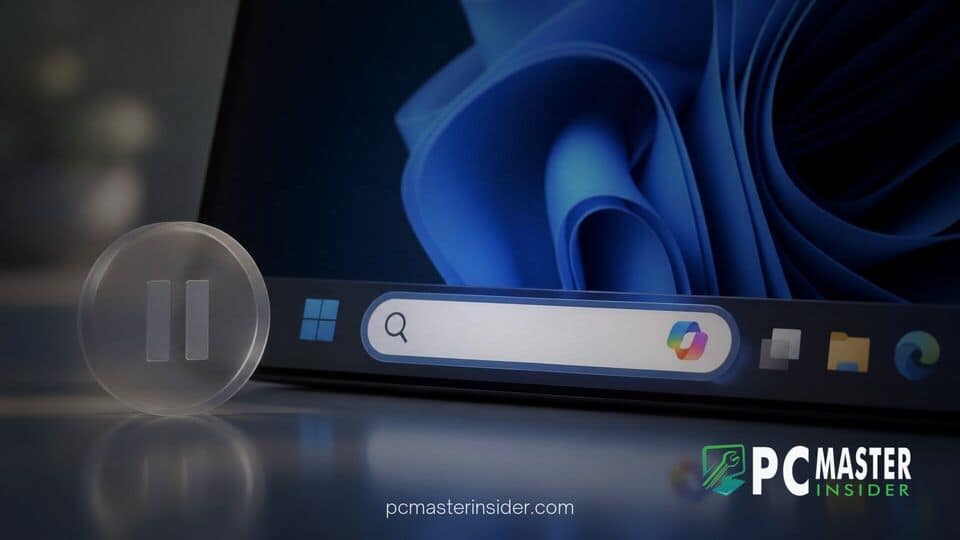
Microsoft has officially paused the preview rollout of its optional Ask Copilot taskbar search feature in Windows 11 to evaluate user feedback and make structural adjustments to the interface. Users who were participating in the preview testing will automatically see the feature revert to the default Windows Search experience following recent application updates.
The temporary suspension comes as the company continues to consolidate its artificial intelligence offerings into a unified Copilot application across consumer and enterprise environments. Microsoft noted that disabling the feature allows development teams to incorporate user suggestions, address functionality gaps, and refine how AI interactions integrate directly with the core operating system.
Microsoft Temporarily Disables Ask Copilot on Windows 11 Taskbar
Microsoft has confirmed that it is pausing the microsoft pauses ask copilot taskbar experimental search bar to review feedback and refine its overall design. The feature, which allowed Windows Insiders to replace the standard search field on the taskbar with a direct pathway to Copilot chat, is being withdrawn while the company updates its underlying app architecture. Standard local file and app search functionality will remain uninterrupted as systems transition back to the default desktop search interface.
Background on the Ask Copilot Taskbar Experiment
The Ask Copilot taskbar integration was first introduced to preview channels in late 2025 as part of a broader effort to make AI access more immediate. Positioned as an opt-in feature for testers, the dynamic input box aimed to streamline how users queried local files and engaged with cloud-based generative AI models without opening a standalone web browser window.
When enabled, selecting the search area opened a compact window optimized for fast interaction and lightweight animations. The interface offered direct access to features like voice queries and screen understanding alongside traditional file search. However, because the feature was developed separately by the Copilot product team while local OS search remained under the core Windows team, balancing system integration and user expectations presented ongoing design challenges.
This initiative mirrored parallel efforts across the platform, including updates where Microsoft rebuilds Windows 11 search with WinUI 3 and taskbar actions to improve responsiveness and inline controls. Despite those broader system refinements, blending conversational AI with instant desktop navigation required further evaluation based on real-world usage data.
User Feedback and Ongoing Modifications to the Copilot App
While Microsoft did not detail every specific piece of feedback that prompted the pause, public sentiment around deep AI integration across desktop environments has generated varied reactions from power users and enterprise administrators. Testers reported occasional performance inconsistencies and expressed a preference for keeping traditional file search distinct from broad web-focused AI queries.
In release documentation for the Copilot application, Microsoft clarified its focus on updating the visual identity, navigation patterns, and icon placements on the taskbar. Pausing the taskbar search bar gives engineering teams time to align the desktop entry point with the updated application layout.
The decision to rethink OS-level AI controls fits into a larger trend of measured adjustments across Microsoft's ecosystem. As Windows 11 hits one billion active users, maintaining interface consistency and user choice remains critical for the desktop platform's massive global audience.
Impacted Copilot Features and Temporary Functionality Gaps
During this review phase, several specialized capabilities within the preview application experience may be temporarily unavailable or operate with limited scope. Microsoft warned testers that features such as Notebooks, third-party connectors, and vision capabilities could experience functional gaps while the app unified under a single architecture.
Users who previously relied on the taskbar prompt to trigger complex multi-step tasks can still access Copilot using dedicated keyboard shortcuts or by launching the standalone Copilot app directly. Productivity tools across other ecosystem apps continue to evolve independently, such as when Microsoft rolls out Excel Canvas for automated Copilot data reports, ensuring enterprise workflows remain supported during OS-level interface updates.
What Insiders Can Expect for Future Windows Search Updates
Microsoft has not provided an exact public date for when an updated version of the Ask Copilot taskbar interface will return to preview channels. The company emphasized that future iterations will reflect user inputs gathered during the preliminary testing period.
In the interim, development teams are focusing on smaller, incremental improvements to accessibility and core OS features. Recent preview builds demonstrate this balanced approach, such as when Windows 11 Narrator gains structured math equation reading or when Microsoft updates Windows 11 lock screen widgets to refine daily navigation without cluttering the desktop.
By pausing the Ask Copilot taskbar experiment, Microsoft signals a willingness to recalibrate its feature roadmap in response to community feedback. As the company refines its unified Copilot application, Windows 11 users can expect a more polished, less intrusive integration of AI tools when the feature eventually returns.



