
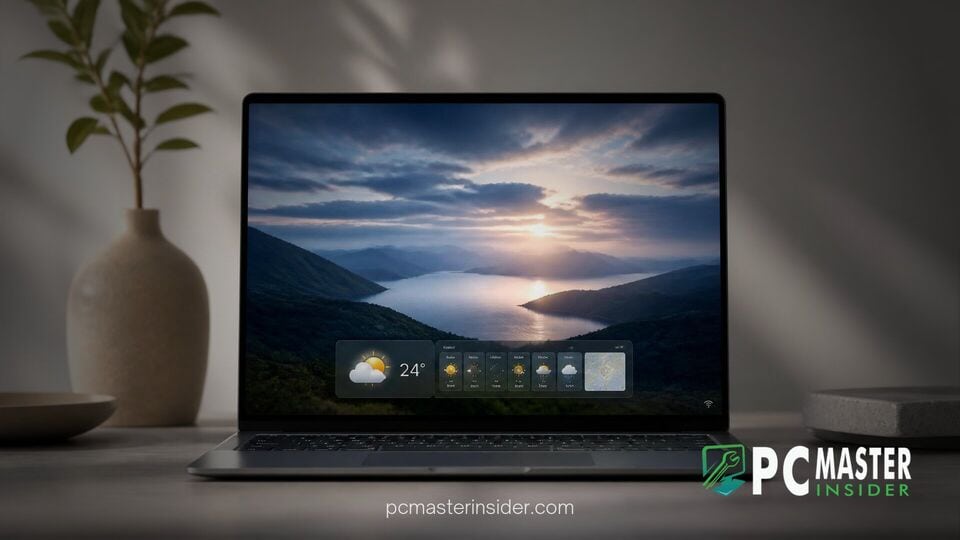
Microsoft has begun testing a refreshed layout for the Windows 11 lock screen across its testing channels, aiming to make at-a-glance information more focused and less cluttered. Under the latest update rolling out to testers in the Windows Insider Program, the company is prioritizing weather information as the default primary display element while significantly scaling back recommended content like extra news summaries, stock trackers, and sports scores.
The operational tweak forms part of a ongoing effort by Microsoft to simplify core user interface elements across the operating system. By elevating local weather metrics and curbing secondary cards on boot-up, Windows 11 users get immediate access to environmental forecasts without navigating through excessive system notifications or unsolicited widget feeds before unlocking their devices.
windows 11 lock screen weather widget insider test details
>The updated layout has been spotted in recent preview releases, including Windows 11 Insider Preview Build 26220 and parallel test tracks. Historically, enabling lock screen updates meant accepting a package of multi-topic cards. Users who turned on lock screen widgets typically saw a row of dynamic items displaying stock indices, traffic delays, sports scores, and headline news alongside atmospheric updates. This approach frequently drew criticism from users who preferred a clean, minimal interface.
With the updated design language, the windows 11 lock screen weather widget insider preview turns weather metrics into the primary focal point. Rather than crowding the lower portion of the display with multiple floating cards, the lock screen displays a single, expanded weather card by default. This single-widget format presents high and low temperatures, current conditions, air quality indices, and weather alerts directly on screen without filling the background visual space with unrelated information.
Streamlined Lock Screen Widget Layout in Beta Build 26220
Microsoft officially highlighted the philosophy behind the modification in its documentation for Windows Insider Beta Build 26220. The official release notes state, "As part of our continued commitment to making Windows calmer and higher quality, we are updating the default lock screen widget experience for Insiders on newer builds. With this change, Weather will be the primary widget shown on the lock screen, reducing recommended widget content and making the experience feel more focused."
This subtle shift addresses long-standing feedback from users who wanted quick status updates without having to look through extraneous widgets. By focusing on essential environmental data, the lock screen functions more efficiently as an quick dashboard when waking a laptop or launching a desktop workstation. The reduced default widget load also ensures that custom background photography or Windows Spotlight imagery remains prominent on screen.
Enhanced Personalization Settings for Lock Screen Content
While the default behavior is shifting toward a weather-centric design, Microsoft is not stripping away configuration options. Users who value wider streams of real-time data can still re-enable additional widgets manually. Within the Windows 11 Settings app, under Personalization and then Lock Screen, users can customize which widgets appear, reorder their horizontal placement, or disable lock screen widgets entirely by choosing to display no status updates.
For enterprise and managed environments, administrators maintain granular control over whether these widgets appear on managed machines. Group Policy templates offer policies to suppress lock screen widgets across organizational networks without impacting taskbar-based widget boards or other system notifications, giving IT departments control over workplace endpoints.
Broader Impact on Windows 11 User Interface Strategy
This layout adjustment coincides with a wider set of interface refinements happening across Windows 11 build releases. Alongside simplified lock screen widgets, Microsoft has been testing modular desktop widgets, including a unified Battery Status widget to keep track of connected peripherals, as well as a rebuilt Windows Search bar equipped with WinUI 3 inline task execution capabilities.
The decision to clean up the lock screen highlights a shifting design direction for Microsoft. Rather than utilizing every visible area to promote curated MSN web content, the operating system is returning to a utility-first approach for core UI areas. As testing continues across the Beta and Preview channels, the refined weather-first lock screen is expected to roll out to all general Windows 11 users in an upcoming cumulative update.



