
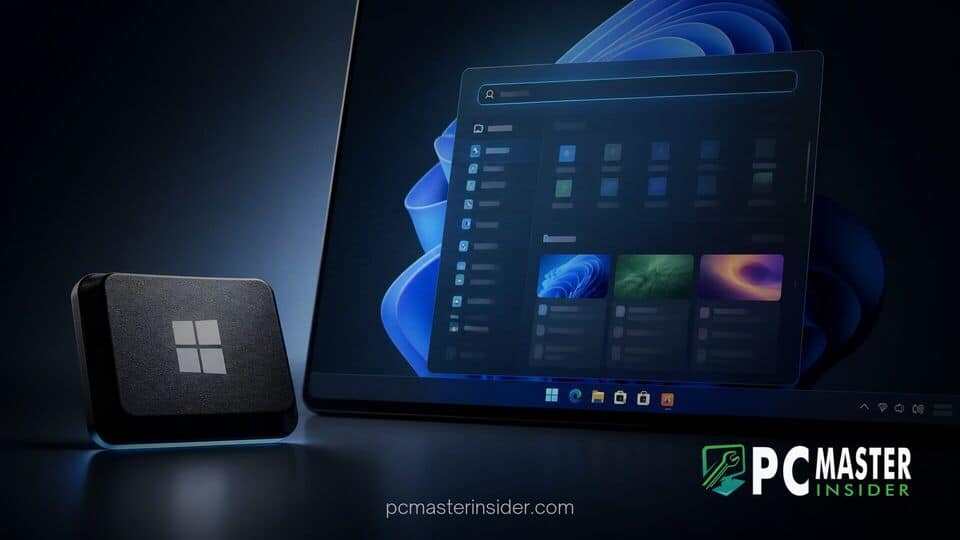
Microsoft is evaluating whether to adjust the default behavior of the physical Windows key as it prepares to merge a newly redesigned Search experience into the Windows 11 Start menu. Although no permanent changes have been announced yet, company leadership confirmed that user muscle memory remains a primary consideration during development.
The evaluation comes alongside ongoing internal testing of a modernized, ground-up rebuild of Windows Search. The new interface offers enhanced speed, isolated query handling, and customizable contextual actions designed to streamline daily desktop workflows.
Microsoft Explores New Roles for the Windows Key
For decades, pressing the dedicated Windows key on a keyboard has triggered the Start menu. However, as operating system workflows shift toward instantaneous search queries and quick command actions, Microsoft engineers are evaluating whether pressing the key should invoke the new Search UI directly or continue opening the standard Start layout.
Currently, invoking standalone search without clicking requires tapping the primary keyboard combo Win + S. As Windows 11 continues to receive major interface refinements, feedback from the Windows Insider testing community has pushed for direct single-key access to the revamped search bar.
Integrating Standalone Search into the Start Menu
The standalone Search interface currently being tested in early preview builds operates separately from the classic Start menu search bar. It features a compact visual footprint, removes forced web query recommendations when desired, and introduces interactive widgets known as inline actions. Users can perform direct system adjustments, such as toggling Bluetooth connections or managing connected peripherals, without opening the main Settings app.
Microsoft ultimately intends to combine these disparate components into a cohesive interface. However, bridging the gap requires consolidating how the shell processes keyboard input when a user opens the launcher.
Balancing Feature Upgrades with User Muscle Memory
Changing one of the most fundamental keyboard triggers in desktop computing carries significant usability risks. Millions of PC users rely on hitting the Windows key and immediately typing to launch software or find local documents.
Responding to feedback on social media regarding shortcut changes, Tali Roth, Head of Windows Shell Experiences at Microsoft, emphasized that the development team is proceeding cautiously. Roth noted that once the new search experience fully integrates into the Start menu, Microsoft will look into the right behavior for the Windows key, explicitly acknowledging the deep-seated muscle memory built around the current key function.
What the Redesigned windows 11 windows key start menu search update Brings
The overall redesign aims to fix long-standing usability issues and performance hiccups present in existing Windows 11 builds. Users have frequently reported inconsistent app prediction algorithms and accidental clicks caused by search results suddenly rearranging while typing.
The updated architecture introduces several major enhancements to improve daily user interaction:
- Predictable Indexing: Improved query speed that prioritizes locally installed applications over generic web results.
- Inline Actions: Quick control triggers for common system settings, app shortcuts, and external device connectivity.
- Cleaner Interface: A shorter, less intrusive panel design focused on quick navigation rather than crowded web cards.
- Deep Ecosystem Hooks: Exploration of email creation shortcuts, media playback controls, and Phone Link integrations straight from the search prompt.
These architectural updates mirror broader engineering initiatives across the operating system. Microsoft has recently leveraged AI tools to fix code inconsistencies and refine core user interface elements throughout Windows 11.
Timeline and Implementation Plans for Future Windows Builds
Microsoft has not set a firm release date for changing default Windows key behavior or shipping the unified Start search interface to general availability. Development remains in active testing across Insider preview rings, allowing engineers to harvest feedback and assess telemetry data.
While preview releases like Windows 11 preview KB5127653 regularly introduce minor interface adjustments and utility updates, broader structural changes to core shell navigation are typically reserved for larger feature updates scheduled further out.
Additionally, power users seeking deeper control over keyboard shortcuts and custom input maps can continue using first-party customization utilities. The company recently released Microsoft PowerToys 0.102, which expanded shortcut remapping and input accessibility tools for tailored desktop environments.
For now, tapping the physical Windows key will continue to open the standard Start menu as usual. As testing progresses, Microsoft plans to gather further feedback from early adopters before deciding whether to modify the key's fundamental role or retain the familiar default mapping.



