
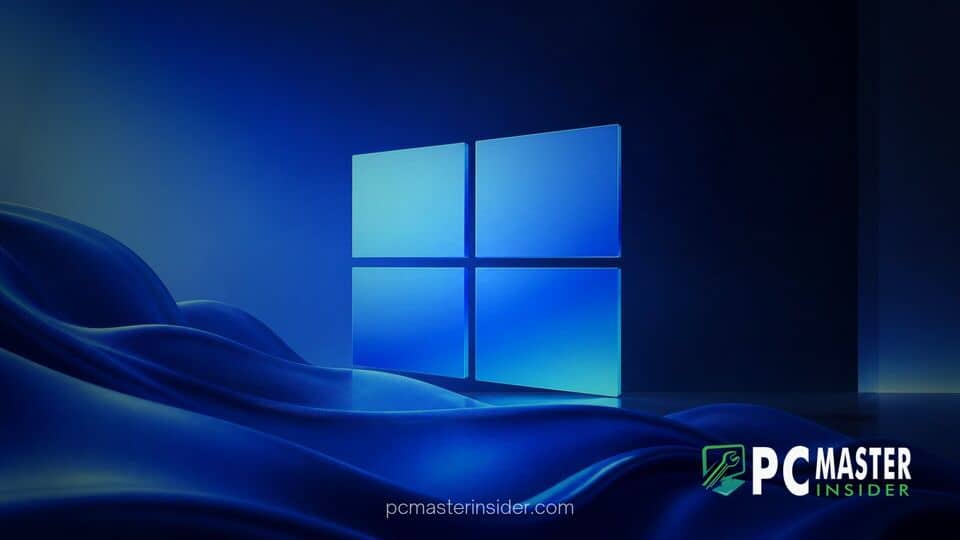
Microsoft is marking twelve years of the Windows Insider Program by releasing a collection of ten free, high resolution desktop wallpapers for the community. The artwork features colorful abstract shapes designed to mirror the company's modern operating system visuals and Surface hardware aesthetic.
The free background package includes five distinct designs available in both light and dark display modes. Anyone can download the wallpapers directly from Microsoft without needing an active Windows Insider account.
Microsoft Marks 12 Years of the Windows Insider Program with Exclusive Wallpapers
Microsoft has officially released a fresh package of high quality desktop backgrounds featuring the windows insider 12 year anniversary wallpapers keyword tag in community file distribution packages. The release coincides with the anniversary of the testing initiative launched back in October 2014 alongside early previews of Windows 10. Over the past twelve years, millions of volunteers, enthusiasts, and IT administrators have participated in previewing early operating system builds, submitting feedback, and identifying critical system bugs.
To express gratitude to its global testing community, Microsoft shared an official note with program participants thanking them for their dedicated contributions over more than a decade. The development team noted that community involvement remains central to shaping the ongoing evolution of the Windows desktop ecosystem.
Exclusive Windows 11-Inspired Wallpapers
The newly distributed collection includes ten individual image files organized across five unique art concepts. Each concept comes with tailored light and dark variants to accommodate personal desktop preferences or automated theme scheduling. The artwork heavily draws design inspiration from the default Windows 11 Bloom wallpaper while incorporating smooth, ribbon-like curves, layered folds, and vibrant color gradients.
Color choices within the collection range from rich blue and emerald green to bright orange, soft purple, and sleek monochrome tones. Rather than leaning into heavy graphics or complex patterns, the design team opted for clean minimalism that complements desktop icons and modern shell UI elements. The images look seamless alongside recent system updates, such as when Microsoft brings dark mode to classic File Explorer dialogs.
Community Reaction and Design Details
Tech community reactions to the anniversary release have been overwhelmingly positive, with users praising the clean lines and Surface-inspired abstract shapes. However, sharp-eyed community members online quickly uncovered a humorous detail buried within the file metadata. Embedded image headers indicated that several art assets were finalized using Adobe Photoshop on macOS rather than on a Windows PC. While cross-platform design pipelines are standard practice across modern creative departments, enthusiasts found the irony noteworthy.
This lighthearted discovery has not dampened enthusiasm for the release. Tech enthusiasts continue to praise the artwork as a welcome visual update, especially for users keeping up with preview builds as Microsoft tests new features, like when it adds a customizable context menu to streamline daily workflows.
How to Download the Official Anniversary Wallpapers
Getting your hands on the official 12th anniversary wallpapers is straightforward and does not require enrolling your machine into testing channels or modifying system settings. Microsoft made the collection accessible to everyone through its official design hub and direct distribution archives.
- Visit the official Microsoft Design web gallery or access the direct download archive link provided in Microsoft Insider emails.
- Save the ZIP archive containing the high resolution PNG files to your local drive.
- Extract the compressed folder contents using File Explorer.
- Open Windows 11 Personalization Settings by navigating to Settings > Personalization > Background.
- Select Picture from the background drop-down menu and browse to your preferred wallpaper file.
The anniversary wallpapers provide a subtle visual refresh for any setup, serving as a fitting nod to twelve years of community-driven Windows development.



