
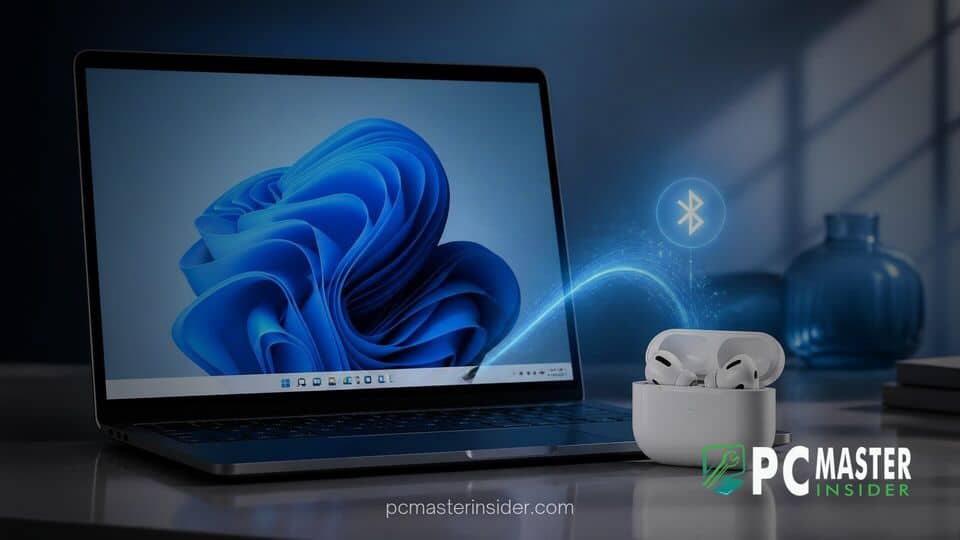
Microsoft has started rolling out a system-wide performance update for Windows 11 that significantly improves wireless headset connectivity and speeds up device pairing. As part of a broader push to refine everyday operating system responsiveness, the update optimizes the underlying Bluetooth stack so that Apple AirPods and other wireless earbuds pair up to 15 seconds faster than before.
windows 11 bluetooth update airpods pairing
The latest Windows 11 update resolves lingering connection delays within the operating system's wireless protocol, delivering up to 15 seconds faster pairing for Apple AirPods alongside reduced latency and smoother reconnection across third-party Bluetooth audio devices.
Bluetooth Performance Improvements in Windows 11
For years, connecting non-native wireless audio accessories like Apple AirPods to Windows PCs occasionally presented minor friction. Users reported issues where status reporting lagged, connections timed out, or initial handshakes took upwards of twenty seconds to complete. The latest release specifically targets these handshake bottlenecks within the Bluetooth architecture.
Faster AirPods Pairing and Lower Connection Latency
According to release details shared by Microsoft, the enhanced Bluetooth stack streamlines device discovery and authentication procedures. When placing AirPods or AirPods Pro into pairing mode near a PC running the updated build, the system recognizes and completes the handshake almost instantly. The update cuts total setup times by up to 15 seconds compared to previous builds, making the initial connection process virtually seamless.
Enhanced Audio Connection Stability Across Wireless Headsets
Beyond initial setup, the underlying fixes improve everyday audio interactions. Microsoft optimized how Windows 11 handles reconnecting previously paired headsets when waking from sleep or switching audio output channels. Users can expect more dependable voice call routing, reduced initial audio stuttering, and fewer instances where Quick Settings incorrectly reflects headset connection states.
Impact on Wireless Audio Users
The upgrade is part of a comprehensive quality and performance initiative spearheaded by Microsoft leadership. Alongside the Bluetooth connectivity improvements, Microsoft announced that general system responsiveness has increased by up to 20 percent through refined memory management on mid-range and budget hardware. You can read more about how Microsoft accelerates app launches in Windows 11 preview builds to streamline everyday desktop workflows.
In a official technical overview, Microsoft Corporate Vice President of Windows Experiences Navjot Virk noted that the team focused directly on everyday interactions users rely on daily. "Bluetooth headphones work more reliably on Windows, with smoother pairing, reconnection, audio and calls, including an AirPods pairing experience that is up to 15 seconds faster," Virk stated regarding the rollout.
This release also complements ongoing driver optimization efforts conducted through Microsoft's Driver Quality Initiative, which collaborates with chipmakers to ensure wireless radios maintain stable firmware performance. Desktop audio users who rely on integrated media workflows can also review recent feature updates, such as how Microsoft redesigned the Windows 11 Photos app with a unified gallery that links local files with iCloud and OneDrive media.
Furthermore, Microsoft has continued to address other system utilities in recent builds. IT administrators and power users managing system deployments can check how Microsoft updated the Windows 11 Media Creation Tool with recent ISO images, ensuring fresh installations include the latest kernel optimizations and security patches out of the box.
How to Receive the Windows 11 Bluetooth Update
The updated Bluetooth stack and wireless audio enhancements are delivering to eligible Windows 11 systems automatically via Windows Update. Users can check for the updates manually by navigating to Settings, selecting Windows Update, and clicking Check for updates.
To take full advantage of the faster pairing workflow, users should ensure their system's Bluetooth drivers are up to date through Device Manager or their PC manufacturer's support software. Once installed, simply opening the AirPods charging case button trigger will populate the Quick Settings prompt without the lengthy delays seen in older software builds.
This update reflects Microsoft's renewed commitment to eliminating subtle operating system friction points, giving millions of multi-device users a significantly cleaner, faster wireless audio experience on PC.



