
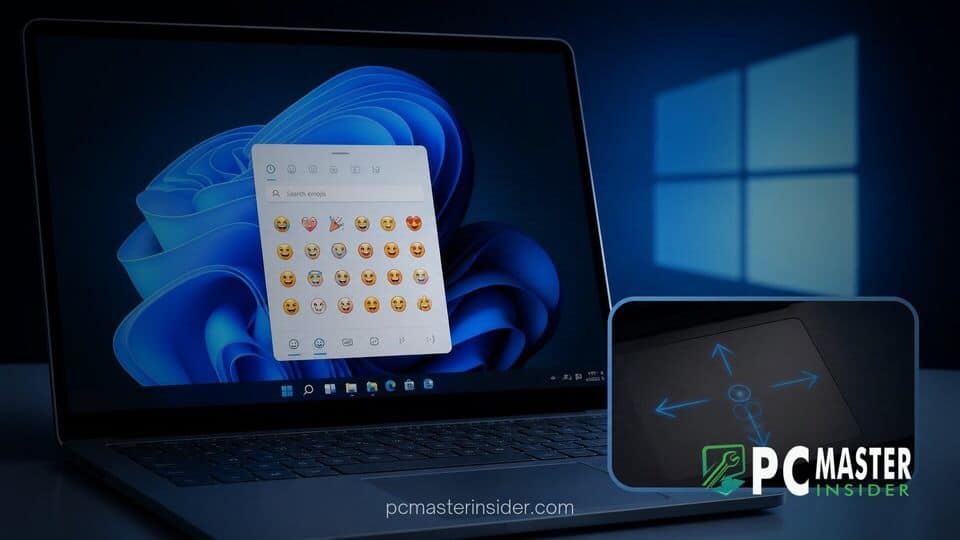
Microsoft has officially released Windows 11 Insider Preview Build 28000.3351 (KB5127653) for version 26H1, bringing a significant collection of user experience enhancements, productivity tools, and interface refinements. The latest preview update focuses on expanding input capabilities, visual communication tools, and file management efficiency across laptop and desktop environments.
Among the headline additions are native support for Unicode standard Emoji 17.0 characters, advanced precision touchpad gestures designed to streamline document navigation, and subtle UI tweaks throughout File Explorer and system dialogs. As Microsoft continues to iterate on its desktop operating system, this release provides a clear look into upcoming consumer and enterprise features.
Windows 11 Preview KB5127653 Introduces Emoji 17.0 and Interface Tweaks
The release of Windows 11 preview KB5127653 marks a major milestone for system expression by integrating full support for Emoji 17.0. Users testing the Release Preview build can now access new symbols and expressive icons directly via the built-in emoji picker by pressing the Windows key + Period (.) keyboard shortcut. The new roster introduces highly requested additions such as the distorted face, fight cloud, and hairy creature, giving users more creative ways to communicate in messaging apps and documents.
Alongside the brand-new symbols, Microsoft has refined the design language of several existing emoji. Visual adjustments have been applied to icons like the saluting face, face with peeking eye, goose, lotus, and kissing cat. These cosmetic polish updates aim to deliver better cross-platform consistency when viewing messaging content sent from non-Windows devices.
Emoji 17.0 Support and File Explorer Enhancements
Beyond visual communication updates, build KB5127653 brings practical workflow enhancements to File Explorer. Microsoft continues to refine how the operating system handles file previews and system navigation. When browsing web files, the File Explorer preview pane now handles downloaded content with increased safety controls. HTML files present a clear warning alongside a new "Preview anyway" button, ensuring users explicitly acknowledge potential risks before rendering untrusted web content.
Non-HTML formats receive a smoother workflow. Users who previously relied on specialized patches like Windows 11 KB5127648 restores File Explorer PDF preview pane support will appreciate that supported documents, including PDFs, now generate automatic previews instantly in the pane. Furthermore, File Explorer Home now remembers whether collapsible sections were left expanded or collapsed, allowing users to preserve their preferred organization upon launching new windows. The overall experience complements past updates where Microsoft added a customizable File Explorer context menu preview to minimize right-click desktop clutter.
New Touchpad Gestures and Accessibility Updates
For laptop users, KB5127653 delivers substantial upgrades to precision touchpad functionality. Microsoft has expanded gesture navigation to make long documents and dense web pages easier to navigate without relying on external peripheral mice. The update introduces single-finger scrolling along the outer edges of precision touchpads, enabling rapid document panning. Additionally, users can leverage automatic pressure-based scrolling, which keeps content moving continuously when a user's finger reaches and holds near the touchpad edge.
Keyboards with physical Copilot keys receive added versatility in this build. Microsoft now allows hardware owners to remap the dedicated Copilot key to function as either a standard Right Ctrl key or a Context Menu key. Accessibility controls also receive attention through a new "Open apps maximized" setting, which automatically forces application windows to launch in full-screen mode upon execution. Modernized toolbar icons for the Magnifier utility and simplified Camera Roll Backup pairing via OneDrive QR codes round out the productivity additions.
Deployment Details Across Windows 11 Release Channels
Microsoft is rolling out update KB5127653 using a phased deployment approach through the Release Preview Channel. Build 28000.3351 targets devices enrolled in the Windows 11 version 26H1 testing branch. While key features like Emoji 17.0 and basic File Explorer fixes are active by default, advanced touchpad interactions and specialized accessibility options are gradually expanding across the active testing pool.
Under the hood, the update addresses critical system stability issues. It resolves intermittent Bluetooth audio dropouts, improves microphone compatibility, and stabilizes LE Audio connection pipelines. Furthermore, Microsoft has patched background wallpaper rendering behavior and improved BitLocker and Windows Recovery Environment (WinRE) reliability. Devices running this build also benefit from background system optimizations; recent performance testing shows how system responsiveness can improve, similar to when Microsoft confirmed Windows 11 speed increases with memory boosts.
As preview testing progresses without major blocking bugs, Microsoft is expected to integrate these touchpad gestures, file preview enhancements, and updated emoji sets into upcoming cumulative updates for general availability across all supported Windows 11 configurations.



