
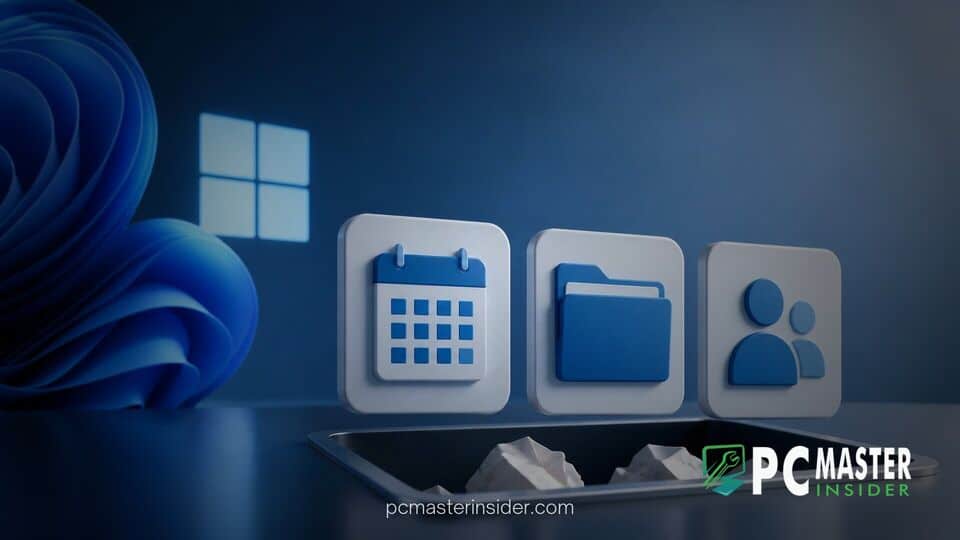
Microsoft has officially announced plans to retire its Microsoft 365 companion apps for Calendar, Files, and People on Windows 11 . The mini applications, which were designed to give quick taskbar access to contacts, cloud documents, and schedule details, will cease functioning entirely by December 16, 2026 .
According to administrative updates published in the Microsoft 365 Message Center, the company has already begun phasing out automatic installations . Active development and security fixes for the software have ended, marking another rapid shift in Microsoft's desktop software strategy .
microsoft retires windows 11 companion apps
Microsoft is retiring its taskbar-integrated companion apps for Calendar, Files, and People, cutting support for the lightweight utilities little more than a year after introducing them to Windows 11 enterprise and subscription users . The retirement, scheduled to take full effect on December 16, 2026, means the apps will completely stop functioning . Microsoft clarified that no underlying user data, such as OneDrive documents, Microsoft Teams contacts, or Outlook schedule events, will be deleted or impacted by the change .
Discontinuation of Calendar, Files, and People Widgets
The company originally rolled out the mini apps in mid-2025 as part of an effort to streamline daily workflow tasks directly from the taskbar without forcing users to open full desktop clients . Built largely around WebView2 web frames, each utility served a specific role :
- People Companion: Allowed users to quickly search organizational phonebooks, pin favorite contacts, and start instant chats in Microsoft Teams .
- Files Companion: Offered fast cloud file search, recent document previews, and rapid file sharing options across SharePoint and OneDrive .
- Calendar Companion: Displayed upcoming schedule appointments and provided one-click meeting links .
Despite being bundled automatically into enterprise environments via Microsoft 365 update streams, user adoption remained low . System administrators frequently cited the tools as redundant software, leading Microsoft to quietly begin pushing backward on their implementation .
Reasons Behind the Deprecation After One Year
While Microsoft did not issue a detailed technical postmortem in its retirement documentation, industry analysts point to low adoption rates and internal consolidation around AI workspace initiatives . The companion apps were heavily dependent on basic web wrapper technology, which added extra process overhead without providing functional depth beyond what standard Microsoft 365 web apps already delivered .
Furthermore, Microsoft's push to standardize operating system features has created tension over taskbar space and preinstalled applications. Systems running recent builds already face significant software updates, such as when Microsoft releases the Windows 11 KB5124010 update preview with system-level changes and key remappings. Removing duplicate utility apps helps streamline the overall user experience.
Shift Toward Integrated Copilot and Core System Features
Another driving factor is Microsoft's strategy surrounding Copilot and core application integration . Initially, Microsoft attempted to build Copilot features directly into these lightweight companion windows . However, maintaining smaller secondary shells proved redundant as Microsoft unifies its AI desktop client to centralize enterprise intelligence and low-code workflows into single, cohesive platforms.
Instead of maintaining separate miniature windows for calendars and contacts, Microsoft is encouraging users to utilize natural language prompts within Copilot or return to established productivity tools . The shift reflects broader operational updates across the OS ecosystem, similar to how Microsoft and OEM partners quietly phase out branding strategies that fail to resonate with commercial end users.
Next Steps and Alternative Options for Windows 11 Users
For organizations and individual users currently relying on these utilities, Microsoft recommends transitioning back to primary hub applications :
- Calendar and Contact Management: Users should rely on Outlook and Microsoft Teams for schedule management and address book queries .
- File Access and Searching: Document navigation can be handled via File Explorer, OneDrive, SharePoint, or the native Windows Search Box .
IT administrators are required to actively uninstall the companion software from managed enterprise endpoints using Microsoft Intune or script-based uninstall routines, as the retirement process will not automatically clear installed files from local drives . Standalone consumers on unmanaged devices can manually remove the apps via Windows Settings under Installed Apps or by right-clicking the individual apps in the Start menu .
This application phase-out comes amid a period of active refinement for Windows 11. While legacy features are pruned, Microsoft continues testing new taskbar integration models elsewhere, such as when Microsoft tests scrollable Phone Companion tools for mobile pairing. System stability also remains a top priority for corporate deployments, particularly as comparative studies show Windows 10 updates maintained high stability benchmarks relative to rapidly evolving Windows 11 feature releases.
The retirement of the Calendar, Files, and People companion apps highlights Microsoft's ongoing effort to trim lightweight desktop utilities in favor of robust, centralized productivity software. For Windows 11 users, the transition requires minimal workflow adjustment, as core workspace services remain unchanged within primary Microsoft 365 applications.



