
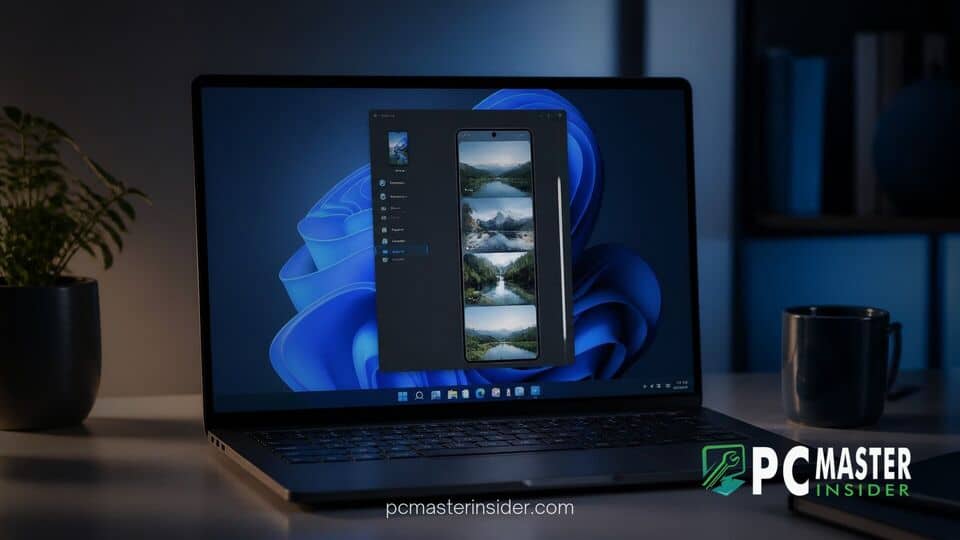
Microsoft has deployed a new suite of preview updates to members of the Windows Insider Program across multiple test channels. The release features a refreshed Start menu interface that incorporates a scrollable side pane for the Phone Companion feature, letting users monitor extensive mobile activity directly on their desktop.
Alongside the mobile integration tweaks, the latest preview builds introduce practical accessibility options like custom mouse pointer indicators, expanded Narrator screen reader capabilities, and direct energy management controls inside the Quick Settings flyout.
Windows 11 Preview Introduces Scrollable Phone Companion
The primary highlight of the experimental releases is the overhaul of the Phone Link integration embedded alongside the Start menu. Users participating in the Windows 11 Insider Phone Companion preview testing can now interact with a dedicated scrollable side pane that displays an extended list of recent smartphone notifications, messages, and calls.
In previous test iterations, the Phone Companion overlay showed a fixed, static list of recent mobile interactions, forcing users to open the full Phone Link desktop application whenever older notifications or messages were cut off. The new scrollable panel addresses this limitation by letting users review significantly more mobile history without leaving the Start interface.
Enhanced Start Menu Mobile Activity Tracking
In addition to the scrollable side pane rolled out in Experimental Build 26340.9577, Microsoft is evaluating complementary Phone Link hover capabilities in Beta Build 26220.9568. Under this secondary implementation, users can simply position their mouse cursor over a message or notification card in the Start menu sidebar to generate a quick pop-up preview of its full text content.
This hover feature eliminates the necessity of launching the main Phone Link application or checking a physical smartphone screen to determine if incoming alerts require immediate action. These Start menu enhancements highlight Microsoft's ongoing push to bridge mobile ecosystems with desktop workflows, building upon previous platform adjustments such as Windows 11 26H1 Preview KB5124006, which expanded taskbar and Start layout customization options.
New Mouse Pointer Accessibility and Energy Features
Beyond mobile sync improvements, Microsoft has introduced new accessibility features aimed at assisting low-vision users. Under the Settings > Accessibility > Mouse pointer and touch section, Insiders can now activate a new Pointer Indicator setting. Once enabled, this option renders prominent crosshair lines around the active cursor to help users locate their pointer on high-resolution or multi-monitor setups. Insiders can quickly toggle these crosshair indicators using the Windows key + Ctrl + Shift + X keyboard shortcut.
Accessibility improvements also extend to the Narrator screen reader, which now supports mathematical reading and navigation across six languages, including English (US), English (UK), Traditional Chinese, Finnish, German, and Spanish. This upgraded math reading experience has been integrated into supported web content within stable releases of Microsoft Edge and Google Chrome. Additionally, Magnifier users now have access to a dedicated contrast theme toggle, allowing screen brightness reduction without altering the true color values of photos, videos, or graphical charts.
Crosshair Pointer Indicators and Quick Settings Energy Rules
To assist laptop and mobile device users in optimizing system runtime, Microsoft has integrated Energy Recommendations directly into the Quick Settings menu. Previously restricted to deeper submenus within the core Settings application, these eco-friendly suggestions—such as adjusting screen sleep timers or lowering refresh rates—can now be accessed and applied with a single click from the system tray flyout.
System stability remains a critical concern for testers, especially given past platform disruptions like the Windows 11 update bug causing black screens or enterprise network issues where updates break Always On VPN connections. To maintain reliability during testing, Microsoft included targeted bug fixes alongside these user interface changes, including a resolution for a driver glitch that prevented certain USB Audio Class 1.0 headsets from functioning properly after system updates.
Additional Build Improvements and Insider Rollout Scope
The latest updates are being distributed across multiple Insider deployment channels, including Beta Build 26220.9568 and Experimental Build 26340.9577, as well as parallel 26H1 branch builds. Minor visual adjustments have also been applied to the Storage section under Settings > System, alongside dark mode support for the legacy Folder Options dialog in File Explorer.
As with most preview features released through the Windows Insider Program, Microsoft plans to evaluate user telemetry and community feedback before determining when these Start menu and accessibility enhancements will reach general availability on stable Windows 11 devices.
In summary, the latest preview builds reinforce Microsoft's focus on seamless phone-to-PC connectivity and user interface personalization. By combining a scrollable Phone Companion with quick message previews and refined accessibility tools, Windows 11 continues to streamline everyday multitasking for its user base.



