
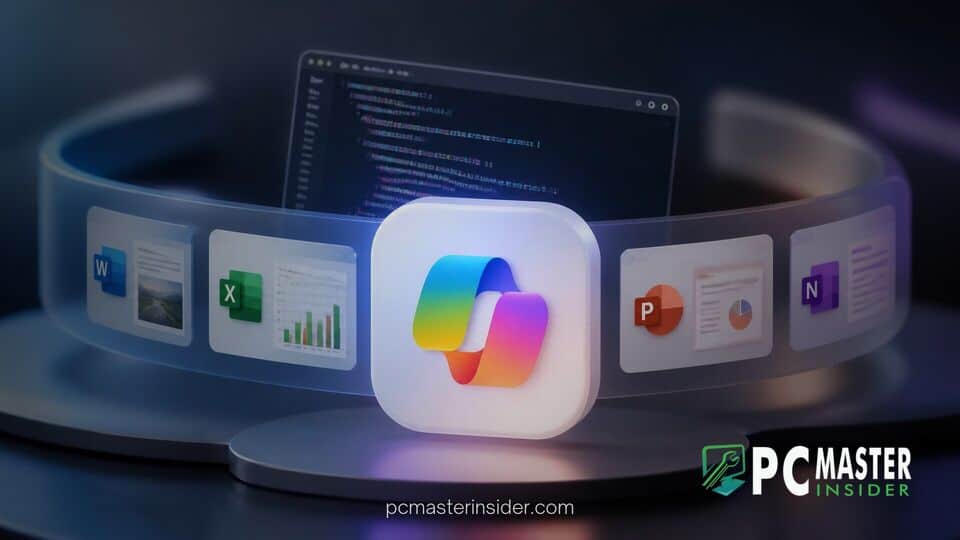
Microsoft has officially unveiled a major structural redesign of its desktop productivity suite, rolling out a unified Copilot app that merges conversational search, document creation, software development, and autonomous task execution. The new client brings full Word, Excel, and PowerPoint integration directly inside the Copilot canvas alongside dedicated workspaces for natural language code generation and persistent background automation.
The update marks a concerted effort by the technology giant to streamline its enterprise and consumer AI software lineup, replacing previously fragmented clients with a singular, comprehensive application interface. By embedding core Microsoft 365 file capabilities and developer features directly into the main conversational client, the company aims to keep users within a central workspace rather than requiring them to context-switch across separate software programs.
Microsoft Redesigns Copilot with Unified All-in-One Experience
The updated release represents a major evolution in how the company structures its artificial intelligence offerings across Windows and macOS environments. Under the new design, users no longer need to navigate distinct web portals or separate sidebar extensions. Instead, the redesigned application serves as a central hub where general queries, heavy document manipulation, app building, and autonomous workflows live under a single unified navigation layout.
This structural change follows several months of interface adjustments across Microsoft's ecosystem, including experimental updates where developers tested a built-in browser for Windows 11 Copilot app environments to preview web links without leaving the central workspace. By consolidating these disparate productivity tools into one client, Microsoft hopes to drive broader enterprise adoption while simplifying IT deployment models for corporate administrators.
Integrated Office Tools and In-App Document Creation
A central pillar of the redesign is the deep integration of Microsoft 365 authoring tools directly inside the Copilot app. Rather than returning simple text snippets or external file links, the assistant can now generate live, fully editable Word documents, complex Excel workbooks, and formatted PowerPoint slide decks without requiring users to launch external software applications.
Because these embedded document modules maintain live cloud synchronization, co-workers can view tracked changes, adjust formatting, and edit shared files concurrently through their standalone desktop programs while another team member works inside Copilot. This eliminates broken formatting and versioning errors that previously occurred when copy-pasting raw AI output between standalone windows. The integration comes alongside fixes elsewhere in the ecosystem, such as when Microsoft issued updates to resolve an Excel copy and paste bug that impacted spreadsheet operations.
New Home, Code, and Autopilot Sections Explained
The unified Copilot interface is organized into three main tabbed sections: Home, Code, and Autopilot. Each tab targets a distinct operational need, allowing employees to quickly shift between quick daily tasks, custom system creation, and automated background processes.
The Home tab functions as the primary dashboard for daily operations. It combines standard multi-turn chat capabilities with Microsoft's Cowork agent, allowing users to catch up on project threads, review recent email activity, and initiate multi-step delegable work. Over time, Microsoft plans to add intelligent background routing to the Home tab, automatically deciding whether a prompt requires a quick conversational response or an advanced multi-step execution agent.
The Code tab provides plain-language software generation tools for non-technical employees. Powered by the same underlying engine as GitHub Copilot, the section lets users describe custom dashboards, data trackers, or internal widgets in natural language. Copilot then processes the prompt, chooses an appropriate technical architecture, and compiles an actionable business tool inside a secure sandbox environment.
The Autopilot tab introduces persistent background automation features. Unlike traditional chatbots that require active user engagement, Autopilot acts as an always-on digital teammate. It runs on cloud infrastructure to handle long-running organizational tasks independently, such as coordinating quarterly supplier reviews, reaching out to stakeholders for status updates, and organizing follow-up calendar invites while employees are logged off.
Custom AI Agents and Automated Workflows
To support corporate security demands, agents created through the Autopilot and Code tabs run within an enterprise's secure cloud boundary. This configuration prevents sensitive internal communications or proprietary financial metrics from leaving company-controlled servers. Digital agents carry specific security permissions and maintain their own distinct directory profiles, allowing IT managers to audit actions and restrict data access.
These enterprise guardrails align with recent industry calls from leadership, such as when Microsoft AI chief urged industry guardrails to ensure autonomous software operates transparently without compromising corporate data governance. Furthermore, developers are gaining additional web-level tools, supported by announcements where Microsoft Edge added web tools to help external websites communicate smoothly with autonomous software agents.
Competitive Strategy and Usage-Based Enterprise Billing
Industry analysts view this unified launch as a direct move to challenge competing productivity platforms from rivals like Anthropic and OpenAI. By leveraging its deep control over the underlying operating system and core business document formats, Microsoft aims to offer an integrated environment that third-party AI startups cannot easily replicate without complex API connectors.
Speaking to business leaders, executive vice president Jacob Andreou emphasized that enterprise security was central to the app's architectural foundation. "Unlike a lot of our competition, sending your most sensitive files down to a local machine into a virtual machine was a complete nonstarter," Andreou stated during a company presentation. Chief Marketing Officer Jared Spataro echoed the ambitious vision, stating, "Just as Office defined productivity for the PC era, Copilot is defining work for the AI era to help expand what every individual and every organization can accomplish".
Alongside the product release, Microsoft announced an evolving pricing strategy to address corporate feedback regarding AI infrastructure costs. Standard conversational chat and basic document creation will remain covered under traditional flat monthly per-user licenses. However, compute-heavy tasks performed in the Code and Autopilot tabs, alongside requests processed by premium frontier models, will utilize a flexible usage-based consumption model. This hybrid billing approach helps enterprise finance teams manage operational overhead based on actual usage metrics.
The initial deployment of the unified Copilot app has officially begun through Microsoft's enterprise Frontier testing program, with the Home and Code tabs reaching early business customers first. Private previews of the Autopilot section are slated to open to select commercial clients shortly after, before a wider global rollout across desktop platforms. As organizations transition to this unified experience, Microsoft is continuing to retire legacy elements, similar to how Microsoft decided to retire Windows 11 companion apps in favor of centralized desktop experiences.



