
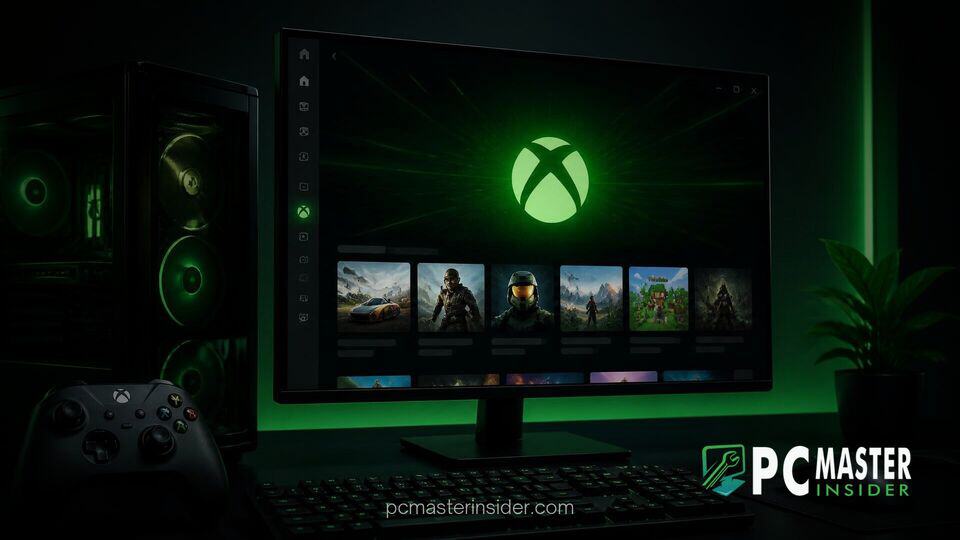
Microsoft has officially released a major update for the Xbox app on Windows, bringing substantial performance improvements and a cleaner interface design to PC gamers across desktop environments. According to Microsoft internal performance benchmarks, the updated application launches up to 60 percent faster compared to previous builds, addressing long-standing player requests for a more responsive desktop experience.
Xbox PC App Faster Launch Update Delivers Major Performance Gains
The latest build of the Xbox application focuses on reducing resource overhead and optimizing asset rendering times across Windows PCs. Microsoft revealed that alongside the headline 60 percent reduction in startup time, primary navigation sections such as the Home tab, Xbox Game Pass catalog, and Store pages load up to 50 percent faster. Furthermore, individual in-app sub-windows and overlay elements now open up to 65 percent quicker than in prior iterations.
These architectural refinements represent a concerted effort by Microsoft to bring its PC gaming client up to speed with rival platforms like Steam and the Epic Games Launcher. The company noted that actual performance improvements may vary based on hardware specifications, background operating system processes, and active internet connectivity.
Significant Performance Boosts for the Xbox PC App
Underneath the visual changes, Microsoft engineers restructured the application's core framework to reduce memory footprint and latency. Similar to previous system-level optimizations where Microsoft adjusted OS resource allocation, such as when architectural memory updates improved 8GB RAM multitasking, this app revision prioritizes snappier response times on mid-range and portable devices.
The performance boost is particularly noticeable on Windows handheld gaming devices and laptops running on battery power. By reducing heavy initial loading scripts, the app opens almost instantaneously, allowing users to jump directly into their game libraries without waiting through prolonged initialization screens.
Redesigned Interface and Streamlined Game Discovery
Beyond speed upgrades, the Xbox PC app receives a comprehensive user experience refresh designed to simplify navigation. Key interface additions and tweaks include:
- Unified Social Navigation: Friends lists, voice chat rooms, and active party options are now integrated directly into the main navigation sidebar, eliminating extra menu steps.
- Unified Search Architecture: The search tool now aggregates results for installed local games, cloud titles, add-ons, and community members within a single query window.
- Visual Polish: Redesigned game cards, streamlined settings menus, smoother transition animations, and improved screen space utilization on larger desktop displays.
- Enhanced Accessibility: Support for updated light and dark themes alongside five distinct high-contrast visual presets.
These changes align with broader design updates across Microsoft's ecosystem, echoing efforts seen when developers update legacy tools in native WinUI 3 framework code to elevate UI responsiveness and modern aesthetics.
Expanded Cloud Gaming and Web Cross-Platform Features
The desktop client improvements coincide with updates to Microsoft's cloud gaming ecosystem. The refreshed interface design is rolling out to the Xbox web interface at play.xbox.com, as well as dedicated cloud gaming applications on smart TVs and VR headsets.
A new Library tab consolidates both owned digital games and Xbox Game Pass cloud-supported titles into one view. Gamers can sort their cloud catalog by recently played games, genres, and input methods, such as touch controls or gamepads. This alignment across web, console, and desktop platforms creates a uniform experience regardless of where players choose to log in.
How Xbox Insiders Can Access the Updated Build
The overhauled Xbox PC app experience is currently rolling out to members of the Xbox Insider Program. Windows 10 and Windows 11 users enrolled in the Insider preview can download the latest build via the Xbox Insider Hub app.
Microsoft plans to gather feedback from preview participants to fine-tune performance and fix edge-case bugs before rolling out the update to the general public. Gamers who prefer to avoid preview software will receive the optimized launcher automatically through standard Microsoft Store updates over the coming weeks.
With these performance enhancements and usability upgrades, Microsoft takes a direct step toward making its Windows gaming platform significantly faster, more intuitive, and competitive for modern PC gamers.