
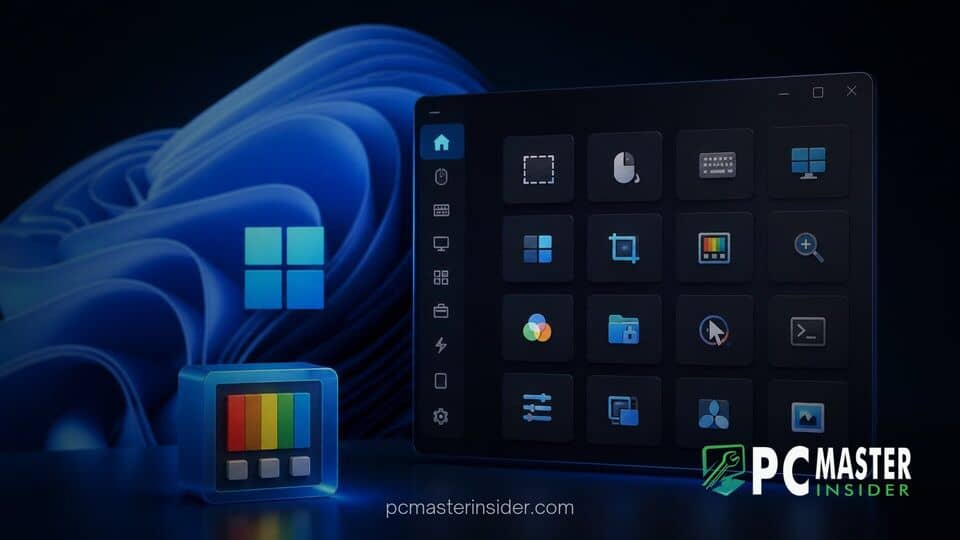
Microsoft has completed the transition of 17 individual PowerToys utilities to its modern WinUI 3 framework, replacing legacy Windows Presentation Foundation code across the open-source suite. The systematic overhaul aligns the popular power-user toolset directly with Windows 11 user interface standards while streamlining system resource usage.
The engineering team has prioritized replacing older graphical interfaces with native components. Recent builds, including PowerToys 0.102, brought major redesigns to heavily used tools such as Color Picker and Text Extractor, bringing the total count of native WinUI 3 utilities alongside the main Settings app to 17.
PowerToys Transition to Native WinUI 3
The Microsoft PowerToys WinUI 3 update marks a significant milestone in software maintenance for the open-source utility suite. By moving tools off older frameworks, Microsoft is establishing a unified UI layer across desktop enhancements while reducing background overhead.
Historically, the PowerToys repository combined multiple decades of Windows software development patterns. Individual modules originated from independent community contributors and internal experimental teams, creating a patchwork of WPF, Windows Forms, C++, and early WinUI components. The ongoing push to rebuild these tools using the Windows App SDK standardizes performance behaviors and visual aesthetics across the entire suite.
The transition ensures native support for contemporary Windows 11 visual elements, including Mica transparency effects, fluid micro-animations, and system-wide dark mode styling. Modernization also addresses operational consistency across various display configurations, resolving long-standing rendering glitches on high-DPI monitors and multi-display setups.
Utilities Included in the Framework Refresh
The list of tools running on native WinUI 3 code includes several core workflow enhancements. Key components that have transitioned to the modern architecture include:
- Color Picker and Text Extractor: Upgraded with modernized overlay interfaces, improved magnifier popups, and smoother screen scanning features.
- Command Palette: Redesigned with compact views, fuzzy search capabilities, and quick-access command shelves.
- System Utilities: Advanced Paste, Hosts File Editor, Environment Variables, Registry Preview, File Locksmith, and Screen Ruler.
- Navigation and Desktop Controls: Peek, PowerRename, PowerDisplay, Shortcut Guide, Image Resizer, Quick Accent, Mouse Jump, and the Keyboard Manager remap editor.
Despite the code rewrite, Microsoft confirmed that user configurations, custom hotkeys, and automated workflows remain fully intact when modules upgrade to WinUI 3.
Eliminating WPF and Legacy Code Dependencies
One primary objective of the migration project is the complete removal of the bundled WindowsDesktop runtime. Under the original architecture, PowerToys was forced to package full copies of WPF and Windows Forms libraries alongside its application files, inflating disk footprints and memory consumption.
According to engineering documentation tracked on the project's GitHub repository, shipping redundant framework libraries added tens of megabytes of duplicate code across installation folders. By converting individual modules to native WinUI 3, the development team can strip away these framework dependencies.
Similar to recent architectural refinements where Microsoft optimized system footprint, such as memory management optimizations for low-RAM PCs, eliminating WPF libraries significantly shrinks the PowerToys installer size. Once all target tools finish migrating, the total installation footprint on disk is projected to drop by up to nearly 90 MB, yielding a much lighter package for desktop users.
Performance and UI Improvements on Windows 11
Moving away from legacy UI wrapper layers like ModernWPF directly impacts application responsiveness. Native WinUI 3 interfaces interact directly with Windows 11 graphics engines, reducing input latency when opening utility overlays via keyboard shortcuts.
This push toward native compilation reflects a broader trend across ecosystem applications. Earlier this year, desktop developers took similar steps toward direct hardware execution, such as when Discord announced a native client rebuild to bypass resource-heavy web container frameworks.
In practice, PowerToys tools launch faster, draw transparent overlays with lower GPU utilization, and adapt seamlessly to dynamic theme changes. The framework rewrite also facilitates tighter integration with native operating system features, enabling quick-action menus and refined system tray interactions.
Availability and Future PowerToys Updates
The revised utilities are available immediately in current stable builds of PowerToys, downloadable through the Microsoft Store, GitHub, or the winget command-line package manager. Users updating to version 0.102 and subsequent release candidates automatically receive the rewritten interfaces without manual intervention.
While 17 tools have completed the transition, work remains ongoing for a handful of legacy modules. The FancyZones layout editor, PowerToys Workspaces launcher, and PowerToys Run launcher continue to rely on WPF components while developers resolve complex transparent overlay behaviors and navigation libraries. Meanwhile, Mouse Without Borders remains on Windows Forms code.
Microsoft plans to continue converting the remaining utilities in upcoming release cycles. Future updates will focus on fully decoupling shared code libraries from older runtimes, ultimately delivering a unified, fully native PowerToys package designed specifically for Windows 11 environments.
This major codebase refresh underscores Microsoft's commitment to delivering fast, native software experiences on Windows 11. By modernizing core utilities, PowerToys remains a vital, lightweight toolkit for power users seeking peak desktop productivity.