
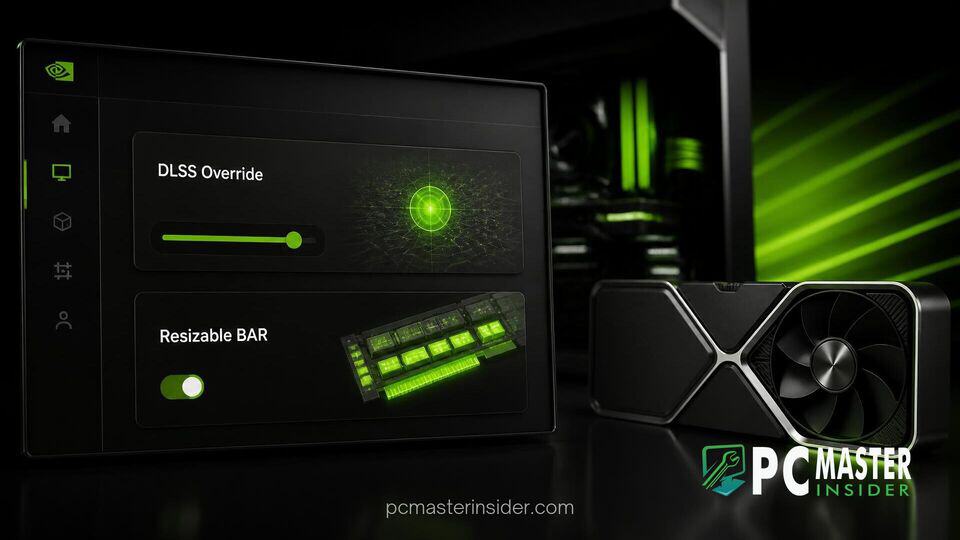
NVIDIA has officially rolled out version 11.0.9 of its unified management software, introducing key driver-level customizations for GeForce RTX graphics cards. The software update expands driver override options, providing PC gamers with new tools to tweak visual fidelity and system memory behavior without waiting for game developers to release individual patches.
With this release, players can now force updated AI models into supported ray-traced titles and manage hardware features on a game-by-game basis. The update aims to streamline display and driver controls, continuing NVIDIA's effort to consolidate its legacy Control Panel features into a single modern desktop utility.
nvidia app update dlss ray reconstruction resizable bar
The core focus of version 11.0.9 is the introduction of global and per-profile overrides for DLSS 4.5 Ray Reconstruction and Resizable BAR. By adding manual controls within the NVIDIA App, users can force the latest second-generation transformer model into ray-traced and path-traced titles, even if those games originally shipped with older denoiser files. Simultaneously, the new per-application Resizable BAR toggles grant direct control over PCI Express memory access, letting users manually enable or disable memory optimizations for games that fall outside NVIDIA's default driver whitelist.
NVIDIA App Version 11.0.9 Key Features
Beyond the core performance and visual tweaks, the 11.0.9 update brings several notable quality-of-life adjustments. The software now features enhanced navigation, including hover-enabled sidebar links and subtle visual indicators to notify users when new features arrive. NVIDIA has also integrated a toggle for the Windows desktop context menu, allowing users to choose whether the app appears when right-clicking on the desktop.
Additionally, the update migrates the CUDA System Fallback policy from the classic NVIDIA Control Panel into the modern app structure. Screen recording enthusiasts using ShadowPlay on recent GPU architectures gain higher frame rate capture capabilities, while display configurations now include support for G-SYNC Pulsar setups and borderless windowed modes for optimal game profiles.
DLSS 4.5 Ray Reconstruction Manual Overrides
Ray Reconstruction relies on deep learning models to replace hand-tuned image denoisers, generating cleaner reflections, ambient occlusion, and global illumination. The DLSS 4.5 upgrade utilizes a second-generation transformer model trained on supercomputers to evaluate pixel sampling and motion vectors more accurately.
Through the new Driver Settings menu in the app, users can select custom model presets, such as Preset F, to overwrite older game binaries. This override helps eliminate visual artifacts like ghosting, shimmering, and temporal noise in path-traced titles without incurring a heavy performance hit.
Per-Game Resizable BAR Toggles for PC Gamers
Resizable BAR is an essential PCI Express feature that allows the central processor to access the entire graphics memory buffer at once, reducing transfer overhead. Previously, NVIDIA enforced a strict global whitelist through Game Ready Drivers, enabling the feature only for tested titles due to potential stability or frame-pacing issues in certain engines.
The 11.0.9 update places that decision back into the hands of the end user. Gamers can now force Resizable BAR on for titles where it provides a measurable frame rate boost or turn it off for individual games that exhibit stuttering, bypassing the global driver defaults.
Performance and Visual Enhancements in Supported Titles
The ability to override Ray Reconstruction presets provides immediate visual advantages in complex graphics engines. In demanding games featuring full path tracing, such as Cyberpunk 2077 and Alan Wake 2, enforcing the second-generation transformer model results in clearer motion and sharper light diffusion.
On the hardware optimization side, per-game Resizable BAR controls allow users to unlock extra performance in titles that were historically overlooked by driver updates. Gamers troubleshooting frame pacing issues on heavy graphics workloads, such as modded titles or demanding remasters like The Witcher 3 remaster, can now independently test memory access behaviors to stabilize frame delivery.
Hardware enthusiasts have praised the additions for giving users direct access to features previously reserved for third-party profile inspector utilities. While manual overrides can occasionally introduce stability quirks in unsupported software, the ability to reset individual profile driver settings ensures users can quickly revert any problematic configurations.
How to Update and Access the New NVIDIA App Controls
To access the new options, users must ensure their system is running GeForce Game Ready Driver version 580.88 WHQL or newer alongside the latest version of the application.
- Open the NVIDIA App and navigate to Settings > About.
- Ensure automatic updates are enabled or manually check for the 11.0.9 build.
- Navigate to the Graphics tab and choose a specific game profile or select Global Settings.
- Scroll down to the Driver Settings section to access the new toggles.
- Under DLSS Override – Model Presets, set the option to Custom and choose the desired model profile.
- Under Resizable BAR, toggle the setting between On, Off, or Driver Default based on preference.
By bringing granular controls directly into a user-friendly interface, NVIDIA continues to bridge the gap between simple driver management and advanced performance tuning. As PC hardware requirements grow increasingly complex, these native overrides offer gamers a straightforward method to maximize both visual quality and system performance.



