
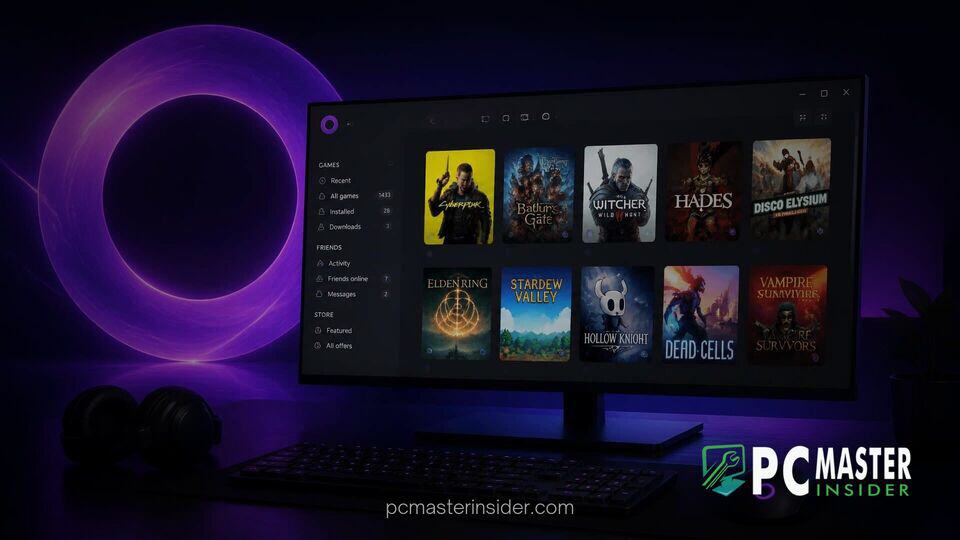
Digital storefront GOG has officially announced a comprehensive redesign update for its flagship GOG Galaxy desktop application on Windows . Unveiled during the company's autumn showcase, the update introduces a faster frontend architecture, streamlined navigation tools, and a modernized aesthetic built to support massive digital game collections .
The overhaul arrives at a competitive moment for desktop gaming software, as storefront operators actively optimize launcher responsiveness, memory footprints, and library sorting functionality across modern desktop operating systems.
GOG Galaxy Windows App Redesign Update Brings Streamlined Navigation
The centerpiece of the gog galaxy windows app redesign update is an overhauled user interface engineered to reduce clutter and improve application launch speeds . The developer has restructured main navigation panels, giving users immediate access to their local game libraries, cloud save status, and active store discounts without navigating dense secondary menus. A refined power search mechanism allows players to query across owned titles, wishlist items, and storefront catalog entries instantaneously .
Performance optimization forms another core leg of the release. GOG has refined memory consumption and back-end thread handling, addressing long-standing community feedback regarding background resource usage during active downloads and background synchronization . The revamped client offers responsive scaling across multi-monitor setups, smoother scrolling across vast catalogs, and updated dialog overlays that align visually with contemporary desktop environments .
GOG Unveils Major Interface Overhaul for Galaxy Client
Beyond visual adjustments, GOG has emphasized structural refinements within the client's architecture. The new interface brings customizable grid views, modular sidebars, and improved tagging filters, enabling gamers to categorize titles by genre, platform integration, or release era . Store pages integrated into the app load considerably faster, benefiting from streamlined rendering layers similar to recent performance efforts seen across competing PC platforms.
PC gaming storefronts have seen intensive client optimization efforts across the industry. For instance, Microsoft recently rolled out a major software refresh when Microsoft rolls out Xbox PC app update featuring 60% faster launch times, highlighting a broader push by platform holders to reduce desktop overhead and eliminate UI latency for desktop gamers.
Library Navigation and Performance Enhancements
The updated GOG Galaxy application places heavy focus on library organization. Users managing thousands of titles imported from cross-platform integrations can now take advantage of unified friend lists, achievement tracking, and combined play-time metrics without experiencing client UI stutter . The download manager features improved bandwidth throttle controls and clearer queue ordering, ensuring background game patches do not interfere with system-wide responsiveness .
System memory efficiency has also seen targeted improvements, particularly for mid-range and legacy PC configurations. Optimizing desktop background processes remains critical on modern operating systems, where multi-tasking demands are high. Similar architectural efforts have taken place at the OS level, such as when Microsoft details Windows 11 memory updates boosting 8GB PC multitasking by 40% to help maintain system fluidity under heavy workflows.
Preservation Program Integration and Desktop Features
A key aspect of the revamped client is its deep integration with the GOG Preservation Program . Games maintained under this initiative receive dedicated compatibility tags directly within the library view, displaying documented patches, community mod integrations, and verified operating system compatibility status before a game is launched . This ensures classic titles operate cleanly on modern Windows installations without requiring manual configuration adjustments.
The company emphasized that while the client interface is undergoing substantial modern improvements, GOG Galaxy remains entirely optional for all customers . Offline standalone installers, a hallmark of the store's digital rights management policy, remain available for manual download via web browser, allowing players complete freedom over how they store and preserve their purchased software .
Rolling Out the Redesigned Windows Application
The redesigned Windows client build is deploying through GOG Galaxy's integrated update service and official web downloads . Windows users opted into experimental update channels or stable releases will receive automated update notifications prompting a brief client restart to apply the new interface .
GOG has also confirmed that equivalent client improvements will roll out to macOS, with a dedicated native Linux build currently in active development to support handheld devices and open-source desktop gaming setups in the future .
By delivering a cleaner layout alongside meaningful speed enhancements, the updated GOG Galaxy client reinforces GOG's positioning as a user-friendly, consumer-first alternative in the PC gaming ecosystem.