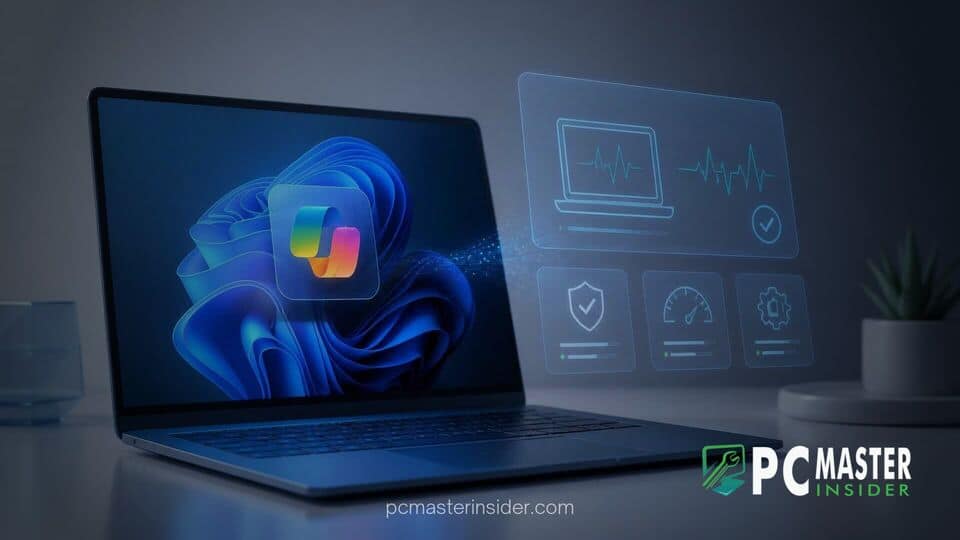
At its Ignite 2026 conference in San Francisco, Microsoft announced that Copilot on Windows 11 will soon feature local PC diagnostic capabilities to inspect operating system health, troubleshoot settings, and isolate device issues. Integrated into the desktop environment and search interface, the feature uses local system context to help users diagnose common hardware and software problems while keeping explicit control over any proposed repairs.
Copilot PC Diagnostics for Windows 11 Announced at Ignite 2026
Microsoft presented the new capabilities as part of its expanding emphasis on Hybrid Intelligence on Windows, which combines cloud-based processing with local neural processing unit (NPU) acceleration. Rather than requiring users to manually search external forums or navigate deep control panels, the updated Windows Search and Copilot interfaces can run read-only diagnostic checks across system components when prompted. The feature aims to streamline basic tech support tasks for home users and managed corporate endpoints alike.
During the keynote sessions at Ignite 2026, Microsoft demonstrated how natural language prompts inside Windows 11 can initiate immediate background scans. When a user enters a query regarding audio failure, wireless dropouts, or storage bottlenecks, Copilot requests temporary, explicit permission to read system telemetry, device manager logs, and hardware configurations. Once authorized, it evaluates system state data locally to pinpoint root causes.
How AI-Powered PC Scanning Works in Windows Search and Taskbar
The diagnostic engine operates directly through the taskbar search bar and the native Copilot interface. When a problem is queried, the operating system invokes a dedicated, sandboxed diagnostic agent rather than generating generic web-search recommendations. This agent scans active background processes, device driver states, network interface configurations, and connected peripherals.
In one demonstration shared at the conference, an employee reported that audio was not outputting through a pair of connected Bluetooth headphones. Upon request, Copilot requested authorization to view local system metrics. After performing a read-only analysis of the Windows audio pipeline and active playback endpoints, Copilot correctly identified that the Bluetooth headset was properly paired, but Windows 11 was routing default audio output to an unplugged display monitor.
This approach builds on previous enterprise management updates where Microsoft consolidated policy controls. For instance, IT teams recently saw how Microsoft consolidates Windows 11 Autopatch and Recovery Controls in Intune to streamline administrative overhauls. Copilot PC diagnostics brings a parallel simplification directly to the end user desktop, attempting to eliminate traditional support tickets before they are submitted.
Local Context and Permission-Based Troubleshooting
A core foundation of the updated diagnostic framework is its reliance on local hardware context. Copilot reads device status indicators, resource utilization metrics, and hardware logs locally on the machine. By evaluating state changes directly on the device, the system minimizes data transmission to external servers.
Security and permission boundaries remain strictly enforced throughout the scanning phase. Before Copilot accesses system parameters or local files, Windows 11 prompts the user with an explicit consent dialog detailing what information will be inspected. If permission is denied, the AI assistant defaults to standard text-based guidance without evaluating local device metrics.
This localized diagnostic approach complements other native operating system utilities designed to address core platform issues. When system crashes or underlying component corruptions extend beyond basic settings toggles, users often rely on deeper system recovery tools. Microsoft recently introduced features like the Cloud Rebuild feature in Windows 11 Preview to handle complete system reinstalls, providing a safety net when localized diagnostics uncover severe software corruption.
User Control, Privacy Safeguards, and Fix Execution
Microsoft emphasized during Ignite 2026 that Copilot PC diagnostics will operate strictly as an advisory and guided repair assistant, rather than making autonomous changes to system configurations without authorization. After conducting a scan, Copilot delivers a plain-language summary detailing why an error occurred and provides actionable steps to resolve it.
If a fix requires altering system registry keys, toggling device driver settings, or resetting network adapters, Copilot presents a step-by-step resolution plan. The user retains complete authority over executing the proposed fix. For common settings adjustments, Copilot offers direct action buttons, allowing the user to approve a configuration change with a single click while maintaining full oversight.
Enterprise administrators will also gain management controls over how Copilot diagnostics behave on corporate endpoints. Group Policy administrative templates and Intune policies will allow enterprise IT departments to govern whether users can grant file-system or diagnostic access to Copilot on domain-joined machines. This administrative governance aligns with other recent enterprise security measures, such as when Microsoft unveiled Windows Baseline Protection in preview at Ignite 2026 to lock down default device security posture.
Rollout Timeline and Integration with Windows 11 Hybrid Intelligence
The introduction of AI-driven local diagnostics marks a key step in Microsoft's overarching strategy for Hybrid Intelligence. Executive leadership noted that useful artificial intelligence must progress beyond text-based responses to execute functional actions safely within the host environment. By pairing local NPU acceleration with operating system APIs, Windows 11 can parse system states in real time without creating heavy cloud latency.
The feature will begin rolling out in preview builds to members of the Windows Insider Program ahead of a wider public deployment. Microsoft plans to expand diagnostic capabilities over time to cover broader failure scenarios, including storage fragmentation, power management throttling, and application dependency conflicts.
As Microsoft expands local diagnostic tools, basic troubleshooting routines will become faster and more accessible for non-technical users. However, traditional manual maintenance procedures remain essential when addressing specific subsystem issues. For example, PC gamers dealing with rendering stutters can still follow guides on how to clear DirectX shader cache in Windows 11 to resolve performance degradation manually.
With Copilot PC diagnostics, Microsoft aims to significantly reduce routine helpdesk tickets and simplify technical maintenance across the global Windows 11 user base. By combining local permission controls with targeted AI inspection, the platform offers an practical step forward for automated operating system repair.