
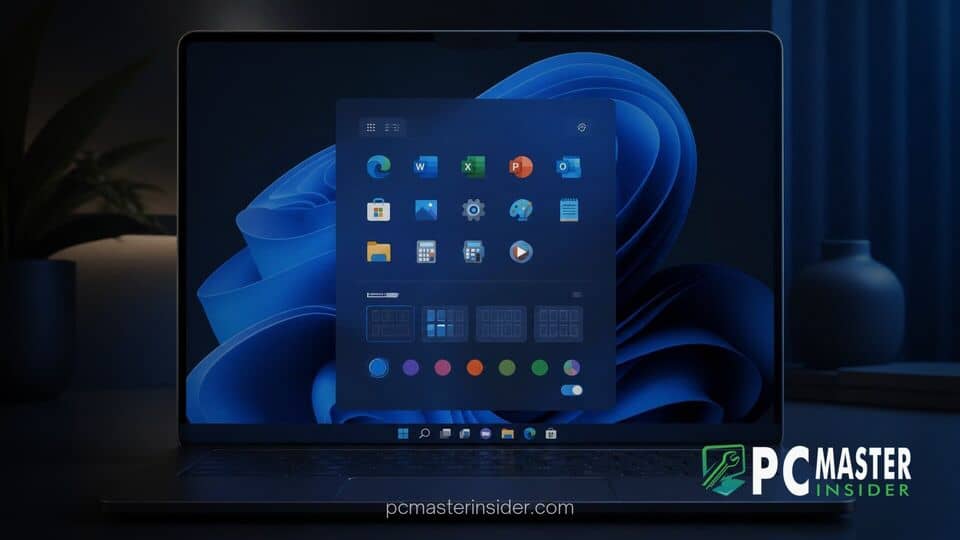
Microsoft is rolling out a substantial set of customization controls for the Windows 11 Start menu to address years of user feedback regarding fixed interface elements. The updated features, currently undergoing testing in Windows Preview builds, allow users to independently toggle interface sections, adjust overall menu scaling, and hide personal account details.
The update marks one of the most comprehensive overhauls to the central desktop component since Windows 11 debuted in 2021. By shifting away from rigid layout constraints, the operating system gives both consumer and enterprise users greater control over their everyday workspace layout.
windows 11 start menu customization options
Microsoft is introducing granular windows 11 start menu customization options that let users tailor the interface to fit specific display sizes and workflow habits. Testers can now independently enable or disable specific sections, select explicit display proportions, and adjust privacy settings directly within the core Personalization menu.
Microsoft Tests Major Start Menu Personalization Options
When Microsoft launched Windows 11, it replaced the classic Start menu with a centered, simplified interface. While the modern visual language streamlined navigation for many, it also removed long-standing customization features such as dynamic resizing and free-form group management. Over time, Microsoft explained rebuilding the Windows 11 taskbar to restore classic features, establishing a groundwork for broader desktop refinement. The latest experimental builds expand upon those efforts by granting users full authority over which elements occupy screen space.
In addition to interface adjustments, the underlying Settings page has been restructured under Settings > Personalization > Start. Rather than navigating through multi-layered submenus, users can preview and toggle visual components in real time.
Independent Section Toggles and Size Selections
The most notable mechanical change is the introduction of independent section-level toggles. Previously, users had limited control over how space was split between pinned applications and recommended content. Under the new build, individuals can independently show or hide the following components:
- Pinned Apps: Displays user-selected shortcuts in a grid arrangement.
- Recent Section: Formerly labeled "Recommended," this row tracks recently installed software and active working files.
- All Apps List: Displays installed software through standard alphabetical lists or category groupings.
Users who prefer a completely minimalist environment can toggle off both the Recent section and Pinned apps, resulting in a streamlined search bar interface. Alternatively, users can display only their preferred shortcuts without automatic file recommendations occupying vertical space.
To accommodate diverse display hardware, Microsoft has introduced three explicit sizing options:
- Small: Reduces overall menu height to preserve vertical screen real estate on 13-inch and 14-inch laptops.
- Large: Expands target areas and grid spacing, optimizing navigation for touchscreens and high-DPI desktop displays.
- Automatic (Default): Dynamically scales the menu according to active display resolution and scaling factors.
Privacy Controls for User Profiles
Beyond spatial adjustments, Microsoft has added practical privacy controls aimed at remote workers, content creators, and presenters. A new toggle allows users to hide their profile name and profile picture from the bottom corner of the Start menu.
This setting prevents personal account details or email identification from appearing on screen during presentations, video calls, or public screen-sharing sessions. Removing the account anchor also creates a cleaner visual footprint along the lower margin of the Start menu frame.
Impact on the Windows 11 Desktop Experience
The addition of these customization controls reflects a broader shift in Microsoft's approach to desktop UI maintenance. While early releases prioritized uniform visual design across hardware ecosystems, user feedback emphasized the necessity of functional flexibility.
Power users who rely on precise system setups have frequently turned to third-party tools or registry modifications to tweak the Start menu. By building these controls directly into the core operating system, Microsoft reduces reliance on external utilities while maintaining system security and stability. Furthermore, users who troubleshoot system performance often discover that keeping a lean desktop layout complements other efficiency steps, such as knowing why restarting Windows 11 is cleaner than shutting down.
Enterprise administrators stand to benefit from these controls as well. Group policy objects and Intune management profiles are expected to support these section toggles, enabling IT departments to deploy standardized, distraction-free Start menu layouts across corporate fleets.
Rollout Timeline and Insider Availability
The revised Start menu customization controls are currently rolling out to registered members of the Windows Insider Program across preview channels. Microsoft is using a Controlled Feature Rollout (CFR) approach, enabling the features for subset groups to gather stability telemetry before broader distribution.
This gradual release strategy aligns with previous UI updates, where feedback regarding software indexing and navigation layouts influenced final builds. For instance, recent preview developments have also focused on file management efficiency, such as how Windows 11 Search automatically indexes frequently used folders.
If insider feedback remains positive and performance metrics meet stability thresholds, Microsoft is expected to deliver these customization controls to general users in an upcoming Windows 11 feature update. Once released publicly, the new settings will be available to all Windows 11 Home and Pro editions through standard cumulative updates.
By pairing flexible layout sizing with independent section toggles, Microsoft continues to refine Windows 11 into a more adaptable environment, balancing modern design standards with user-driven flexibility.



