
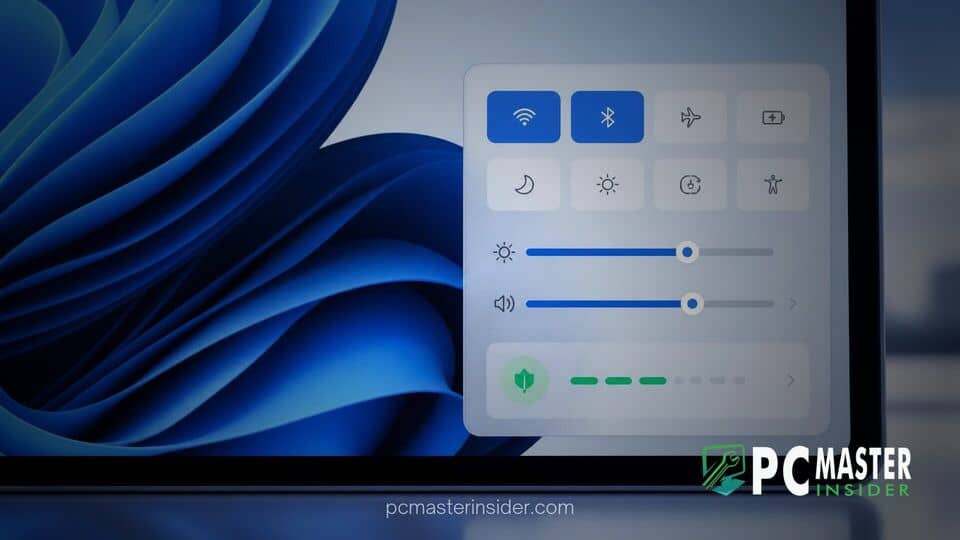
Microsoft has released a new preview update for Windows 11 that relocates key power optimization prompts into the action center menu. Windows Insiders can now view and act upon carbon footprint and battery saving suggestions without having to launch the main Settings app.
This convenience update comes as part of Experimental Preview Build 26340.9577, aiming to make sustainable PC usage far more approachable for everyday laptop and desktop users. By surfacing environmental tools directly in the system tray, Microsoft continues its effort to streamline system management across Windows 11.
Microsoft Integrates Power Savings Directly into Quick Settings
The primary highlight of this update centers around integrating eco-conscious system controls where users interact with their hardware options most frequently. By placing features related to windows 11 quick settings energy recommendations directly inside the tray flyout, users can modify screen timeouts, sleep states, and display brightness parameters with just two clicks. Previously, accessing these options required navigating through multiple sub-menus inside the System section of the main app.
Bringing these notifications directly into the flyout interface ensures that crucial power tweaks are no longer hidden away. Users running laptops on battery power or attempting to curtail overall power usage can now check real-time suggestions straight from the taskbar.
How the New Energy Recommendations Work in Build 26340.9577
When clicking the Quick Settings area near the system clock, Windows 11 now detects current system power behavior and highlights actionable suggestions tailored to connected hardware. For instance, if an external monitor is set to maximum brightness or if system sleep timeouts are set excessively long, a badge will notify the user inside Quick Settings.
Selecting the energy item expands a short list of practical toggles. Suggestions typically include:
- Setting system power mode to optimal energy efficiency.
- Adjusting display brightness levels to conserve battery life.
- Reducing sleep delay durations down to three or ten minutes.
- Enabling dark mode to lower power consumption on OLED displays.
Each recommendation comes with an immediate toggle or an option to apply all suggested settings simultaneously. This change aligns with Microsoft's broader strategy to reduce average PC carbon emissions by promoting power-saving habits across hundreds of millions of active devices.
Additional Improvements in the Latest Experimental Preview Build
In addition to surface-level power tools, Microsoft bundled several other desktop refinements into Build 26340.9577. The Start menu Phone Companion feature received an upgrade, introducing a scrollable side pane that allows users to review recent mobile notifications, photos, and messages without opening the standalone Link to Windows software. Microsoft previously tested related features in Windows 11 Beta Build 26220.9568 to improve mobile integration and accessibility tools across preview channels.
Furthermore, Microsoft updated the visual presentation inside the Storage settings tab, applying subtle layout updates to temporary file clean-up tools. Accessibility also received attention, with expanded multi-language equation reading support inside Narrator for students and professionals using Edge or Chrome browsers. These usability additions arrive alongside ongoing operating system reliability patches, as highlighted in analysis detailing how Windows 10 stability compares to Windows 11 during active deployment cycles.
Availability and Next Steps for Windows Insiders
The updated Quick Settings flyout is actively rolling out to participants enrolled in the Experimental Channel of the Windows Insider Program. As with most preview features, Microsoft is using a staggered rollout approach to monitor performance telemetry and collect user feedback before wider deployment.
If testing progresses smoothly without stability regressions or display errors, these energy quick controls are expected to arrive in upcoming general production updates for Windows 11 later this year. For now, preview participants can test the functionality and submit feedback directly through the Windows Feedback Hub.



