
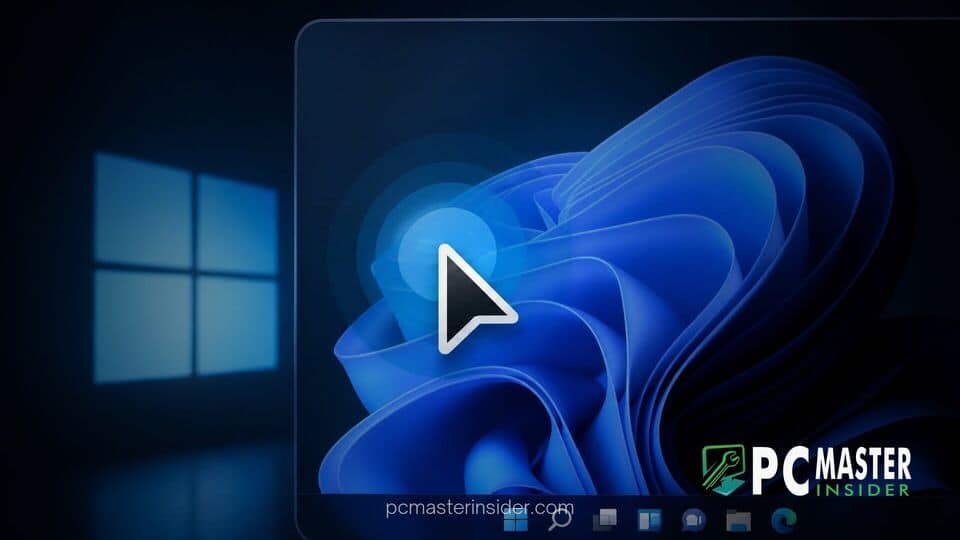
Microsoft has released Windows 11 Beta Build 26220.9568 for members of the Windows Insider Program, bringing a dedicated accessibility enhancement aimed at low-vision users alongside several quality-of-life updates. The preview release introduces a built-in Pointer Indicator tool designed to help users instantly locate their cursor on large or high-resolution displays.
Alongside the cursor locator tool, the update expands integration options for paired smartphones, upgrades the built-in Screen Magnifier utility, and delivers general bug fixes across the operating system. These updates build on Microsoft's continuous push to refine desktop usability and accessibility in future feature updates for Windows 11.
Microsoft Releases Windows 11 Preview Build 26220.9568
The release of Windows 11 Beta Build 26220.9568 marks another step forward in Microsoft's ongoing effort to improve the operating system's overall accessibility stack. The headline addition in this preview flight is the new windows 11 build 26220 9568 pointer indicator feature. This tool is specifically engineered to make mouse navigation easier for individuals with visual impairments or anyone working across multiple high-density monitors.
Finding a small white cursor on a crowded high-resolution screen or a multi-display setup can often cause friction for computer users. With the introduction of the Pointer Indicator, Windows 11 now offers an easy visual cue that overlays crosshair markers on the screen to highlight the exact position of the mouse pointer. Users can turn this function on or off on demand using a simple hardware shortcut.
New Pointer Indicator Tool for Low-Vision Users
To enable the new feature, users can navigate to Settings > Accessibility > Mouse pointer and touch, where a dedicated toggle for the Pointer Indicator now resides. The feature can also be located quickly using the search bar within the Settings application.
Once activated in Settings, Insiders can toggle the pointer crosshairs on or off at any point during their workflow by using the system shortcut Windows logo key + Ctrl + Shift + X (or Win + Ctrl + X on select preview variants). When triggered, the crosshair visual appears around the cursor, giving low-vision users an instant point of reference.
This setting complements other recent mouse accessibility improvements tested across preview channels, such as new modern cursor controls and hover effects that Microsoft has been gradually introducing into the Settings app. By standardizing cursor locator controls inside native accessibility options, Windows removes the need for third-party pointer highlight utilities.
Additional Enhancements in the Latest Beta Flight
In addition to mouse tracking improvements, Build 26220.9568 introduces practical updates to everyday system features, including Phone Link integration and the built-in Screen Magnifier.
Start Menu Phone Link Previews and Explorer Options
Microsoft has updated the Phone Link companion pane integrated directly into the Windows 11 Start menu. With this update, users no longer need to unlock their connected smartphone or fully launch the Phone Link app to read incoming text notifications. By simply hovering the mouse cursor over a recent message or alert inside the Start menu's Phone companion section, users can instantly view a full preview of the message content.
This functionality requires Phone Link application version 1.26021.3.0 or higher. It aims to reduce device switching and help users keep their workflow focused on their main screen.
Build 26220.9568 also includes a useful refinement for the built-in Screen Magnifier application. In previous versions, users seeking to reduce display glare relied primarily on full-screen color inversion, which often distorted images, videos, and complex graphics. The new preview build adds a native contrast theme toggle directly to the Magnifier toolbar. This allows users to recolor application windows and text into high-contrast shades without altering the original natural colors of photos, video streams, or charts.
While Microsoft continues to introduce consumer features in the Beta Channel, the operating system team is also actively addressing core system stability issues. In recent weeks, Microsoft has resolved several underlying system bugs, including addressing a Windows 11 File History backup bug and responding to user feedback regarding unexpected post-update behavior. Additionally, Microsoft continues to roll out security enhancements, such as expanded Secure Boot certificate deployment controls across preview releases.
How to Test Build 26220.9568 in the Beta Channel
Windows Insiders currently enrolled in the Beta Channel can download Build 26220.9568 by visiting Settings > Windows Update and checking for new updates. The build is offered as an enablement package update for devices running Windows 11 version 25H2.
Because features in the Beta Channel are delivered via staged rollouts, Microsoft notes that not all Insiders will see the new Pointer Indicator or Start menu Phone Link hover previews immediately upon updating. Microsoft monitors user feedback in the Feedback Hub before enabling features broadly across the entire Insider base.
As Microsoft prepares for upcoming feature updates, tools tested in the Beta Channel represent near-final functionality that is likely to reach general availability in forthcoming cumulative updates. Users testing these builds are encouraged to submit feedback regarding cursor behavior, keyboard shortcuts, and Magnifier performance through the native Windows Feedback Hub app.



