
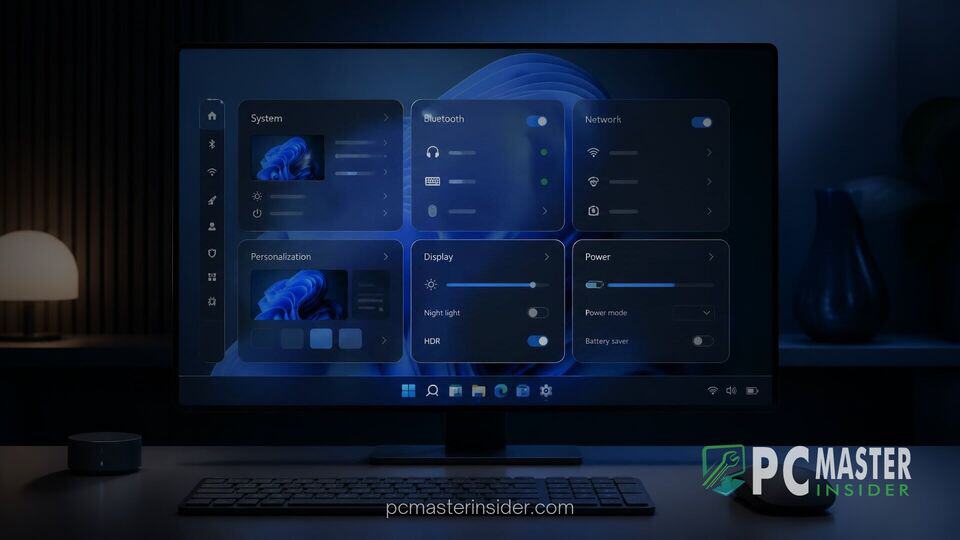
Microsoft is quietly testing a new application in the Microsoft Store codenamed Project Odeon, which adopts the official Windows 11 Settings icon and mirrors much of the system's current configuration interface. Uncovered by independent security researchers and software enthusiasts, the experimental package suggests Microsoft may be exploring ways to decouple core configuration utilities from full operating system builds.
By publishing system options as standalone, store-distributable packages, the tech giant could significantly streamline how features, fixes, and visual enhancements are delivered to users. Rather than waiting for annual feature updates or monthly cumulative patches via Windows Update, modular components could be refreshed continuously through the Microsoft Store.
Microsoft Testing Project Odeon App in Microsoft Store
The unannounced application, formally designated as Microsoft.ProjectOdeon (version 1.0.9.0), was discovered listed under the Productivity category with a Preview tag. The app carries Microsoft's official publisher credentials, confirming it originates directly from internal engineering pipelines rather than a third-party developer. Installation requires Windows 11 build 26100 or newer, alongside enabling Developer Mode, indicating that the project remains strictly in an early testing phase.
While Project Odeon isn't searchable on the main store storefront for regular users, technical examination reveals a package structured around modular delivery. The app incorporates preview parameters, dummy account profiles, and standalone helper tools responsible for tasks such as computer renaming, printer setup, time zone adjustments, and update management. This design reflects Microsoft's broader effort to modernize core desktop software. For instance, Windows 11 preview builds recently accelerated app launches by stripping redundant background processes, and Project Odeon appears to follow a similar philosophy of component optimization.
Modular Design and Coexistence with Current Settings
Instead of overwriting the native Windows 11 Settings app, Project Odeon runs alongside it as an independent instance. When launched, the application reads live configuration data from the underlying PC, showing familiar categories like System, Display, and Personalization. However, several pages include diagnostic insights not currently present in the stable version of Windows 11.
For example, the Display configuration pane within Project Odeon displays detailed hardware telemetry, including exact display connection paths, monitor model identifiers, HDR capability strings, and precise SDR white-level values. At the same time, the preview nature of the software is evident: several links remain non-functional, UI elements occasionally flicker or fail to load, and some labels contain placeholder text.
Modularizing system components is an established strategy for Microsoft. Crucial inbox applications such as Notepad, Paint, Snipping Tool, and Terminal were all converted into store-updatable apps over recent years. Treating the windows 11 project odeon settings app as a flexible, updatable client would allow Microsoft to fix specific interface bugs or roll out user experience changes without touching operating system kernel files.
Potential Impact on Windows System Components and Control Panel
One of the most notable implications of Project Odeon is its potential to accelerate the retirement of the legacy Control Panel. Since the launch of Windows 8, Microsoft has operated two separate configuration portals: the modern Settings app and the legacy Win32 Control Panel. While Microsoft has systematically migrated classic applets into modern Settings over time, legacy applets linger for advanced network properties, power schemes, and legacy peripheral drivers.
Decoupling Settings from major OS builds could make migrating those complex Control Panel applets much easier. Engineering teams would no longer need to align interface redesigns with rigid Windows release schedules. Instead, individual control applets could be published to the Store as soon as they achieve full feature parity.
This agility could also prove useful for resolving system UI issues. In recent release cycles, minor bugs have sometimes impacted system utility functionality. A recent example occurred when Microsoft confirmed a bug grays out Smart App Control for certain security configurations. Similarly, preview builds extending dark mode to File Explorer folder options show how piecemeal UI updates require careful release timing. Under a modular system, hotfixes for such interface glitches could be pushed out within hours via Store updates.
What Project Odeon Means for Future Windows 11 Updates
While the emergence of Project Odeon provides an intriguing glimpse into Microsoft's internal software architecture experiments, company officials have not publicly announced or detailed commercial rollout plans for the project. It remains uncertain whether Project Odeon will fully replace the built-in Settings application in an upcoming feature release or if it serves primarily as an internal test harness for prototyping upcoming layout changes.
Enterprise IT administrators may approach Store-delivered core settings with caution, given that enterprise policy management frequently locks down store updates or restricts developer builds. However, for standard consumers, moving system settings to an independently updatable architecture promises faster bug resolution, cleaner interface adjustments, and a step toward a unified, modern Windows configuration experience.
For now, Project Odeon highlights Microsoft's ongoing effort to separate native Windows utilities from the monolithic operating system core, paving the way for a more adaptable desktop environment.



