
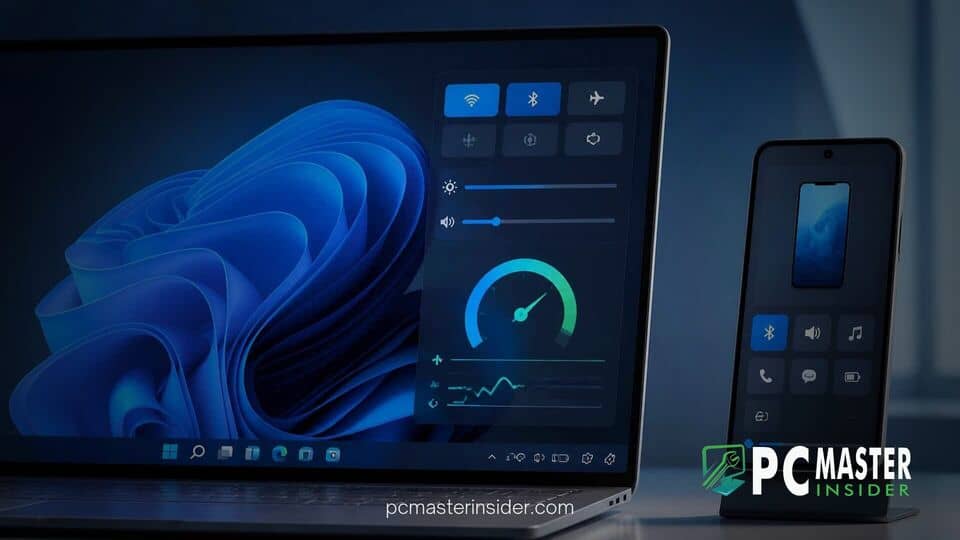
Microsoft has released new Windows 11 Insider Preview updates that significantly expand the capabilities of the system action panel. Registered testers can now access native internet connection testing and basic smartphone management directly from the taskbar without opening a web browser or separate application.
These features arrived in Windows 11 Insider Experimental Preview Build 26340.9767 and Build 28120.3302. The additions represent a continued effort by Microsoft to bring essential utilities closer to the primary user interface, streamlining daily workflows for desktop and laptop users.
New Quick Settings Tools Roll Out in Windows 11 Preview
The updated system control panel integrates a browser-free internet speed test alongside direct phone management shortcuts for paired mobile devices. This update simplifies everyday tasks by eliminating the need to launch third-party websites or dig through system submenus.
Built-in Network Speed Testing
Checking internet performance has long required launching a browser, navigating to a speed test site, or installing dedicated bench-marking apps. With the latest experimental update, users can execute diagnostic tests natively within the Quick Settings panel, accessible via the Win + A shortcut or by clicking the network icon in the system tray.
Tests can be initiated directly from the new Speed test Quick Setting button, from within the Wi-Fi and Cellular flyouts, or by right-clicking the network tray icon. Once triggered, the interface displays real-time metrics including download speed, upload speed, and network latency (ping). Because the utility measures active hardware performance locally within the operating system, users can diagnose connection drops or bandwidth throttling without interrupting their active desktop tasks.
This initiative builds on earlier experimental network diagnostic tools, refining the display so that full results stay embedded inside the native flyout. If you encounter broader connectivity glitches on your system, exploring known fixes like Windows 11 Always On VPN connection solutions can help resolve persistent connection disruptions.
Expanded Mobile Device Management
Alongside network diagnostics, Microsoft introduced a dedicated Mobile devices section in the Quick Settings pane. Designed to complement the existing Link to Windows ecosystem, the feature lets users perform quick smartphone tasks without having to open the main Phone Link application.
For supported Android smartphones, users can view device battery percentages, toggle Do Not Disturb mode before entering virtual meetings, switch ringer modes between silent and vibrate, or trigger an audible alert to locate a misplaced handset. iPhone connectivity is also supported, though initial builds offer a more streamlined, status-focused experience due to iOS platform restrictions.
The push to surface hardware controls mirrors other user interface adjustments across the desktop experience. Microsoft continues to refine context menus and taskbar behaviors, such as testing right-click context options for taskbar repositioning and removing unnecessary context menu shortcuts to reduce visual clutter.
Availability Across Windows Insider Preview Channels
The new Quick Settings functionalities are currently rolling out to Windows Insiders enrolled in the Experimental channel. Microsoft utilizes this testing track to evaluate consumer feedback, measure performance impact, and fix minor glitches before pushing updates to the Beta channel and eventual general availability.
Beyond Quick Settings additions, Build 26340.9767 includes several smaller operating system refinements. Insiders can now filter feature flags by enablement state on the Windows Insider Program settings page, and toggle the Magnifier keyboard shortcut through accessibility settings. The release also contains quality-of-life bug fixes addressing File Explorer navigation, Narrator behavior, and incorrect password warning prompts during user sign-in.
Microsoft frequently adjusts system interaction models based on community usage data. While evaluating user interaction patterns, the company is also looking closely at core input methods, as seen in how Microsoft evaluates physical key behaviors to better accommodate updated search interfaces. At the same time, design engineering teams are deploying automated AI agents to resolve interface code bugs across desktop components.
Assuming positive feedback from preview testers and no significant performance regressions, the new network speed test and mobile controls are expected to arrive in a future cumulative update for standard Windows 11 builds.



