
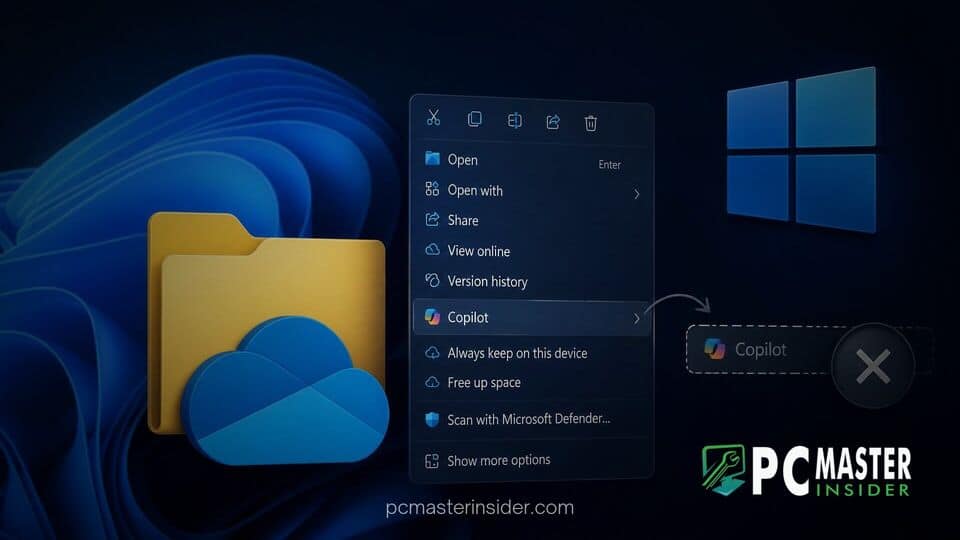
Microsoft has officially announced plans to scale back dedicated artificial intelligence shortcuts within the Windows 11 desktop experience. In a recent service advisory sent to enterprise administrators, the company revealed that it is removing eight specific Copilot actions tied to OneDrive files from the File Explorer right-click context menu.
The strategic decision comes as Microsoft aims to streamline its user interface after receiving feedback regarding excessive menu clutter. Rather than forcing multiple repetitive AI shortcuts into daily file operations, the operating system maker is consolidating these capabilities into cleaner, less intrusive entry points across Windows 11.
windows 11 onedrive context menu copilot removal
The upcoming update specifically targets the standalone AI tasks that appear when users right-click files stored within synced cloud folders. As part of the windows 11 onedrive context menu copilot removal initiative, Microsoft is retiring individual right-click options designed to trigger generative AI workflows directly from File Explorer. Users will no longer see separate entries for automated file analysis when interacting with stored documents or media.
Instead of displaying a long list of dedicated commands, Microsoft is keeping the broader system functionality intact through centralized channels. Users who still wish to process cloud documents with artificial intelligence can rely on the unified Ask Copilot button, interact with the main Copilot app interface, or trigger commands directly inside the OneDrive web and desktop activity center.
Simplifying the File Explorer Context Menu in OneDrive
When Microsoft initially integrated deep cloud features into File Explorer, right-clicking on a synced document displayed a expansive list of actions. These options expanded significantly with the introduction of generative intelligence features. Selecting OneDrive from the right-click menu often produced a tall pop-up menu packed with AI options alongside traditional file management tasks like sharing, copying, and offline access.
By removing these specialized context menu items, Microsoft is actively trimming the overall footprint of its right-click interface. The primary objective is to restore speed and ease of use to File Explorer. Many users found that the excessive proliferation of AI prompts hindered basic file management, making simple copy-paste or renaming tasks more cumbersome due to visual clutter.
Retired Copilot AI Features
According to Microsoft admin documentation advisory MC1515940, a total of eight specific Copilot actions are being officially retired from the File Explorer right-click context menu. The specific features scheduled for context menu removal include:
- Summarize: Automatically generating concise summaries of text files and long documents.
- Create FAQ: Compiling quick question-and-answer digests based on document text.
- Compare Files: Analyzing differences and similarities between multiple selected files.
- Ask a question: Opening an immediate prompt dialog tied directly to the selected document.
- Explain image: Generating descriptive text breakdowns for standalone images.
- Explain images: Processing batch visual analysis across multiple selected image files.
- Compare images: Running visual evaluation to highlight differences across photo sets.
- Extract text: Running optical character recognition to copy text directly out of image files.
Microsoft noted in its service bulletin: "As part of this change, we are retiring the OneDrive Copilot Summarize, Create FAQ, Compare Files, Ask a question, Explain image, Explain images, Compare images, Extract text actions from the File Explorer context menu". The company emphasized that while these specific shortcuts are disappearing, the underlying generative models can still perform these exact duties when prompted through the primary Copilot chat panel.
User Experience and Performance Benefits
The context menu in Windows 11 has been a source of discussion since the operating system was first launched. While Microsoft introduced a modern, simplified context menu to replace the dense legacy menus of Windows 10, continuous feature additions gradually added back complexity. Third-party applications and first-party services like OneDrive and Microsoft 365 frequently injected submenus, leading to visual lag and bloated UI trees.
This decision to scale back AI shortcuts helps reduce memory overhead when loading shell extensions within File Explorer. Similar UI cleanups have taken place across the operating system over recent update cycles, such as refined controls for native apps like Photos app gallery integrations and updated file preview mechanics. For power users who prioritize raw operational speed over context-aware suggestions, fewer active shell extensions mean a noticeably smoother desktop experience.
Microsoft Shift Toward Less Cluttered UI
This removal reflects a broader shift in how Microsoft approaches artificial intelligence integration across consumer and enterprise products. During the initial rollout of Copilot, the Redmond tech giant aggressively embedded AI entry points into nearly every visible corner of Windows 11, Edge, and Microsoft 365 apps. However, user feedback highlighted growing frustration over forced feature placement.
In response, leadership within the Windows division has signaled a pivot toward reducing friction. Executive statements earlier in the year underscored a refined strategy focused on reducing unnecessary Copilot entry points while ensuring that tools remain easily accessible when users intentionally seek them out. The retirement of OneDrive context shortcuts mirrors similar recent moves, such as streamlining AI themes in Outlook and refining menu behavior in preview updates like Windows 11 preview KB5127653.
Additionally, keeping core AI processing centralized rather than dispersed across various shell extensions aligns with Microsoft security initiatives. Centralizing AI interactions makes it simpler for enterprise IT teams to govern data processing boundaries, especially when managing security protocols or navigating features like Administrator Protection controls.
Availability and Admin Deployment Schedule
The retirement of these context menu actions is being executed as a phased rollout across supported Windows 11 builds. According to rollout timelines shared with enterprise clients, the gradual deprecation of the eight OneDrive Copilot actions will begin in mid-November. Microsoft expects the changes to propagate globally across all managed and unmanaged devices by early December.
System administrators managing corporate environments through Microsoft 365 tenant controls will not need to deploy custom registry hacks or group policies to clean up these context menus. The change will be delivered automatically via cloud service updates targeting the OneDrive sync client and Windows File Explorer integration. For users who prefer a completely AI-free environment, standard options to disable or uninstall the main Copilot application remain fully available, which also removes the remaining Ask Copilot context option.
By listening to feedback regarding software bloat, Microsoft is taking a practical step toward refining the Windows 11 interface. While Copilot remains a core component of the company ecosystem, moving specialized AI actions out of the right-click menu ensures that File Explorer remains a fast, clutter-free environment for everyday file management.



