
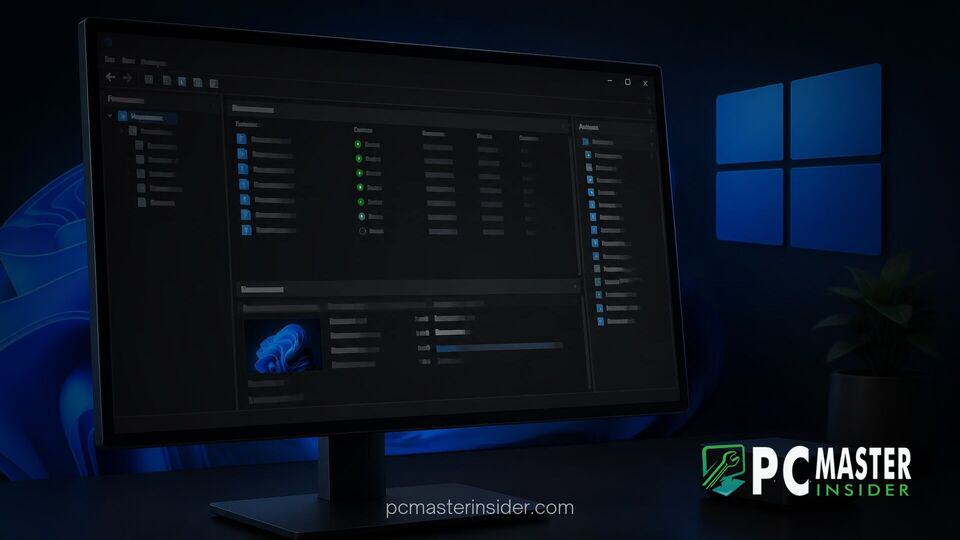
Microsoft has begun rolling out dark mode support for Hyper-V Manager in recent Windows 11 preview builds, giving systems administrators and virtualization enthusiasts a long-requested aesthetic upgrade. The change targets legacy dialog windows and wizard interfaces that previously forced bright white backgrounds even when system-wide dark theme settings were active.
The update marks another step in Microsoft's ongoing effort to eliminate stark visual contrasts across legacy operating system components. While full modernizations of classic tools can take years, updating native Win32 controls allows legacy applications to respect dark system themes without breaking underlying functionality.
windows 11 hyper-v dark mode update brings visual consistency to management tools
The latest Windows 11 preview updates introduce styled dark surfaces to administrative components within Hyper-V Manager, directly addressing one of the most visible remaining dark mode gaps in the OS. Prior to this change, launching configuration panels or setting up virtual machines resulted in jarring light-themed pop-ups that disrupted the dark desktop environment.
Hyper-V Manager Receives Legacy UI Dark Mode Update
For years, Hyper-V Manager has relied on the Microsoft Management Console (MMC) framework, maintaining a design language largely unchanged since earlier Windows releases. While core operating system elements such as Task Manager, Settings, and File Explorer received comprehensive WinUI treatments, complex administrative consoles remained unstyled in classic light palettes.
Instead of completely replacing the underlying Win32 framework, Microsoft is applying dark mode styling directly to the existing MMC applet code. This approach preserves essential workflow stability for enterprise users while delivering a cleaner visual experience that matches modern desktop guidelines.
Modernizing Classic Windows Tools in Preview Builds
This facelift for Hyper-V Manager fits into a broader initiative to polish Windows legacy dialogs. Similar updates have recently touched classic file transfer dialogs, Folder Options, and the legacy Windows Run prompt. Rather than discarding legacy utilities, Microsoft is systematically updating control structures to recognize system-wide theme tokens.
By retaining the existing Win32 foundation, Microsoft minimizes regression risks for enterprise environments that depend on custom administrative scripts and established operational procedures. Administrators get the visual comfort of dark mode without losing familiarity or breaking automated management workflows.
Visual Changes Across Virtual Machine Creation Wizards
The most immediate visual change inside Hyper-V Manager appears during virtual machine creation and configuration. Early testers in the Windows Insider Program report that step-by-step setup guides, including the New Virtual Machine Wizard, now display dark background panels, subtle borders, and readable high-contrast typography.
While secondary dialogs and sub-menus are still being adapted across active Insider testing builds, key user interactions now align seamlessly with system preferences. Users can configure memory allocations, virtual switches, and disk paths without suffering sudden screen flashes from unstyled modal dialogs.
Microsoft Strategy for Windows 11 Legacy Interface Elements
Microsoft's strategy regarding classic desktop elements reflects a pragmatic shift in software maintenance. Rebuilding deeply integrated systems utilities with WinUI 3 or modern application frameworks requires substantial development time and carries severe risks of breaking backward compatibility. Recent initiatives like the effort to rebuild Windows 11 Search with WinUI 3 demonstrate that modern rewrites are reserved for high-traffic consumer touchpoints.
For specialized tools such as Hyper-V Manager, applying dark mode patches to Win32 controls yields immediate benefits with lower technical overhead. Similar practical engineering efforts can be seen in initiatives designed to improve platform stability, such as the Windows 11 Driver Quality Initiative, where functional reliability takes priority over complete top-to-bottom rewrites.
Rollout Timeline and Availability for Insiders
The dark mode updates for Hyper-V Manager are currently undergoing validation across Canary and Dev Channel preview builds in the Windows Insider Program. Microsoft is deploying these visual adjustments incrementally to evaluate interface rendering consistency and gather bug reports from power users.
Assuming testing proceeds smoothly and feedback remains positive, general availability is anticipated in upcoming feature updates for Windows 11 Pro, Enterprise, and Education editions. As testing continues, power users can expect additional MMC applets and legacy system tools to receive matching dark mode treatments in future development flights.
The introduction of dark mode support to Hyper-V Manager highlights Microsoft's ongoing effort to eliminate light-theme inconsistencies across Windows 11. By refining legacy infrastructure alongside modern application frameworks, the operating system continues to deliver a more cohesive dark theme experience for consumers and system administrators alike.



