
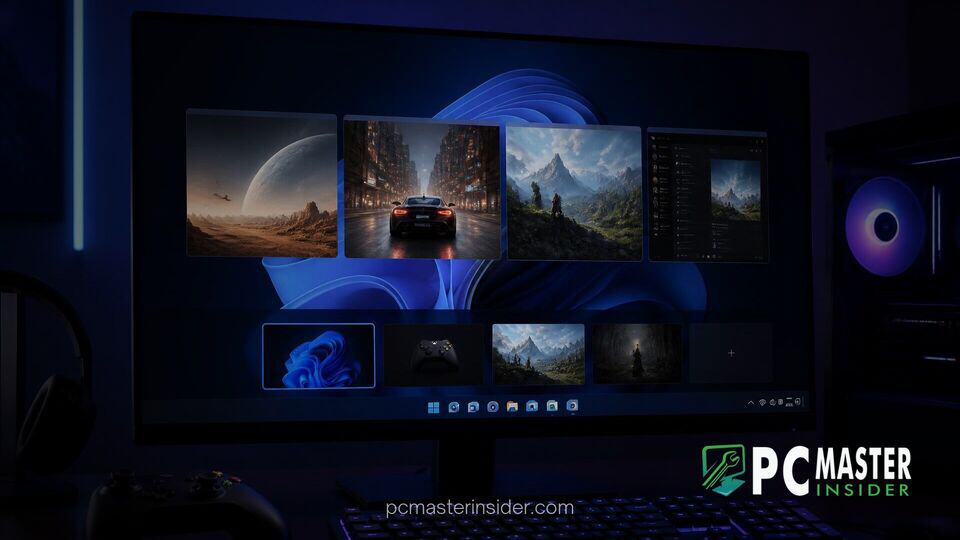
Microsoft has released new Windows 11 Insider preview builds across multiple testing channels, introducing a streamlined navigation interface for gamers operating in Xbox mode. The latest updates bring key system commands into a dedicated navigation bar, addressing long-standing usability friction when exiting full-screen gaming setups.
Alongside the gaming interface refresh, the preview updates deliver functional enhancements across multiple OS subsystems, including Windows Hello display brightness management, improved settings panels, and stability fixes for File Explorer and Windows Search.
Refreshed Navigation Arrives for windows 11 gaming task view preview
The primary highlight of the latest insider builds centers on a newly revamped Task View interface specifically designed for full-screen handheld and console-style environments. Insiders testing the builds can now access a dedicated top navigation bar while using Windows 11 interface features in Xbox mode .
This updated navigation bar provides direct, single-tap access to two heavily requested system actions: Exiting to Desktop and accessing Power Options . Previously, returning to the standard desktop environment from full-screen gaming sessions often required multi-step controller shortcuts or navigating through deeply layered software menus. By elevating these controls to a persistent top-level navigation panel, Microsoft aims to make hardware state adjustments and multitasking far more intuitive for controller-based setups and portable gaming handhelds .
New Navigation Bar for Desktop and Power Options
The new bar sits cleanly at the top of the screen when invoking Task View, showing dedicated icons for quick exit commands alongside system sleep, restart, and shutdown parameters. This interface update aligns with Microsoft's ongoing push to make Windows 11 more accommodating for handheld devices and living room PC deployments where mouse and keyboard inputs are absent .
Users can trigger the updated view using standard task-switching inputs or direct controller shortcuts depending on their hardware configuration. Early feedback indicates that eliminating extra navigation layers significantly reduces input friction during active gaming sessions .
Additional Interface and Usability Enhancements
Beyond the gaming interface overhaul, Microsoft packed several functional utility updates into the release. Among the broader usability improvements is a smart enhancement tailored for multi-monitor desktop power users who rely on accessibility tools. The built-in Magnifier tool has been upgraded to support independent zoom levels per display . When operating in extended display mode, users can set differential magnification levels across separate screens, preventing zoom settings on a reference display from overflowing onto a secondary workspace .
Settings management also receives minor structural refinements. Microsoft introduced an updated Device Info Card on the Settings Home page that offers a quick snapshot of primary system specifications with direct links to detailed hardware summaries . Furthermore, privacy controls for camera, microphone, and location services have been reorganized on the Privacy and Security page to consolidate app permissions into clearer usage clusters .
Windows Hello Screen Brightening and System Fixes
Another practical addition included in select experimental channels focuses on authentication in low-light environments. Windows Hello facial recognition can now temporarily boost display brightness to illuminate a user's face when attempting to sign in within dark rooms . This feature can be toggled manually under the Facial Recognition settings menu, preventing login timeouts caused by poor ambient lighting .
The build family also resolves several persistent desktop bugs. Developers addressed underlying stability issues in Windows Search that caused the search window to crash or become unresponsive when clicked rapidly . File Explorer folder view responsiveness has also been improved, ensuring file listings auto-refresh and sort instantly after items are created or renamed .
Availability Across Insider Channels
The updated Task View experience and accompanying OS fixes are rolling out gradually to registered testers across the Beta, Experimental, and Release Preview channels . Insiders on Beta Build 26220.9739, Experimental Build 26340.9750, and corresponding 26H1/26H2 update tracks will receive the features via standard Windows Update deployments .
As with most preview features, Microsoft notes that rollout timelines use controlled feature delivery, meaning the updated gaming bar may take several days to appear for all enrolled devices . Broad consumer availability is expected in an upcoming cumulative update cycle once telemetry data and user feedback are evaluated.
By prioritizing controller-friendly interface tweaks, Microsoft continues to refine Windows 11 as a versatile operating system capable of bridging traditional desktop productivity with specialized gaming hardware.



