
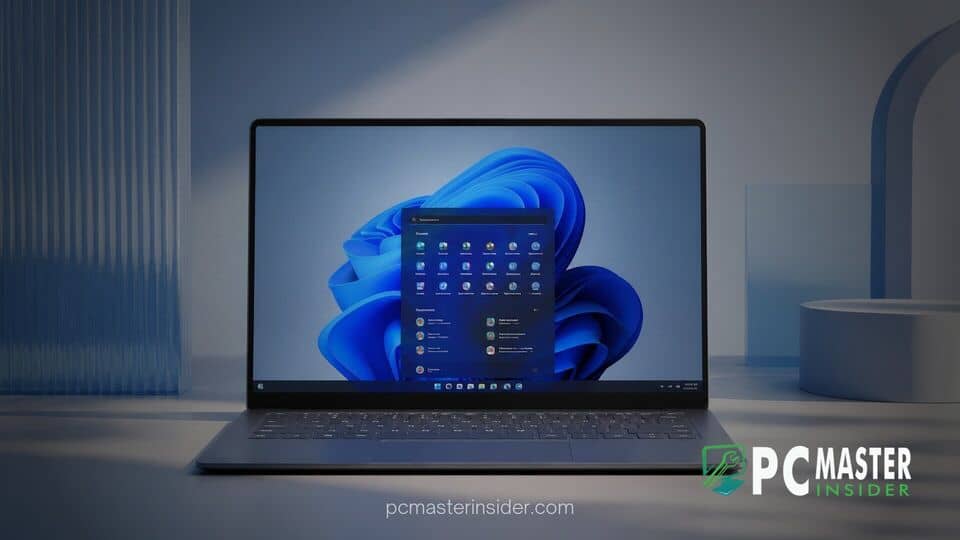
Microsoft leadership has offered fresh insight into the delicate balance required to modernize the Windows operating system while satisfying a vast and diverse user base. Addressing open questions from the computing community, executive design leaders explained how telemetry and community input directly shape the ongoing evolution of the desktop environment.
Developing an operating system used by more than a billion people globally presents an inherent design paradox. While power users frequently demand streamlined, modern tools, millions of daily workers rely on established, legacy workflows that have remained virtually unchanged for decades.
Balancing User Preferences in Windows 11 Design
Microsoft leadership has emphasized that designing a unified interface for a global user base requires accommodating drastically different habits and workflows. While tech-savvy users might prefer fast keyboard shortcuts or lightweight command palettes, large enterprise deployments often rely on traditional visual cues like classic desktop shortcuts and dedicated search panels.
Responding to community inquiries regarding interface redundancy, Diego Baca, Vice President of Design at Windows, noted that different user groups inevitably gravitate toward distinct tools. Operating system updates are crafted to refine overall performance and system response times while giving users greater flexibility to customize their personal workspace rather than imposing a single mandatory layout.
This balanced philosophy represents a departure from earlier design paradigms. In previous operating system eras, design choices were frequently driven primarily by internal engineering instincts. Today, Microsoft heavily weighs user feedback gathered via Insider preview releases and community forums to guide every structural modification. Recent changes, such as pausing experimental taskbar search features to process telemetry, demonstrate this responsive approach.
Addressing Criticisms of Modernized Interfaces
The transition toward simplified visual design has not occurred without friction. Critics have regularly pointed out instances where simplified menus added extra clicks to routine tasks, or where desktop elements lacked visual cohesion across older system tools. Early iterations of the Windows 11 context menu and taskbar drew significant debate from users who felt essential customization options had been stripped away.
Microsoft design teams acknowledge these friction points. In response to structured feedback, engineers have steadily re-introduced requested functionality while refining visual consistency. For instance, users managing complex multi-monitor setups or dense desktop workflows continue to receive targeted refinements, ensuring that aesthetic modernization does not compromise operational productivity.
The Push Toward Native WinUI 3 Apps
A core component of Microsoft's long-term strategy involves migrating legacy dialogs and system utilities to native framework architectures. Over successive major updates, including Windows 11 Version 26H2 update optimizations, the underlying desktop infrastructure is being transitioned to modern WinUI 3 interfaces.
This transition directly addresses historical performance complaints. Older WebViews and hybrid frameworks often introduced noticeable input latency and resource bloat. By shifting fundamental components such as File Explorer, Notepad, and common system dialogs into native WinUI frameworks, Microsoft delivers drastically lower latency, faster window rendering, and reduced memory allocation across all hardware tiers.
Upcoming UI Rejuvenation Plans
As part of its ongoing interface overhaul, Microsoft is systematically identifying and updating legacy dialog boxes that have persisted since older desktop eras. Recent preview builds demonstrate modernized volume sliders, streamlined file sharing overlays, and expanded dark mode coverage for administrative tools. For example, administrative components like Hyper-V Manager received dark mode updates to align with system-wide Fluent Design standards.
At the same time, Microsoft is refining how background services interact with core productivity tools. Following feedback from early test rings, engineers have optimized startup routines for File Explorer and primary shell windows, resulting in faster launch times even on modest hardware configurations. Furthermore, software quality initiatives created alongside hardware partners aim to minimize system instability across diverse system configurations, complementing efforts like the Windows 11 Driver Quality Initiative.
Implications for Everyday PC Users
For the average desktop user, Microsoft's design strategy signals a shift toward a more customizable and dependable computing environment. Rather than forcing dramatic, disruptive visual overhauls, the engineering team is focusing on incremental refinements that enhance speed, consistency, and user choice.
Users can expect cleaner visual layouts, better high-DPI scaling, and noticeably faster system app response times as native framework conversions progress. Users looking to maintain peak desktop responsiveness can also leverage native features like Hardware-Accelerated GPU Scheduling in Windows 11 to keep graphic rendering smooth across demanding apps.
Ultimately, Microsoft's willingness to adjust course based on direct community input demonstrates that user feedback remains an essential pillar in shaping the modern Windows experience. By combining disciplined design principles with real-world telemetry, Microsoft aims to deliver an operating system that feels cohesive, fast, and adaptable for its vast global audience.



