
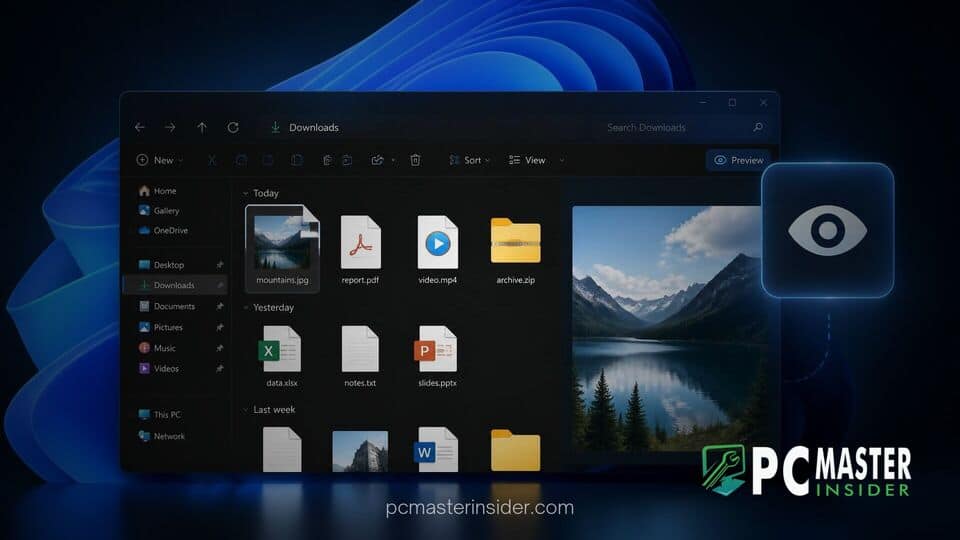
Microsoft has begun testing a dedicated preview action inside File Explorer for files downloaded from the web. The experimental addition allows users to quickly inspect file contents directly within the preview pane without immediately disabling default security safeguards.
The feature aims to solve a long-standing workflow bottleneck where web-sourced documents and images remain blocked in the preview pane until users manually unlock them. By streamlining file inspection, the update aims to improve everyday desktop productivity while maintaining vital operating system security protections.
Windows 11 File Explorer Preview Web Files Feature Simplifies File Inspection
When users download files from internet browsers, Windows automatically tags them with a special security flag known as Mark-of-the-Web (MOTW). This tag alerts the operating system that the file originated from an untrusted location, causing Windows to block executable content, macros, and automatic preview generation in apps like File Explorer.
In current retail builds of Windows 11, selecting a web-downloaded PDF, document, or image file in File Explorer often results in a blank preview pane accompanied by a warning message. Users typically have to right-click the file, open its Properties dialog, check an Unblock box, and hit Apply just to view its contents. The new test feature addresses this friction by embedding an interactive preview button directly into the file details pane.
File Explorer Restores Preview Feature for Web Downloads
The updated layout replaces the standard static error message with an action-oriented preview control. When a user selects a file flagged with Mark-of-the-Web attributes, File Explorer displays a prominent button alongside a brief explanation of the file source. Clicking this option generates an instant preview directly inside the pane without forcing the user to navigate through secondary context menus.
This convenience feature builds upon recent investments Microsoft has made in desktop document management. The company previously tested similar preview improvements, such as when Windows 11 preview pane added automatic web PDF previews in File Explorer, reflecting a broader effort to modernize core desktop components.
How the New Preview Anyway Safety Prompt Works
When a user clicks the new button, File Explorer presents an intermediate safety prompt labeled "Preview Anyway" or a similar temporary authorization request. Selecting this choice renders the document or image media inside the preview handler without permanently clearing the Mark-of-the-Web security attribute from the underlying file structure.
This distinction is crucial for maintaining security integrity. A temporary preview authorization allows users to confirm the document contents without fully trusting the file for system execution. If the user later double-clicks the file to launch it in a full desktop application, standard SmartScreen filters and security warnings will still trigger as expected.
Addressing Security Risks of Mark-of-the-Web Blocks
Mark-of-the-Web controls play a vital role in preventing automated malware execution and phishing attacks. Malicious actors frequently attempt to trick users into opening compromise-laden office files or scripts directly from web archives. While security controls remain essential, security experts note that overly intrusive security hurdles often lead to user fatigue, causing individuals to unblock untrusted files without inspecting them first.
By offering a sandboxed preview step, Microsoft gives users a safe method to verify file identity before executing potential threats. The approach aligns with broader design updates across the platform, much like how Windows 11 redesigned the legacy AutoPlay dialog with modern WinUI and dark mode to make user choices clearer and less disruptive.
Rollout Timeline for Windows 11 Preview Builds
The updated File Explorer preview behavior is currently available to a select group of testing devices enrolled in the Windows Insider Program. Microsoft regularly tests user interface tweaks in Dev and Beta channel builds before deciding whether to deploy them to the general public in mandatory cumulative updates.
If feedback from Insider testing remains positive, the new preview mechanism is expected to arrive in upcoming feature updates or servicing packages later this year. For now, Microsoft continues to refine the interface controls and gather security telemetry to ensure the feature balances convenience with user protection.
This small refinement highlights Microsoft's ongoing focus on eliminating daily desktop friction in Windows 11. By allowing quick web download previews without compromising background security, the updated File Explorer strikes a practical balance between productivity and system protection.



