
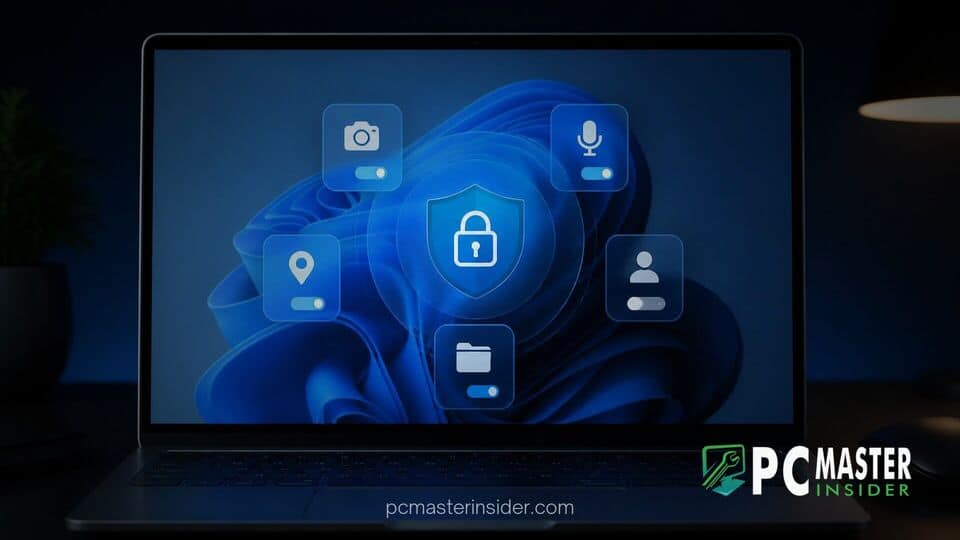
Microsoft is rolling out a significant operating system update that enhances privacy controls across Windows 11 desktop environments. The new feature grants users granular permission settings for individual Win32 desktop applications, allowing fine-tuned control over hardware access.
Previously, traditional desktop software was governed by a single catch-all system switch, whereas modern packaged applications enjoyed per-app toggles. Under the refreshed interface, users can individually permit or deny access to essential hardware components such as webcams, microphones, and location sensors.
Windows 11 Desktop App Privacy Permissions Update
The Windows 11 desktop app privacy permissions update marks a shift in how the operating system manages system resource access for legacy software. Under previous releases, turning on camera or microphone permissions for classic applications meant granting access to every Win32 executable installed on the machine. If a user wanted to allow voice chat inside Discord while blocking web browsers like Google Chrome or Brave, Windows 11 lacked built-in settings to enforce that distinction.
With this updated framework, Windows 11 registers classic Win32 applications directly inside the primary Privacy & Security menu. Each recognized executable now appears alongside packaged Microsoft Store apps, featuring its own dedicated toggle switch. When a classic application attempts to access the webcam or microphone for the first time, Windows prompts the user to grant or decline permission, establishing clear rules on a program-by-program basis.
Windows 11 Introduces Granular Desktop App Privacy Permissions
This update addresses long-standing privacy inconsistencies within the Windows ecosystem. Since the introduction of Modern UI apps in Windows 8 and Universal Windows Platform (UWP) apps in Windows 10, sandbox security models ensured that software requested permissions explicitly. However, traditional Win32 programs bypass modern app sandboxing, leaving system administrators and everyday users reliant on broad, all-or-nothing switches.
By bringing granular controls to legacy software, Microsoft bridges the functional security gap between containerized store apps and standalone desktop programs. Users can review hardware permissions periodically without worrying that granting access to one software tool exposes sensitive peripherals to unrelated background utilities. As monthly security updates continue to bolster system defenses, granular resource governance gives users stronger native options against unauthorized hardware tracking.
Managing Camera, Microphone, and Location Access per Application
Navigating the new privacy options is straightforward for users running the updated software build. Located under Settings > Privacy & security, dedicated pages for Camera, Microphone, and Location display complete lists of both modern and classic applications.
- Camera: Toggling individual switches prevents specific desktop tools from capturing video feeds while allowing communication software to function normally.
- Microphone: Users can isolate audio recording rights, ensuring background executables cannot capture sound without permission.
- Location: Geographical positioning data can be restricted to mapping utilities, keeping web browsers or games from accessing real-time coordinates.
Microsoft notes that existing user decisions carry over seamlessly during system updates. Applications that were previously granted access under universal settings retain their rights until modified manually.
Security Benefits for Win32 and Legacy PC Applications
The security implications of per-app permissions extend beyond everyday user convenience. Because Win32 software historically operated with broad hardware rights, malicious or poorly configured applications could access device peripherals without triggering explicit user alerts.
Under the new architecture, unidentified applications or tools utilizing shared system components face stricter visibility. Windows 11 highlights unsigned executables directly within the privacy dashboard, warning users when publisher credentials cannot be verified. Combined with specialized tools like execution containers for local software, granular hardware permissions create layered defense barriers against unauthorized access.
Enterprise administrators also stand to benefit from clearer asset monitoring. Organizations managing fleet PCs gain precise insight into which installed applications query hardware sensors, helping security teams audit software compliance across business networks.
Availability across Windows Insider Preview Channels
Microsoft has begun testing these per-app privacy controls across various Windows Insider Preview channels, including Beta and Experimental builds. The gradual rollout allows developers and engineers to monitor app compatibility and address edge cases before pushing the feature to the general public.
During initial testing, Microsoft acknowledged that certain complex software reliance structures might cause specific utilities to appear under generic system names or as host processes. Insider feedback submitted through the official Feedback Hub is helping engineers refine identity detection so desktop applications publish recognizable titles in privacy menus.
As Microsoft prepares future platform updates for Windows 11, per-app privacy controls represent an essential step forward in modernizing legacy PC software management, giving users total control over their hardware devices.