
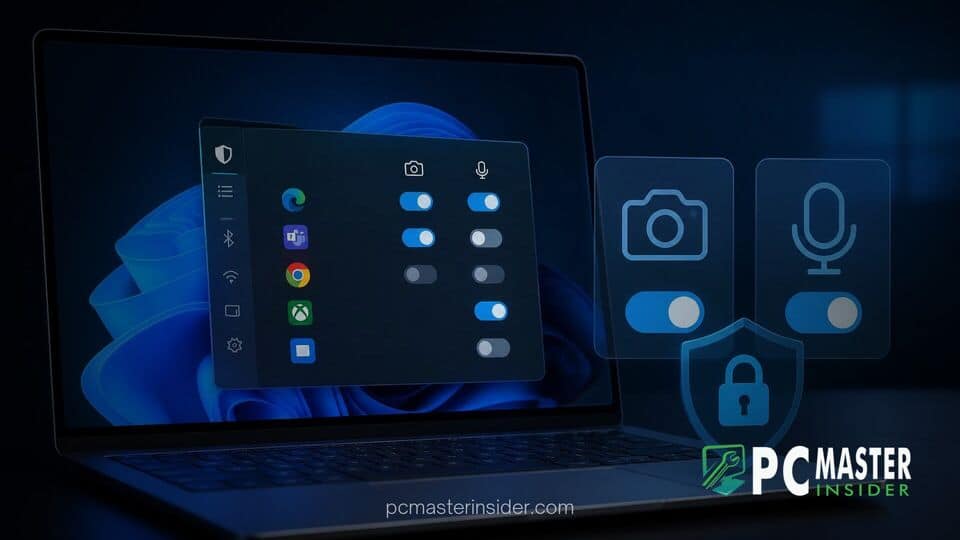
Microsoft has begun testing granular, application-specific privacy controls within Windows 11, allowing users to toggle hardware permissions for individual desktop programs. The feature gives users direct oversight over which legacy software can access connected webcams, microphones, and location sensors.
Currently available in preview channels, the update addresses a major limitation in how Windows manages system access. While universal apps downloaded from the Microsoft Store have long supported per-app toggles, legacy Win32 applications previously relied on an all-or-nothing global permission model.
Enhanced windows 11 desktop app privacy controls for Legacy Software
Microsoft is introducing detailed privacy management options that extend hardware access toggles beyond modern packaged apps to traditional desktop applications. This change ensures that users can selectively block desktop software from accessing sensitive sensors without disabling access for the entire operating system.
For years, privacy management in Windows software has operated under a bifurcated model. Applications built using modern platform frameworks allowed users to manage permissions individually in the Settings app. However, traditional Win32 desktop software, ranging from standalone video conferencing clients to legacy photo utilities, operated under a single master toggle. If a user enabled desktop access for any legacy program, every installed Win32 app with the necessary privileges could theoretically request hardware access.
This update bridges that gap by listing individual Win32 programs directly beneath the main category switches in the Privacy & Security menu. Users can now view a breakdown of every installed desktop program that has previously requested sensor access and toggle its permission individually.
Microsoft Extends Granular Privacy Controls to Win32 Desktop Apps
The updated privacy framework gives users precise authority over traditional applications. Under the existing implementation in stable Windows 11 releases, navigating to Settings > Privacy & security > Camera displays a generic section titled Let desktop apps access your camera. Toggling this switch off blocks all legacy programs at once, while toggling it on opens access to all compiled Win32 binaries that execute under the active user account.
With the new changes, Microsoft is treating Win32 executables more like sandboxed modern apps within the settings interface. Each desktop program that calls standard system APIs to query the camera or capture audio now appears as an independent line item. This means you can easily grant access to a trusted work communication suite while revoking permissions for secondary utilities or third-party launchers.
This approach aligns desktop security closer to modern mobile platforms like Android and iOS. It also complements ongoing security improvements across the operating system, such as efforts to streamline software deployment and management. Users interested in managing app behaviors can also explore guides on how to disable recent files and app recommendations in Windows 11 Start Menu for a cleaner interface.
Individual Toggles for Camera, Microphone, and Location Access
The refined controls apply to three primary hardware and data vectors: webcam hardware, audio capture devices, and system-level location services. When a desktop program attempts to initialize a capture stream or poll position data through standard Windows APIs, the operating system registers the application's unique path and identity.
The system settings interface then populates a dedicated toggle for that specific executable. Key benefits of this granular control include:
- Targeted Isolation: Stop specific background utilities from accessing the microphone while preserving access for primary communication apps.
- Auditing Visibility: Identify which legacy binaries are actively querying system location services or capturing video streams.
- Reduced Reliance on Master Switches: Avoid turning off global camera or mic access across the whole system just to block a single program.
Additionally, the interface displays recent activity timestamps. Next to each software toggle, Windows 11 lists the exact date and time the executable last accessed the device, providing clear visual audit trails for security-conscious users.
How Desktop App Permissions Work in Windows 11 Settings
Behind the scenes, Microsoft uses low-level API hooking and system driver monitoring to identify when legacy applications request access to hardware pipelines. Win32 programs do not natively run inside the strict application container that sandboxes modern Store apps. As a result, implementing individual controls required operating system modifications to intercept hardware requests before access is granted.
When an application initializes a multimedia device session, Windows checks the executable path against the user's saved preferences in the Settings database. If the toggle for that specific application path is turned off, the OS returns an access denied signal or feeds an empty stream to the software, preventing unauthorized hardware access.
While this architecture significantly improves user control, security analysts note that low-level drivers or applications running with elevated administrator rights could still attempt to bypass standard API frameworks. Nonetheless, for standard software operating under normal user privileges, the feature provides a strong barrier. System stability remains critical alongside privacy updates, particularly as users manage background drivers and software dependencies. In some cases, low-level software interactions can cause unexpected behavior, similar to how RGB peripheral drivers cause Windows 11 game crashes during heavy system tasks.
Insider Testing Build Details and Expected Public Rollout
The upgraded privacy controls are currently rolling out to registered testers in the Windows Insider Program across the Canary and Dev channels. Microsoft is delivering the feature as part of a phased preview deployment to evaluate system stability and verify compatibility across thousands of legacy Win32 software packages.
Developers and enterprise IT administrators are encouraged to test their existing internal software against the new privacy toggles to ensure applications handle denied hardware access gracefully without crashing. Hardware features like webcams are essential for daily productivity, much like display configurations or graphics performance features such as learning how to configure Auto Super Resolution for PC games in Windows 11.
Microsoft has not announced an exact public release date for the general population. However, features introduced in preview builds typically undergo several weeks or months of testing before appearing in standard cumulative updates or annual feature updates. As Microsoft continues refining the servicing model for future operating system updates, as seen in recent overhauls detailing Windows 11 26H2 upgrade sizes and servicing models, users can expect these granular controls to become a standard part of Windows privacy management later this year.
By giving users precise control over legacy software hardware access, Microsoft is taking a necessary step toward modernizing Windows security. Once publicly released, these per-app toggles will provide everyday users and enterprise administrators with far greater confidence when running traditional desktop applications.



