
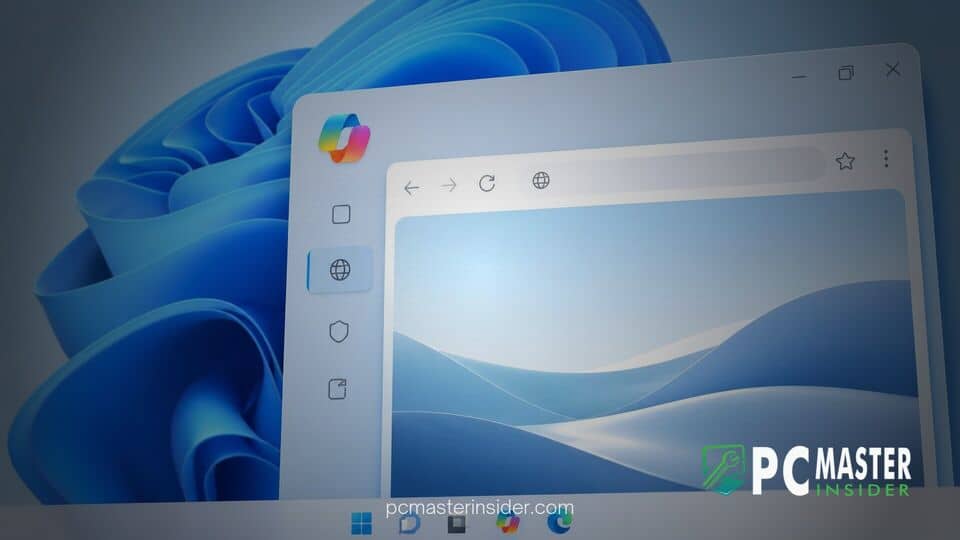
Microsoft has begun testing an integrated web viewing capability inside the official Copilot application on desktop platforms. This feature allows users on Windows 11 and macOS to open shared web links in a side panel directly adjacent to their active conversation thread.
By embedding web rendering straight into the desktop client, Microsoft aims to eliminate constant context switching between AI assistant windows and external internet browsers. The functionality is currently available through administrative controls and preview channels, with broader general deployment scheduled to expand across devices.
Microsoft Introduces Built-In Web Browsing to Copilot on Windows 11
The addition of in-app web rendering represents a key workflow shift for users who frequently rely on artificial intelligence for research, drafting, and information gathering. When a user prompts Copilot and receives response links, clicking those references no longer forces the desktop operating system to launch a separate web browser window. Instead, the system loads the target web page in a dedicated side pane, keeping the user's ongoing conversation fully visible on screen.
This design closely mirrors the embedded web view behavior long present in mobile applications, social media platforms, and collaboration hubs like Microsoft Teams. By keeping content within the same application frame, users maintain continuous visual context while reviewing source materials.
In-App Link Opening Streamlines AI Conversations
Beyond simple page rendering, the built-in viewer establishes a deeper operational connection between the AI engine and active web pages. With user permission, Copilot can analyze the specific contextual content of opened tabs inside that specific chat session. Users can ask the assistant to summarize linked articles, explain complex technical passages, or pull relevant quotes directly into the ongoing dialogue.
To maintain historical reference, tabs opened during a interaction are preserved alongside the chat record. Reopening a previous conversation restores the corresponding web tabs, allowing users to pick up multi-step research projects right where they left off. Users can also choose to sync passwords and form data to handle interactive web tasks more seamlessly.
How In-App Web Views Work Within Windows 11 Copilot
The integrated browsing interface inside the Copilot client operates on underlying technology shared with Microsoft Edge. Data generated within the built-in view is stored locally on the user's system, maintaining security standards similar to standard Edge browsing sessions. For users who prefer alternative workflows, Microsoft includes flexible controls to manage how links behave.
Users can open web links in full-screen mode inside the application or pop them out into an external default browser whenever needed. Right-clicking a tab or selecting the option menu on a link provides quick access to launch the content externally in Google Chrome, Mozilla Firefox, or standalone Edge. If you want to customize your AI assistant setup further, you can learn how to completely disable Microsoft Copilot in Windows 11 using system settings and registry controls.
Comparison Between In-App Viewing and Default Browser Launching
Prior to this update, clicking a reference link inside Copilot required the operating system to pass the URL to the default system browser. That traditional approach often split workspace attention across distinct application windows or monitor displays. The new side-by-side view keeps research focused within a single interface, significantly reducing window management overhead.
This unified experience aligns with broader operating system interface updates across the Windows ecosystem. Microsoft has consistently worked to modernize its built-in utility software, much like how legacy Windows 11 dialogs are being modernized to create consistent user experiences across modern apps. Similarly, Microsoft has refined core navigation hubs as Microsoft overhauls the Windows 11 Start menu with enhanced layout options.
Availability and Preview Rollout Details for Windows Insiders
Microsoft initially began testing early concepts of this web integration in preview channels before expanding administrative controls. Enterprise administrators can manage early access by opting in managed devices through administrative policy settings, specifically using the device management policy framework. This opt-in structure gives IT teams time to validate browser behaviors and security compliance prior to broader deployment.
A broader public rollout of the feature across Windows 11 and macOS endpoints is scheduled to begin in late November. Build updates carrying the version milestone 146.0.3856.39 or higher contain the functional code required for in-app browsing. Microsoft continues to gather direct user feedback from Windows Insiders to optimize performance, stability, and side-pane responsiveness.
As desktop operating systems increasingly integrate artificial intelligence tools into daily workflows, embedded web browsing highlights a growing trend toward all-in-one productivity environments. By allowing users to read, summarize, and cross-reference internet content without exiting the chat interface, Microsoft is positioning Copilot as a primary workspace hub on Windows 11.



