
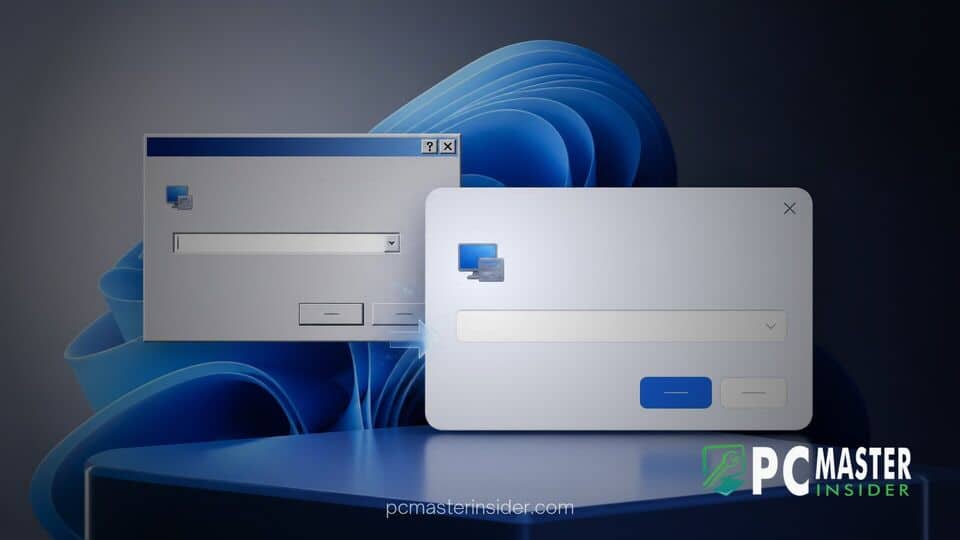
Microsoft is actively building specialized internal tools to accelerate the modernization of legacy interface elements scattered throughout Windows 11. Marcus Ash, Corporate Vice President of Design and Research for Windows and Devices at Microsoft, confirmed that engineering teams are targeting deep-rooted system dialogs for a complete visual and functional refresh.
The announcement addresses long-standing user criticisms regarding visual inconsistency across the operating system. While core components like the Taskbar and Start menu feature fluent design aesthetics, opening classic administrative utilities or account management prompts frequently surfaces pop-up windows virtually unchanged since the Windows 8 or Windows 7 eras.
Microsoft Commits to Modernizing Older Windows 11 Interfaces
During discussions surrounding desktop interface consistency, Marcus Ash clarified that Microsoft's engineering strategy focuses on building scalable tooling to transition older system components to modern frameworks. The overarching initiative aims to eliminate visual jarring where modern acrylic materials and rounded corners suddenly give way to low-resolution dialog boxes built on legacy APIs.
In response to feedback regarding outdated elements, Ash explained that initial efforts centered around immediate user requests, such as extending dark mode support to classic surfaces like the Windows Run dialog and specific File Explorer components. However, short-term dark mode overlays are only a temporary bridge. Microsoft's long-term objective involves a comprehensive cataloging and reconstruction process for pop-up dialogs that have persisted across multiple OS generations.
This systematic overhaul arrives alongside broader usability improvements across the ecosystem. For instance, as Microsoft updates system utilities, it has also continued refining ancillary features, such as testing a sleeker mouse indicator and Magnifier contrast toggle in Windows 11 preview builds to ensure accessibility options match modern design principles.
Upgrading Settings Dialogs and Recovery Interfaces
Among the specific items highlighted on Microsoft's internal rejuvenation list are system account prompts and encryption key workflows. Tech enthusiasts recently highlighted a glaring example within recent insider preview builds: a account-switching prompt that instructed users to access the long-defunct Windows 8 Search charm to back up BitLocker recovery keys. Because the Charms bar was deprecated almost a decade ago in favor of action center and native settings, the presence of such text highlighted how deeply buried legacy code remains within secondary settings windows.
Ash acknowledged that dialogs containing outdated instructions or ancient framework references are directly in line for rejuvenation. Similar modernization pushes are actively taking place across system recovery workflows, where Microsoft recently introduced modern interfaces for Windows 11 Cloud Rebuild with drive sanitization tools to ensure critical system tools present a consistent, secure look.
Replacing Legacy Code with Native WinUI 3
The technical foundation for this design migration relies heavily on WinUI 3 and the Windows App SDK. Rather than wrapping old C++ dialogs in simple web containers, Microsoft is committing to native rendering frameworks. This distinction is critical for system performance, resource efficiency, and proper input handling on modern touch and high-DPI displays.
Historically, rewriting low-level system UI carried immense risk. Replacing foundational system code can inadvertently break compatibility for specialized enterprise software or legacy hardware drivers that rely on standard Windows API hooks. By developing automated internal migration tooling, Microsoft aims to speed up the transition to native WinUI 3 while verifying that underlying functional contracts remain fully intact.
Addressing Visual Inconsistencies Across the OS
Windows 11 has frequently faced criticism for feeling like a patchwork of conflicting design paradigms. Power users navigating beyond the primary desktop interface often encounter Control Panel applets, Device Manager screens, and property sheets originating from classic Win32 frameworks. Ash noted that while killing off classic utilities like Control Panel entirely remains tricky due to strict enterprise backward-compatibility guarantees, modernizing individual dialogs provides a safer path forward.
Microsoft has previously demonstrated how structural rewrites can restore and improve core components. A notable example involved the primary taskbar, where rebuilding the Windows 11 taskbar on modern code initially delayed classic features before enabling faster, long-term feature iteration. The same architectural philosophy is now being applied to system pop-ups and properties windows.
Furthermore, Microsoft's broader desktop strategy focuses on deprecating web-wrapper implementations in favor of responsive native code. By moving away from resource-heavy web wrappers for built-in utilities, native WinUI 3 components load faster, consume significantly less system memory, and seamlessly respect global system toggles like dynamic accent colors and dark themes.
What Users Can Expect from Upcoming Updates
While Microsoft has not published a rigid calendar date for when every legacy dialog box will disappear, users enrolled in the Windows Insider Program can expect incremental updates across upcoming feature releases. The rollout strategy follows a staged approach: critical path settings and high-traffic dialogs are updated first, followed by secondary system applets.
This measured deployment mirrors how Microsoft handles major system feature rollouts. As explained in prior disclosures where delayed Windows 11 features for users were attributed to Controlled Feature Rollouts (CFR), design updates are gradually enabled for small user groups to monitor stability and gather diagnostic telemetry before reaching global availability.
For everyday users, the ongoing windows 11 legacy dialog box modernization effort means fewer visual interruptions during routine maintenance and configuration tasks. As Microsoft scales its internal conversion tooling, the operating system continues to move closer toward a unified visual experience, bridging the gap between legacy reliability and modern UI design.



