
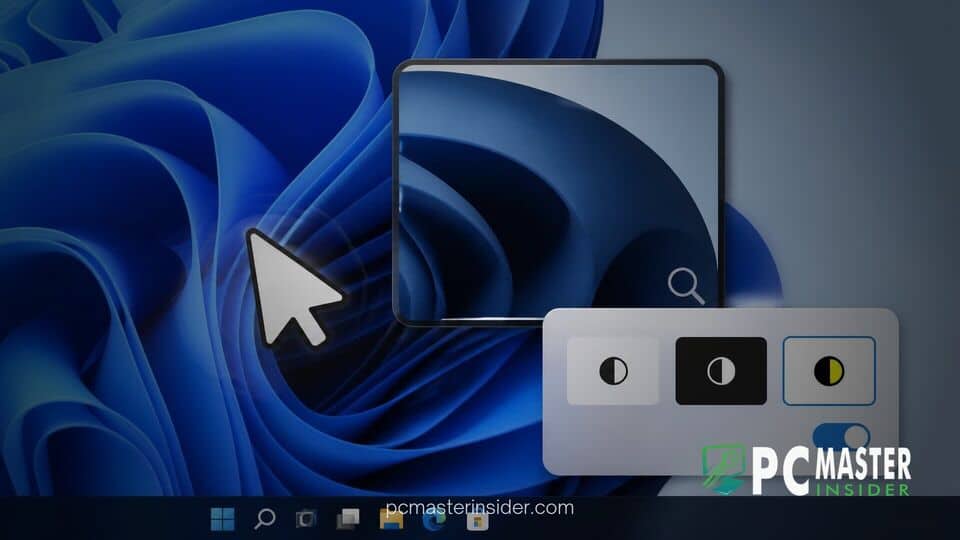
Microsoft has released a fresh batch of Windows 11 Insider Preview builds, bringing subtle yet impactful updates to its accessibility suite and system management utilities. The standout changes focus on refining everyday user interface interactions, specifically improving visual feedback for mouse pointers and offering better screen contrast customization for low-glare viewing.
Rolled out across preview channels, these updates reflect Microsoft's ongoing effort to polish user experience details and accessibility controls. Beyond visual adjustments, the latest builds also advance system recovery mechanisms, expanding features aimed at both casual users and enterprise administrators.
New Accessibility Upgrades Arrive in Windows 11 Insider Preview Builds
In the latest release of the Windows 11 preview mouse indicator magnifier contrast toggle update, Microsoft continues to prioritize inclusive design. Build 26340.9502, deployed to testers in the Experimental channel, serves as the primary testbed for these interface tweaks.
Updated Mouse Indicator Animation and Activation Options
Finding a lost cursor on high-resolution or multi-monitor setups has long been a challenge for many users. To address this, Microsoft is introducing a sleeker visual animation for the Mouse Indicator feature under Accessibility settings.
In addition to the refreshed visual presentation, testers can now adjust how long the indicator remains visible. A new setting allows users to keep the mouse indicator active on screen until explicitly dismissed by pressing the Escape key, providing a persistent visual anchor for users who require extra assistance tracking pointer placement across dense workspaces.
Magnifier Contrast Theme Toggle for Glare Reduction
Screen glare and bright displays present significant visual discomfort for many users. Traditionally, many individuals relied on full color inversion to make bright interfaces easier to read. However, standard color inversion flips all colors universally, frequently distorting photos, embedded charts, and video content.
To solve this issue, Microsoft added a dedicated contrast theme toggle directly within the Magnifier toolbar. This toggle allows users to switch to a lower-glare contrast theme without altering the original colors of media files or complex graphic elements. Dark theme is enabled by default for this feature, though users can customize their preferred contrast theme through Settings > Accessibility > Magnifier. Color inversion remains available as an independent option for those who prefer the traditional behavior.
Additional System Improvements in the Latest Insider Release
Alongside the accessibility enhancements, Microsoft is advancing its recovery features. The Cloud Rebuild tool, which enables Windows 11 Cloud Rebuild drive sanitization by reinstalling the operating system directly from online servers, received critical functional upgrades. Users undergoing system restoration can now perform secure drive sanitization to permanently wipe local files before reinstallation, simplifying device recycling or transfer workflows.
IT administrators also gain remote management capabilities for Cloud Rebuild via the Recovery Configuration Service Provider (CSP). Simultaneously, Microsoft continues to address user feedback across other components, similar to how Microsoft rebuilt the Windows 11 taskbar to gradually bring back requested customization controls.
Performance optimization and minor utility updates are also being distributed across preview tracks. These incremental flights build upon broader initiative plans, including Windows 11 performance upgrades targeted for system navigation and system responsiveness.
Availability and Rollout Timeline Across Insider Channels
As with most preview builds, Microsoft is rolling out these features gradually to Insiders who have opted to receive updates as soon as they are available. Users testing the Beta channel (Build 26220.9492) and various Experimental channels will see these adjustments flighted over coming weeks as telemetry data is evaluated.
Because these features are currently in active testing, Microsoft will collect user feedback through the Feedback Hub before determining final deployment schedules. Some elements may undergo further visual polishing, while others could be adjusted based on community response before making their way into general availability releases for Windows 11.
These latest Insider updates highlight Microsoft's commitment to refining Windows 11 through targeted accessibility enhancements and flexible system recovery options, ensuring a more adaptable environment for all users.



