
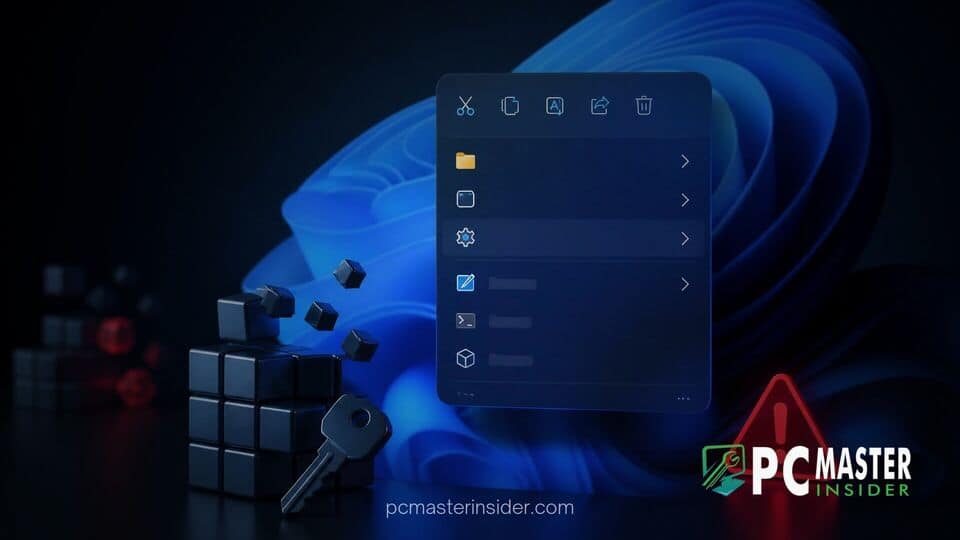
Microsoft is testing a substantial refresh for the Windows 11 context menu aimed at reducing visual clutter and boosting system performance. However, early testing of the update reveals a design shift that has ignited frustration among power users who rely heavily on custom registry modifications.
Under the revised system, custom shortcuts created via the Windows Registry are no longer displayed as top-level options, forcing users to click through secondary menus to access their preferred commands. This design choice has sparked widespread criticism, renewed debate over operating system flexibility, and raised concerns about workflow efficiency for advanced users.
Windows 11 Context Menu Redesign Criticism Explained
The core of the Windows 11 context menu redesign criticism stems from how the operating system handles user-defined commands. For decades, system administrators, developers, and enthusiast users have added bespoke shortcuts to the right-click menu by adding keys to the Windows Registry. These shortcuts allow instant access to specific applications, administrative scripts, or custom file management utilities directly from the top level of the context menu.
In recent preview builds, Microsoft introduced a new layout structure, often referred to as a split context menu design. The system attempts to clean up the user interface by organizing native commands into streamlined horizontal action rows and tightly defined category blocks. While this approach succeeds in making the standard menu look modern and less overwhelming for mainstream users, it breaks the visibility of custom registry additions.
Rather than displaying custom registry entries alongside primary system actions, the updated menu pushes these modifications into the extended submenus. For users who integrated daily task shortcuts into their right-click workflow, executing these commands now requires extra mouse clicks or navigating back into classic legacy submenus.
Registry Customizations Forced Into Submenus
Technically, custom registry additions are not being removed entirely from the operating system. Instead, Microsoft has restructured how shell extensions and legacy registry keys, such as those placed under the HKEY_CLASSES_ROOT path, are parsed by File Explorer. Standard Win32 context menu entries created via traditional registry edits are treated as secondary options.
To access these shortcuts in the redesigned interface, users must manually navigate to a secondary flyout menu. This extra step defeats the purpose of adding registry shortcuts in the first place, which is to save time and streamline common desktop tasks. Power users point out that moving these entries into secondary containers introduces unnecessary friction into daily operations.
Community feedback across forums and tech platforms highlights a growing sentiment that Microsoft is prioritizing visual minimalism over functional versatility. Many users have expressed frustration that while Microsoft continues refining user interface elements, basic customization options remain restrictive without reliance on third-party tools or complex workarounds. This concern mirrors recent user feedback surrounding other system changes, such as when Microsoft confirmed a Windows 11 update reset custom mouse settings.
Microsoft's Context Menu Overhaul in Version 26H2
The right-click menu redesign is part of Microsoft's broader effort to modernize legacy components in upcoming releases, including planned updates like version 26H2. Since the launch of Windows 11, the original right-click menu has been criticized for being sluggish and inconsistent. The dual-layer context menu system, which originally required users to select "Show more options" or press Shift+F10 to see legacy items, was designed as a temporary bridge while developers adopted new app extension APIs.
In the latest iterations, Microsoft has focused on performance optimizations and native customization features within the Settings app. Users can now manage specific application extensions and toggle built-in shortcuts more easily. However, the modern app extension model requires developers to package context menu entries using modern application manifests rather than relying on simple registry modifications.
This architectural shift creates a dilemma. While modern packaged extensions allow Windows 11 to keep menus fast and prevent third-party software from cluttering the screen with bloated options, it leaves traditional registry tweaks stranded in legacy handling modes. The situation reflects similar challenges seen across the OS ecosystem, such as when users sought controls to disable Bing web results in Windows Search to streamline their desktop experience.
User Feedback and Potential Changes Ahead of Full Launch
As feedback from Insider preview builds mounts, the Windows engineering team faces pressure to address power user concerns before the new menu layout rolls out to the general public. Testers have submitted numerous requests via the Feedback Hub, urging Microsoft to introduce a toggle that allows custom registry entries to remain on the primary context menu tier.
Some community members have suggested that Microsoft could provide a dedicated registry key or a Settings toggle allowing users to declare specific custom entries as high priority. Such a feature would preserve the clean default look for casual users while preserving quick access for enthusiasts. This call for user agency aligns with recent positive updates, such as when Microsoft added a permanent opt-out option for OneDrive backup prompts after listening to community feedback.
In the meantime, third-party developers are already exploring shell customization tools to bypass the restrictions. However, relying on external utilities carries risks of system instability after major operating system upgrades. Similar privacy and control debates are taking place elsewhere in the OS, such as Microsoft's testing of individual desktop app privacy controls in Windows 11 to grant users finer hardware authority.
Microsoft has not yet announced official revisions to the menu's handling of custom registry entries ahead of the full 26H2 release window. As public testing continues, power users remain hopeful that the tech giant will strike a better balance between visual aesthetics and functional customizability.



