
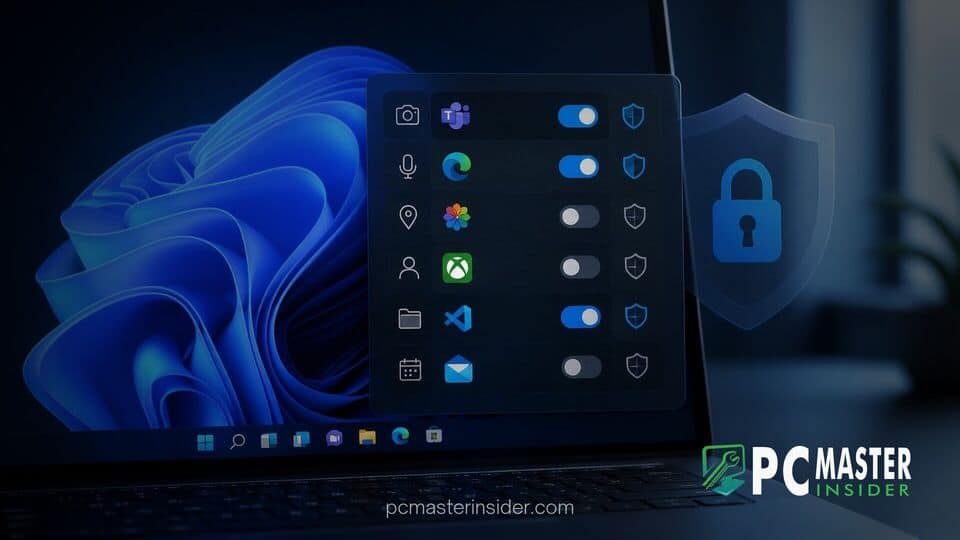
Microsoft has begun testing advanced privacy controls within recent Windows 11 Insider preview builds, allowing users to control hardware access for individual classic desktop applications. The updated framework expands capabilities that were previously limited to modern Universal Windows Platform (UWP) apps downloaded from the Microsoft Store.
By bringing granular management to Win32 software, users can explicitly allow or deny specific desktop applications access to sensitive peripherals such as webcams, microphones, and location hardware. This move addresses a long-standing gap in Windows OS security policies.
Enhanced Windows 11 Desktop App Privacy Permissions Rolled Out to Insiders
Historically, managing hardware access in Windows required a broad approach when dealing with legacy Win32 software. While modern UWP apps supported fine-grained per-app toggles, classic desktop executables were governed by global permissions. If desktop access to the microphone or camera was enabled, any running Win32 application with sufficient user privileges could potentially access those devices.
The latest updates to Windows 11 privacy architecture fundamentally change this model. Windows Insiders can now view an itemized list of installed desktop software under the privacy settings menu. Each program features individual toggles to control hardware interactions independently, giving users definitive oversight over legacy programs.
Granular App Permissions Rolling Out to Windows Insiders
The new privacy settings cover critical hardware interfaces that users frequently monitor for security and confidentiality. Primary toggles include:
- Camera Access: Restrict individual Win32 video conferencing tools, media players, or legacy utilities from initializing connected webcams.
- Microphone Access: Prevent background voice apps or non-essential software from capturing ambient audio without explicit permission.
- Location Services: Block specific desktop browsers or mapping applications from querying precise geographic coordinates via IP or Wi-Fi triangulation.
Beyond individual toggles, the updated Settings interface offers detailed telemetry logging. Users can review recent activity logs that display the exact timestamp a desktop program accessed a system resource. This transparency makes it easier to spot background processes attempting unauthorized access.
Camera, Microphone, and Location Access for Win32 Software
Integrating Win32 applications into the operating system's permission broker presented significant engineering challenges. Unlike containerized apps packaged via the AppX or MSIX format, traditional desktop software runs directly within the user context and often relies on low-level API calls. Consequently, restricting access previously required completely blocking the desktop subsystem hardware layer.
To overcome this limitation, Microsoft updated the internal Windows API interception pipeline. When a classic desktop app requests access to video or audio capture streams, Windows 11 evaluates the specific executable against the user's permission rules before returning the device handle. If access is denied, the operating system feeds a null or blocked response to the application without crashing the process.
This technical evolution complements Microsoft's broader platform updates. For instance, while Microsoft works on OS-level refinements alongside infrastructure changes like shifting mainline WinUI development to GitHub, improving legacy app containment remains a key priority for corporate and consumer security.
How Desktop App Privacy Differs from Broad Device-Level Toggles
For several years, Windows 11 users relied on a single master toggle labeled "Let desktop apps access your camera" or "Let desktop apps access your microphone." This binary approach meant that trusting one legacy application required trusting every installed desktop app on the system.
The new granular permissions separate these applications into discrete entries. For example, a user can allow a dedicated communication suite to access the webcam while blocking an untrusted third-party media converter or game launcher running in the background.
This initiative reflects Microsoft's push to secure the OS platform against privilege escalation and unwanted telemetry gathering. It sits alongside other ongoing system updates, such as fixes addressing false virus protection alerts in Windows Defender, ensuring operating system reporting remains accurate and reliable.
Availability and How to Access the New Privacy Settings
The individual desktop app privacy controls are currently available to participants in the Windows Insider Program across the Developer and Beta channels. Microsoft plans to monitor telemetry, compatibility reports, and app stability before pushing the feature to the general public in an upcoming feature update or cumulative patch release.
Insiders can test and configure the new permissions by navigating through the standard system interface:
- Open Settings using the
Win + Ishortcut. - Navigate to Privacy & security in the left sidebar.
- Select Camera, Microphone, or Location under App permissions.
- Expand the desktop applications section to adjust individual permission toggles for detected Win32 software.
As Microsoft refines these capabilities alongside performance improvements—such as addressing recent concerns where on-device AI settings impacted PC performance—desktop software governance is expected to become even tighter.
By giving users explicit authority over legacy Win32 executable permissions, Windows 11 takes an important step toward modernizing security across its software ecosystem. The feature provides essential visibility and control, bridging the gap between modern sandboxed applications and traditional desktop programs.



