Microsoft has officially shifted its latest desktop operating system update, Windows 11 version 26H2, into full availability across its release channels . Following a phased rollout that began in late September 2026, the technology giant is now offering the feature release to all qualifying hardware, including supported Windows 10 systems .
The expansion means users running supported hardware can now trigger the update manually through Windows Update without waiting for a scheduled push . The milestone marks Microsoft's confidence in the overall stability of build 26300, clearing the path for personal and enterprise systems to adopt the latest software generation .
Microsoft Moves Windows 11 26H2 to Broad Deployment Phase
According to an update published on Microsoft's Windows release health dashboard, Windows 11 version 26H2 has entered its broad deployment phase . When Microsoft releases a major feature package, it initially throttles distribution to monitor telemetry, evaluate potential driver conflicts, and check for unexpected software issues . Shifting to broad availability signifies that these initial safeguard holds have largely been cleared for standard configurations .
With this status update, any machine that fulfills the official hardware requirements can search for updates and receive the prompt to install version 26H2 immediately . While telemetry-driven safety holds may still prevent specific configurations with known incompatibility issues from updating, the vast majority of eligible devices worldwide now have direct access .
Supported Upgrade Paths for Windows 10 and Windows 11 Users
The current availability rollout extends to multiple starting points. Existing Windows 11 systems running versions 24H2 or 25H2 can transition to version 26H2 seamlessly . Because these builds share a common core underlying architecture, Microsoft delivers the release as a minor enablement package, allowing for quick installation times and requiring only a single system reboot .
In addition to existing Windows 11 devices, Microsoft confirmed that eligible Windows 10 PCs can upgrade directly to version 26H2 via Windows Update without needing to step through intermediate OS builds first . However, because migrating from Windows 10 constitutes a major platform upgrade, the operating system undergoes a full installation process . Users migrating from Windows 10 must meet strict physical hardware requirements, including modern processor support, active TPM 2.0 security chips, and Secure Boot capabilities .
For users managing systems with custom setups or non-standard updating schedules, checking system readiness remains essential. Those dealing with security configurations should also review guidance like Microsoft's patch guidance for Secure Boot refreshes to ensure smooth platform transitions during major platform updates.
What Changes and Enhancements Arrive With Version 26H2
Windows 11 version 26H2 focuses heavily on refining core platform performance, enhancing security features, and integrating accessibility improvements introduced across recent servicing cycles . Rather than introducing drastic user interface overhauls, the update consolidates underlying platform enhancements while polishing existing features . Microsoft has continued to focus on system efficiency, building upon work detailed in architectural memory updates that boost multitasking on 8GB PCs .
Under the hood, version 26H2 includes administrator protection upgrades, profile separation options, and updated security policies designed to safeguard system infrastructure . System tools across the OS continue to receive modernization work, similar to ongoing efforts such as the WinUI redesign for the legacy Optimize Drives tool. Moreover, developer frameworks inside the OS benefit from overall performance work, mirroring initiatives like native WinUI controls that reduce desktop app memory footprints.
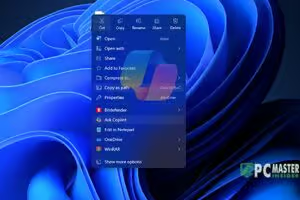
The release also integrates subtle quality-of-life adjustments. File Explorer receives refined context interaction capabilities, complementing recent updates like customizable right-click context menus. Accessibility updates include refined screen reader features and enhanced shortcut controls across built-in utilities.
Installation Guidance and Enablement Package Details
For systems already running recent builds of Windows 11 (24H2 or 25H2), the update process relies on the enablement package KB5121794 . Enablement packages work because Microsoft previously staged inactive 26H2 code via standard monthly cumulative updates . The enablement package acts as a small digital key that activates these dormant features and increments the operating system build number to 26300 .
To initiate the update manually on qualified systems, users should navigate through system settings:
- Open Settings from the Start menu or press
Win + I. - Select Windows Update from the left navigation panel.
- Click Check for updates.
- If available, locate the prompt for Windows 11, version 26H2 and select Download & install .
Users who prefer clean installations or offline upgrades can also download official installation media, ISO files, or use the Microsoft Installation Assistant tool directly from Microsoft's software download pages .
Support Timelines and Transition Strategy for Windows 10
Upgrading to version 26H2 resets the operating system support timer for all installed systems . Home and Pro editions of Windows 11 26H2 receive 24 months of active servicing and monthly security updates . Enterprise and Education editions receive 36 months of lifecycle support, extending stability windows for business environments .
This release carries added significance for users clinging to Windows 10 . While Windows 10 reached its formal end of support in late 2025, Microsoft allows users enrolled in extended support options to maintain security updates . However, opening a direct, free upgrade path to version 26H2 provides Windows 10 users running fully compliant hardware an easy avenue to migrate forward without extra expense or complex multi-step reinstalls .
IT administrators are encouraged to validate business-critical applications on pilot devices before deploying version 26H2 broadly across organizational networks . For general home consumers on supported hardware, checking Windows Update now provides an immediate gateway to Microsoft's latest platform release .