
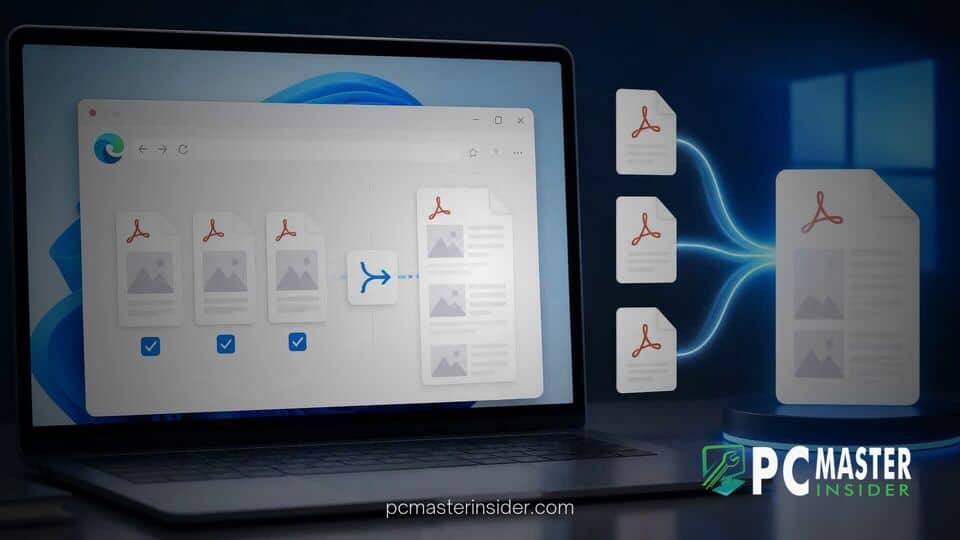
Microsoft is adding native document merging and page management tools to its built-in Microsoft Edge PDF viewer on Windows 11. The upcoming release allows users to combine multiple files, extract selected pages, and reorganize document structures locally on their machines without relying on third-party software or web-based converters.
The feature expansion marks one of the most substantial updates to Edge's integrated document handling since Microsoft transitioned its PDF rendering architecture to Adobe's underlying engine. By embedding native structural editing features directly into the web browser, Microsoft aims to streamline everyday productivity workflows for enterprise and consumer desktop users alike.
microsoft edge pdf merge feature windows 11
The native Windows 11 document update enables users to open a primary document in Microsoft Edge and merge it with files stored locally or open across other browser tabs. Users can select specific pages to extract into a standalone file, rotate individual pages, reorder content via a visual drag-and-drop interface, or delete unwanted pages before saving the output as a new document.
According to official Microsoft 365 roadmap details, all document processing occurs strictly on the local device rather than being uploaded to external cloud servers. The original source files remain completely unaltered throughout the compilation process, ensuring data integrity and enhanced privacy for sensitive paperwork such as contracts, financial statements, and medical records.
Microsoft Edge Expands Built-In PDF Capabilities on Windows 11
Native Document Merging and Page Management Features
For years, Windows users seeking basic document compilation tools had to resort to third-party desktop applications or web utilities that required uploading confidential files to remote servers. Alternatively, users relied on complex command-line utilities or multi-step print dialog workarounds. The arrival of native merging capabilities inside Microsoft Edge directly addresses these persistent operational friction points.
The updated workspace introduces an organized preview overlay where users can view thumbnail representations of every page in an active document. From this panel, users can append entire external files or combine loose pages into a cohesive package. Common tasks, such as attaching a signed signature page to a master agreement or stripping blank pages from a multi-page scan, can now be executed in a matter of seconds.
While Microsoft Edge has long provided basic viewing tools including text highlighting, ink annotations, sticky notes, and text-to-speech read-aloud functionality, structural page manipulation was previously unavailable. The expansion bridges the gap between basic viewing and full-fledged document editing software.
Integration with Adobe Acrobat Engine and Legacy Toggle Removal
The addition of native merging tools represents a key milestone in Microsoft's long-term browser strategy. In early 2023, Microsoft began replacing its proprietary internal PDF rendering engine in Edge with Adobe Acrobat's technology to improve rendering accuracy, text fidelity, and performance. During the transition phase, Microsoft provided an opt-out toggle that allowed enterprise administrators and users to revert to the legacy Microsoft PDF engine if compatibility issues arose.
With recent updates, Microsoft has formally retired that legacy fallback toggle, fully committing the browser ecosystem to the unified Adobe Acrobat integration. Removing the legacy codebase frees engineering resources, allowing Microsoft to focus on adding native utility features to the browser. As Microsoft continues refining its browser platform, it has also rolled out fixes across other core operating system components, such as releasing updates like Windows 11 KB5127936 to fix app launch bottlenecks.
This unified architecture ensures that document rendering remains consistent while advanced page manipulation functions operate seamlessly across different hardware configurations. Enterprise administrators can also control access to these document manipulation options using dedicated group policies, such as the PdfOrganizeAndMergeEnabled setting, giving IT teams control over feature deployment.
Rollout Timeline and User Experience Impact
Microsoft has formally listed the page organization and merging capabilities on its roadmap, with general availability targeted for early 2027 following preliminary preview testing in Insider channels. IT administrators can prepare for deployment by reviewing policy controls, while regular desktop users can expect the tool to appear automatically in Edge's PDF toolbar upon update completion.
The built-in tool is designed to fulfill everyday document handling requirements rather than replace dedicated professional publishing suites. It does not include advanced optical character recognition (OCR), direct inline text editing, file compression, or cryptographic digital signature creation. Users requiring complex desktop utilities or specialized system modifications can still turn to tools like Microsoft PowerToys for system-level enhancements.
Microsoft's ongoing effort to expand built-in tools extends well beyond browser productivity. Recent updates across the desktop ecosystem include major administrative and operational enhancements, ranging from Windows 11 Cloud Rebuild system recovery options to visual modernizations such as the redesigned Windows Security app for Windows 11.
By embedding native PDF merging directly into Microsoft Edge, Microsoft eliminates a common software gap for millions of Windows 11 users. The feature delivers a secure, local, and cost-free document handling solution that covers essential daily tasks without requiring extra software downloads or third-party web services.



