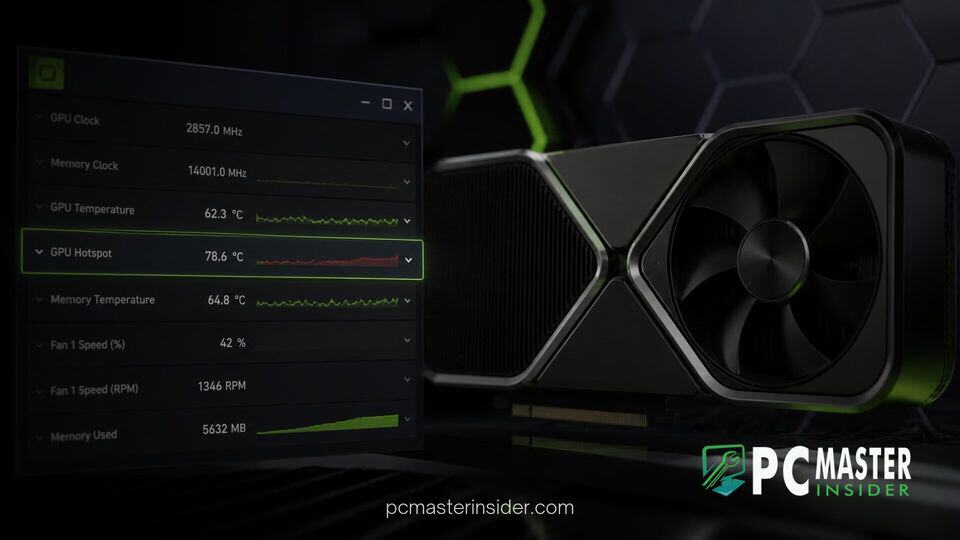
TechPowerUp has officially released GPU-Z version 2.71.0, introducing long-awaited hotspot temperature tracking for Nvidia GeForce RTX 50 series graphics cards. The popular diagnostic and hardware monitoring utility now gives enthusiasts and system builders deep visibility into localized thermal points across Nvidia's latest Blackwell GPU architecture.
Beyond core GPU die metrics, version 2.71.0 expands video memory telemetry by reporting the exact temperature of the hottest VRAM module on the card. The update also introduces advanced overclocking frequency readouts, PCIe bandwidth monitoring, and bug fixes across hardware platforms from AMD, Intel, and Qualcomm.
GPU Z RTX 50 Hotspot Temperature Monitoring
With the release of GPU-Z 2.71.0, TechPowerUp addresses one of the most requested features among hardware reviewers and performance enthusiasts: native thermal hotspot reporting for Nvidia GeForce RTX 50 series graphics cards. The hotspot sensor measures the highest temperature recorded across localized clusters on the silicon die. This offers critical context that standard average GPU edge temperatures often obscure, helping users identify uneven thermal paste application or cooler mounting pressure issues.
Monitoring thermal metrics on next-generation architectures has become vital as hardware power density increases. Recent developments across the industry show vendors prioritizing deep sensor telemetry to avoid stability degradation. Gamers can inspect system storage behavior using guides on preventing PCIe 5.0 SSD thermal throttling, highlighting how precise temperature management remains essential for high-end PC builds.
GPU-Z 2.71.0 Introduces RTX 50 Hotspot Thermal Monitoring
The addition of Blackwell hotspot monitoring fills a major gap in modern graphics card diagnostics. Standard GPU temperature metrics display the average temperature across the silicon surface. In contrast, hotspot telemetry tracks peak thermal levels across dense logic sections, such as execution units or cache regions. A significant delta between average core readings and hotspot temperatures frequently indicates compromised thermal interface material or inadequate heatsink contact.
Access to these precise metrics enables PC builders to verify aftermarket cooling setups, custom water loops, and factory thermal pads without relying on invasive hardware probes. The release of GPU-Z 2.71.0 aligns with broader platform updates across the PC industry. Hardware ecosystems continue adapting as software tools leverage low-level system access, similar to how SteamOS added native NVIDIA GPU driver support to refine graphic subsystem performance for gamers.
Tracking Hottest Memory Chip Temperatures and Clock Speeds
In addition to die hotspot tracking, GPU-Z 2.71.0 introduces upgraded video memory thermal reporting for Nvidia RTX 50 series GPUs. By default, the Sensors tab displays the temperature of the single hottest memory chip on the board. Users can hover their cursor over the sensor reading to view a detailed tooltip popup showing real-time temperature values for every individual VRAM module installed on the graphics card.
This granular memory diagnostic is paired with new real-time clock domain monitoring. Version 2.71.0 adds support for reading internal Nvidia clock frequencies, including crossbar (XBAR), SYS, and video clock domains. Users can also view L2 cache clocks and monitor PCI-Express bandwidth throughput numbers measured directly in gigabytes per second (GB/s). While cache and system clocks are disabled by default to keep the interface streamlined, users can quickly enable them via the app sensor preferences.
Additional Overclocking and Diagnostic Features in Version 2.71.0
For tuning enthusiasts, GPU-Z 2.71.0 expands the Advanced tab with a specialized Overclocking panel dedicated to Nvidia graphics cards. This page reports configured offset frequencies across core internal clock domains and displays active boost lock statuses. It provides a clear picture of whether a card is operating under power limit throttles, thermal limits, or manual clock overrides.
TechPowerUp has also introduced small user interface improvements. When logging to a file is disabled for any individual sensor, the dropdown arrow next to that metric is grayed out, making it easier to verify active logging configurations.
Alongside feature enhancements for Nvidia desktop GPUs, the release includes broad hardware support updates across multiple vendor platforms:
- Expanded GPU Support: Added detection for Nvidia GeForce RTX 5060 (GB205), RTX 4070 10 GB, RTX PRO 4500 Blackwell Server, H100 PCIe, Tesla V100-SXM2 16 GB, and P102-101. Support was also extended to professional workstation hardware such as the NVIDIA RTX Pro 5500 workstation GPU.
- AMD and Mobile Platforms: Added support for the AMD Steam Machine GPU variant and Radeon PRO V710.
- Processor Graphics: Added detection for Intel Panther Lake, Lunar Lake, Arrow Lake-H series, and Twin Lake processors, alongside Qualcomm Snapdragon X2 platform variants.
- Bug Fixes: Corrected Nvidia GP102 transistor count data, fixed LPDDR5 and LPDDR5X memory detection on Intel platforms, resolved DDR5 system memory bandwidth reporting issues, and fixed Qualcomm Adreno 726 compute unit reporting.
Where to Download GPU-Z 2.71.0 for Modern Graphics Cards
GPU-Z version 2.71.0 is available as a free download directly from the official TechPowerUp website. Users can choose between the standard standalone executable or themed versions, including the ASUS ROG Edition interface. The utility remains portable and does not require a full installation to run, allowing technicians to execute it directly from a flash drive for quick system diagnosis.
With hardware configurations shifting rapidly across consumer and enterprise markets, reliable telemetry tools are critical. System monitoring utilities continue adapting alongside core driver suites. Developer ecosystem tools have similarly expanded, as seen when NVIDIA extended CUDA Toolkit to Windows on Arm, ensuring uniform developer and diagnostic access across diverse processor architectures.
As graphics cards demand higher power draw and operate under tight thermal tolerances, tools like GPU-Z 2.71.0 provide essential operational insight. By combining core hotspot tracking, individual VRAM thermals, and low-level clock telemetry into a lightweight footprint, TechPowerUp ensures PC gamers, reviewers, and overclockers have complete oversight of their hardware health.