
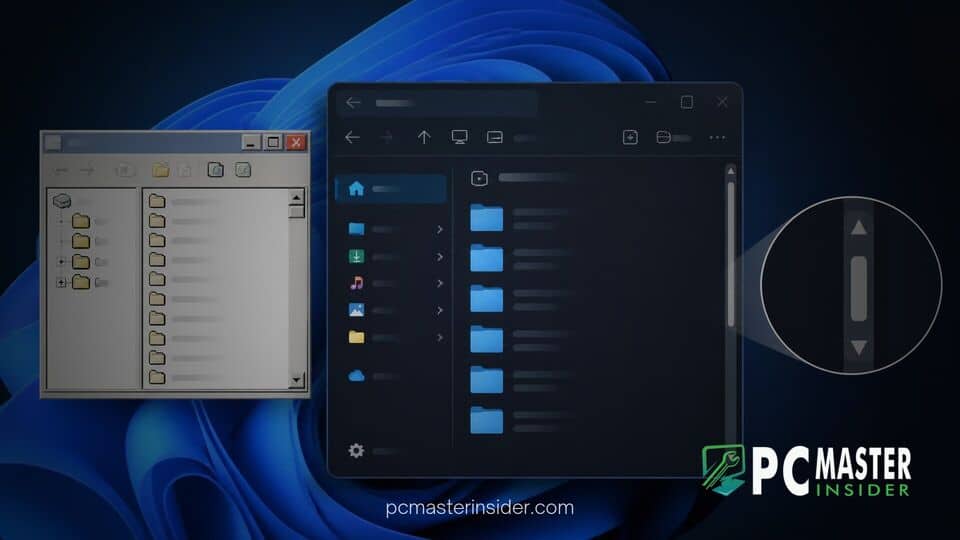
Microsoft's ongoing effort to update desktop interface components in Windows 11 has inadvertently dropped a classic navigation tool that users have relied on for over two decades. The modern XAML-based WinUI framework omits both the classic Scroll Here context menu command and the long-standing Shift-plus-click scrollbar shortcut.
While legacy Win32, WPF, and even cross-platform frameworks like Electron continue to support these legacy navigation commands, native Windows 11 applications built on WinUI 3 lack the built-in behaviors. The issue recently gained widespread attention across developer communities and technical forums as users noticed inconsistent scrolling behavior between modern system apps and legacy software.
windows 11 winui scroll here missing
The absence of legacy scrollbar commands in Windows 11 stems from the underlying architectural changes introduced with the WinUI library. In traditional Win32 applications, standard OS scrollbars automatically inherited contextual options such as Scroll Here, Top, Bottom, Page Up, and Page Down upon right-clicking the scroll track. In modern WinUI controls, these features are omitted by default, requiring developers to manually build custom implementations if they wish to retain legacy navigation shortcuts.
WinUI Modernization Drops Legacy Scrollbar Context Menu
As Microsoft transitions core system components, including Notepad, Settings, and File Explorer, toward modern design paradigms, engineers have systematically re-written interface controls. During this migration, the default context menu attached to standard scrollbars was replaced with streamlined, minimalist interaction patterns designed around touchscreens and modern precision touchpads.
Consequently, right-clicking on a scrollbar track in a native WinUI app no longer summons the traditional context menu containing the Scroll Here function. While this change aligns with Microsoft's Fluent Design guidelines aimed at eliminating visual clutter, power users who rely on precise mouse navigation across lengthy documents or codebases have found the omission counterintuitive.
This design shift is part of a broader ongoing update to desktop components, similar to recent changes where Microsoft deprecated classic Windows Media Player skins in Windows 11 to streamline modern application development.
Background on the 26-Year-Old Scroll Here Command
First introduced with Windows 2000, the expanded scrollbar input model allowed desktop users to navigate large viewports efficiently without manually dragging the thumb slider or scrolling sequentially with a wheel. Users could right-click anywhere on the scroll track to jump immediately to that proportional position via Scroll Here or hold down the Shift key while left-clicking to perform an instant jump to that coordinate.
Because frameworks like Windows Presentation Foundation (WPF) and Windows Forms were constructed directly on top of legacy Win32 control classes, they inherited these shortcuts automatically. Even web-wrapper platforms such as Chromium and Electron preserved the Shift-click scroll behavior. However, because WinUI controls operate on an independent XAML rendering engine, legacy input hooks were not transferred during platform construction.
Technical Impact on Windows 11 User Experience
The omission highlights a growing behavioral split across the operating system. When navigating legacy desktop applications, administrative tools, or third-party web apps, standard mouse shortcuts function as expected. In contrast, opening native Windows 11 utilities causes those exact same inputs to fail silently.
This discrepancy is particularly notable as Microsoft continues rolling out system updates. For example, while the rollout of Windows 11 2026 Update version 26H2 brings performance optimizations and visual refinements across the OS, underlying UI inconsistencies across framework generations remain a point of discussion among power users.
Additionally, while developers are making progress in other platform areas, such as when Microsoft updated WinUI 3 to fix Windows 11 native app memory leaks, basic input handling gaps continue to require dedicated feedback track tracking.
Microsoft Developer Feedback and Platform Roadmap
Developer discussions on GitHub have tracked the missing scrollbar behaviors, with open bug reports urging Microsoft to restore parity between WinUI and legacy Win32 controls. Veteran Windows engineers have acknowledged that several legacy input shortcuts were simply overlooked during the initial specification of modern XAML controls rather than intentionally removed to end support.
Because WinUI forms the foundation for Microsoft's long-term interface strategy, addressing fundamental user experience gaps remains vital. As Microsoft pushes forward with plans to consolidate operating system codebases in future releases, developer feedback on platform inconsistencies will play an important role in refining desktop usability.
Ultimately, the missing Scroll Here function illustrates the complex trade-offs involved in modernizing decades of desktop legacy code. While WinUI delivers cleaner aesthetics and better touch integration, restoring classic productivity shortcuts remains an important goal for users who depend on precise, keyboard-and-mouse desktop navigation.



