
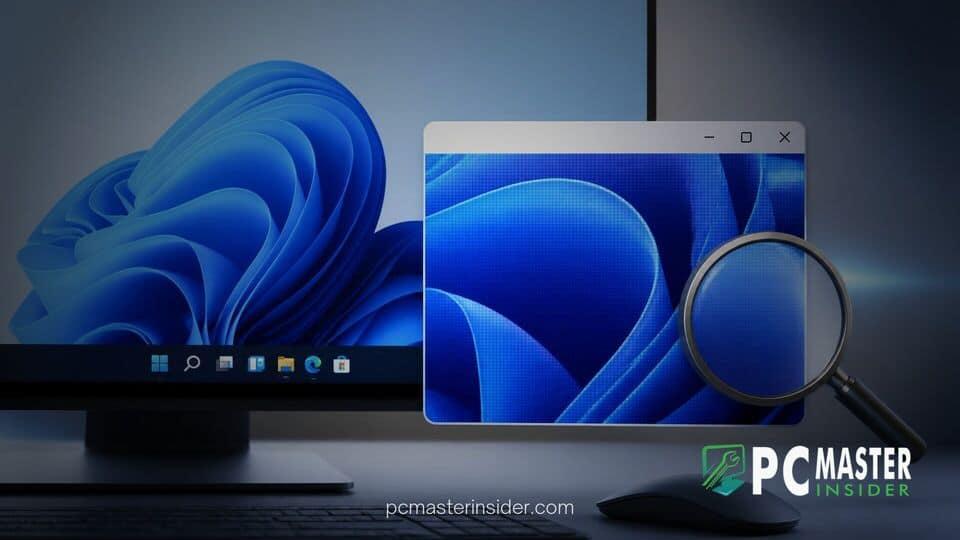
Microsoft has deployed Windows 11 Insider Preview Build 26340 to participants in testing channels, introducing meaningful enhancements to core accessibility features. The headline addition gives users independent per-display zoom controls when operating multi-monitor desktop configurations.
Beyond screen magnification changes, the preview build refined cross-device webpage handoffs, improved math equation navigation within Narrator, and delivered targeted bug fixes across the desktop operating system. The update reflects Microsoft's continuous push toward tailored user accessibility and smoother multi-screen workflow management.
windows 11 preview build 26340 magnifier zoom and System Improvements
The latest build deployment provides a dedicated resolution to long-standing multi-monitor zooming friction. By incorporating per-display awareness into the native Magnifier utility, Windows 11 preview build 26340 magnifier zoom features allow each connected monitor to hold its own distinct scale percentage without stretching across display boundaries. Alongside these magnification upgrades, Microsoft introduced smarter cross-device webpage resume choices, expanded Narrator screen reader capabilities for technical formulas, and applied essential stability patches across core system components.
Windows 11 Insider Preview Build 26340 Overview
Microsoft's deployment of Preview Build 26340 continues its testing cadence for future Windows 11 feature packages. Distributed through official preview channels, the test release serves as a proving ground for accessibility upgrades, interface polishing, and cross-device connectivity.
This preview update arrives as part of Microsoft's ongoing development strategy for future OS iterations, maintaining parity with recent performance initiatives. Over recent months, the operating system team has focused heavily on core workspace optimizations, such as accelerated boot times and 8GB RAM optimizations for entry-level hardware, alongside shell interface modifications. Build 26340 continues this iterative progression by addressing high-impact usability feedback gathered from power users and accessibility advocates.
Enhanced Cross-Device Webpage Resume Options
A notable workflow addition in Build 26340 involves how Windows 11 handles continuous browsing sessions originating from connected mobile devices. When users trigger a webpage resume action from a smartphone onto their desktop, Windows previously required matching browser installations to maintain direct handoffs.
With Build 26340, the system Resume hovercard presents two explicit choices if the phone's native browser is absent from the host PC:
- Open Directly in Default Browser: Immediately launches the incoming URL in the desktop's primary default web browser without requiring secondary software installation.
- Install Originating Mobile Browser: Provides a direct shortcut to install the corresponding desktop edition of the mobile browser for a fully synchronized native experience.
This change eliminates unnecessary installation friction when users simply want to quickly view a link transferred from a mobile device.
Independent Display Zoom Controls in Magnifier
The primary highlight of the build is the overhauled multi-monitor scaling behavior within the native Windows Magnifier application. Historically, enabling Magnifier on a multi-display desk setup stretched a single, unified magnified viewport across every connected panel. Consequently, zooming in on one screen forced the same magnification factor onto secondary displays, blurring monitor edges and complicating multi-screen workflows.
Build 26340 changes this architecture by respecting individual monitor boundaries. Each connected display can maintain an independent zoom percentage catered specifically to the task at hand. For example, an author or designer working across two panels can set their active writing monitor to a 300 percent zoom level while maintaining a secondary reference display at standard 100 percent scaling.
This decoupling provides significant relief for low-vision users who rely on high zoom factors but still require secondary displays for secondary apps, chat windows, or monitoring tools without forced, overwhelming scaling on every panel.
Accessibility Upgrades and System Bug Fixes
Alongside per-monitor Magnifier zoom controls, Microsoft expanded the capabilities of the built-in Narrator screen reader. Build 26340 introduces comprehensive math equation reading and navigation support within Narrator. Designed to assist blind and low-vision students and professionals in STEM fields, the update allows Narrator to read complex formulas, scientific notation, and algebraic structures naturally. Users can navigate through individual terms within an equation using granular keyboard shortcuts, making technical documentation far more digestible.
These accessibility updates coincide with broader desktop personalization and utility refinements across the OS. Microsoft has recently introduced several UI adjustments, ranging from a movable taskbar and resizable Start menu to streamlined system menus. While those shell modifications focus on general navigation, Build 26340 emphasizes functional utilities.
The build also resolves underlying shell bugs, addressing minor display rendering glitches and memory consumption spikes reported in prior testing builds. System stability in background process management was also tuned, aligning with broader security and system integrity measures like plans to automatically enable Memory Integrity on more Windows 11 PCs.
Availability for Beta and Experimental Channels
Windows 11 Preview Build 26340 is currently rolling out to registered Insiders participating in Beta and Experimental testing channels. As with most preview releases, Microsoft is utilizing Controlled Feature Rollout (CFR) technology. This staged deployment mechanism delivers new features to a subset of Insiders initially, allowing engineering teams to monitor telemetry and bug reports before expanding availability to all test devices.
Insiders running qualifying builds can check for the update by navigating to Settings > Windows Update and selecting Check for updates. Feedback regarding per-display Magnifier scaling and Narrator math reading can be submitted directly to Microsoft engineers via the built-in Feedback Hub application.
By delivering targeted accessibility upgrades like per-display Magnifier zoom alongside refined cross-device handoffs, Microsoft demonstrates a clear focus on practical usability improvements. As these features undergo testing in preview channels, public channel users can expect a significantly more flexible multi-monitor accessibility environment in upcoming cumulative updates.



