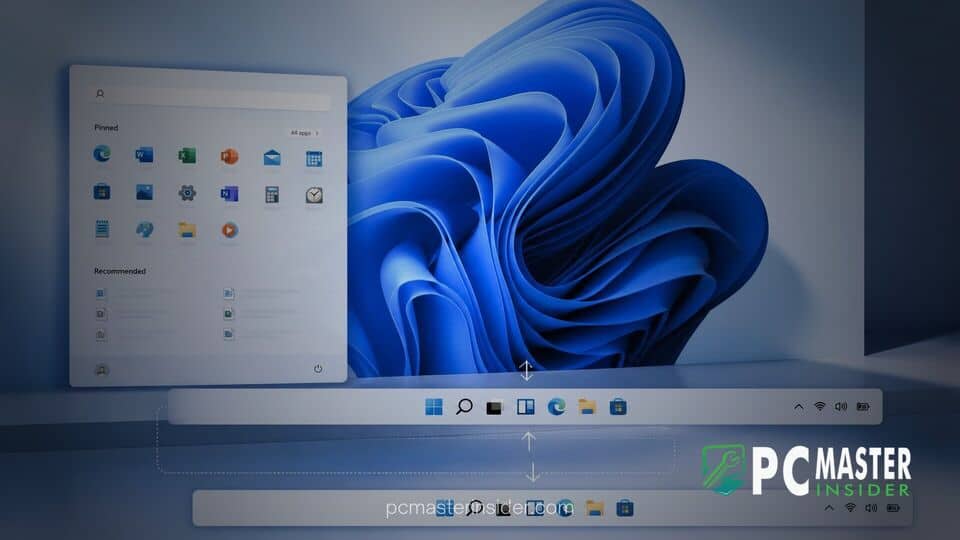
Microsoft has officially released the optional cumulative preview update KB5120998 for Windows 11 version 24H2 and version 25H2, delivering a collection of interface customization features that desktop enthusiasts have requested since the operating system first launched. The highlight of this release is the return of screen position flexibility for the taskbar, accompanied by direct controls to resize the Start menu and reduce web bloat in desktop search.
Available through Windows Update as a non-security preview rollup, the update upgrades devices to OS Builds 26200.9278 and 26100.9278. While the release focuses on restoring traditional desktop functionality, Microsoft is distributing the new user experience capabilities through a phased rollout.
Microsoft Releases KB5120998 for Windows 11
The release of Windows 11 KB5120998 update movable taskbar capabilities represents a major shift in Microsoft's desktop design philosophy. When Windows 11 originally arrived, the rigid bottom-centered taskbar alignment drew criticism from longtime power users, system administrators, and multi-monitor setups. With KB5120998, Microsoft is directly addressing this feedback by providing native customization toggles within system settings.
Under the new update model, users can navigate to Settings, select Personalization, and open the Taskbar settings pane to discover expanded control over their workspace layout. In addition to layout adjustments, KB5120998 includes general servicing stack updates designed to improve installation reliability and desktop shell stability across consumer hardware.
Return of Top, Left, and Right Taskbar Positions
The defining feature of update KB5120998 is the native option to move the Windows 11 taskbar to the top, left, or right edges of the display. Users no longer need to rely on third-party shell enhancements or registry hacks to modify taskbar placement. All core taskbar elements, including application icons, pin states, notification tray icons, and window flyouts, automatically orient themselves to match the chosen side of the screen.
Alongside edge repositioning, Microsoft has introduced a true compact mode. The new Small taskbar setting shrinks both the icon assets and the pixel height or width of the taskbar frame. This change frees up valuable vertical screen real estate, which is particularly useful for users on compact laptops or ultrawide monitors. However, early documentation indicates that certain secondary features, such as the full search box visual display, remain optimized primarily for top and bottom taskbar layouts.
For users who prefer to automate administrative maintenance or review recent system servicing changes, keeping track of deployment policies is essential. Enterprise administrators managing large device fleets can leverage services like Windows Autopatch quality update expansion tools to control preview update schedules across organizational endpoints.
Resizable Start Menu and Streamlined Search Changes
In tandem with taskbar updates, KB5120998 introduces flexible layout options for the Windows 11 Start menu. Users can now manually set the overall Start menu dimensions to Small, Large, or Automatic via Settings under Personalization. The update also reorganizes the Start interface elements to streamline daily navigation.
The previous Recommended section has been officially rebranded as Recent, offering clearer labeling for recently opened files and installed applications. For users concerned with desktop recording, presentation safety, or general privacy, KB5120998 adds a direct setting to hide user profile names and account pictures from the lower corner of the Start menu.
Microsoft has also revised the internal section management of the menu. Independent toggles now allow users to selectively turn off Pinned apps, Recent documents, or the All apps list according to their personal preference. Interface refinements like these follow a broader trend of cleaning up native Windows apps, similar to when Microsoft redesigned the Windows 11 Photos app to eliminate unnecessary toolbar clutter.
Removing Web and Store Suggestions from Search
Another welcome change in KB5120998 targets the integrated Windows Search box. For several years, users expressed frustration over web search results from Bing and Microsoft Store recommendations cluttering local file search queries.
With this preview release, Microsoft provides a dedicated policy toggle within Search settings that allows users to disable online web results and store suggestions entirely. When toggled off, typing into the taskbar search field restricts results strictly to local applications, indexed personal files, system control panel applets, and local settings. This shift yields noticeably faster query response times and eliminates accidental web browser launches.
Known Bugs and Rollout Schedule
Despite the high demand for these interface additions, KB5120998 is an optional preview release, and early adopters have reported a few post-installation glitches. Microsoft has formally documented a known issue where custom mouse cursor pointer styles revert to default values on non-English operating system builds after installing the update.
Additionally, some users have reported intermittent desktop background resets after applying the update. These customization issues echo previous system glitches, such as a prior Windows 11 update bug resetting wallpapers to solid black. Separate launch instabilities affecting Microsoft Teams and Outlook on ARM-based devices have also been logged by support teams, reminiscent of recent reports where Microsoft investigated Outlook and Teams crashes on ARM PCs.
To safeguard user experience, Microsoft is releasing these features via Controlled Feature Rollout (CFR). Even after manually downloading and installing KB5120998 from Windows Update or the Microsoft Update Catalog, specific UI toggles for the movable taskbar or Start menu sizing may take several days to become visible on individual machines. For users hesitant to deal with minor preview update bugs, Microsoft plans to roll these taskbar and Start menu improvements into the broader, mandatory Patch Tuesday cumulative security release scheduled for early September.
Windows 11 KB5120998 represents one of the most user-centric preview releases for the operating system this year. By restoring vertical and top taskbar placements, offering Start menu scaling, and permitting an offline-focused search experience, Microsoft is actively addressing long-standing desktop UX feedback while refining Windows 11 for modern productivity workflows.