
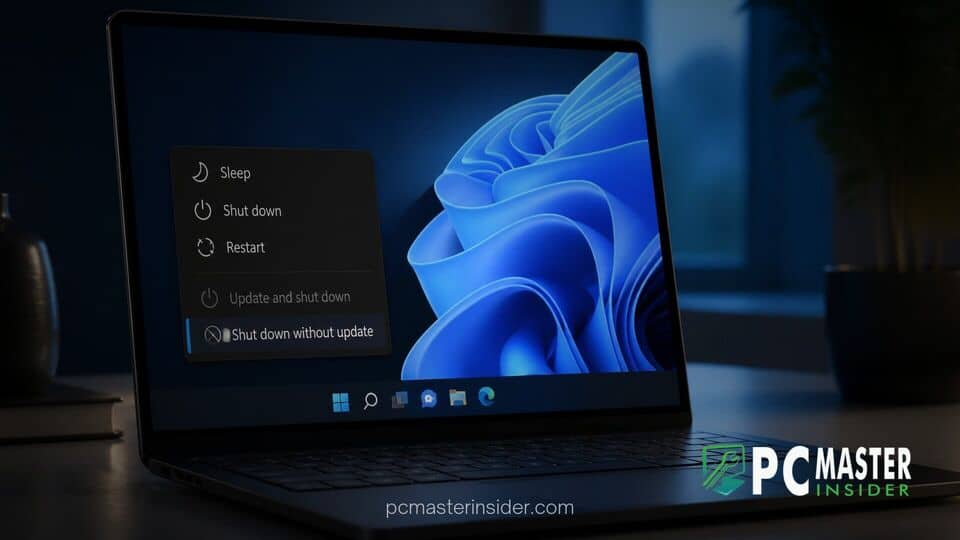
Microsoft is introducing a notable update to the Start menu in Windows 11 that gives users control over system maintenance. The operating system now allows users to bypass mandatory update installations when shutting down or restarting their computers.
For years, Windows users faced situations where standard power controls were replaced by Update and shut down or Update and restart. The new power options separate routine maintenance from system shutdowns, ensuring users can power off their devices immediately when needed.
Windows 11 Power Menu Skip Forced Updates and Separates Controls
The core change in this Windows 11 update is the restoration of independent power choices in the Start menu power flyout. Previously, when a system update was fully staged and waiting to install, the conventional Shut down and Restart buttons were replaced entirely. Users who needed to pack up a laptop quickly or reboot for troubleshooting were forced to wait for patch routines to finish.
Under the revised design, Microsoft provides distinct choices within the Start menu power menu. Users can explicitly select standard Shut down or Restart actions alongside the update-inclusive alternatives. This adjustment ensures that pending software installations do not block immediate hardware shutdowns.
Bypassing Mandatory System Updates at Power Off
The ability to bypass mandatory system updates directly from the user interface addresses a long-standing source of user friction. Previously, skipping an update required technical workarounds, such as using command-line arguments like shutdown.exe /s /f /t 0 or invoking legacy Alt + F4 dialogs.
By bringing these options back to the main power interface, Microsoft acknowledges that forced updates at power-off are often inconvenient. For instance, mobile users packing up laptops to travel or desktop operators troubleshooting hardware glitches frequently require immediate, clean reboots without triggering multi-stage installation routines.
Impact on System Maintenance and User Workflows
The shift toward optional update triggers at power-off significantly alters daily workflows for both casual users and professionals. Gamers, software engineers, and IT professionals often need rapid system restarts without waiting for pending cumulative updates to configure. This update ensures that critical work is not delayed by unexpected operating system maintenance.
This update complements broader system performance initiatives across the platform. While Microsoft continues working to accelerate Windows 11 boot times and optimize performance for mainstream hardware, removing update bottlenecks at power-off directly improves overall system responsiveness.
System administrators managing corporate environments through tools like Microsoft Intune will also benefit from clearer distinctions between user-initiated reboots and enforced patch deadlines. While enterprise update rings continue to enforce compliance policies, end users in unmanaged or hybrid environments gain control over when background patches finalize. This change works alongside existing infrastructure controls, such as recent expansions to Windows Autopatch quality and recovery updates, giving organizations predictable maintenance schedules without frustrating individual workstation users.
Availability and Deployment Schedule in Windows 11 Updates
The power menu enhancements are rolling out through cumulative servicing updates for supported versions of Windows 11, including 24H2 and 25H2 builds. Microsoft has begun deploying the updated power menu options via Insider preview channels before broader availability through general monthly updates.
Alongside the separated power options, Microsoft has resolved a legacy bug where selecting Update and shut down would occasionally trigger a full reboot before powering off. Users seeking to verify or manage their update schedules manually can still visit Settings, navigate to Windows Update, and pause or resume pending packages as needed.
By restoring explicit controls to the Windows 11 Start menu, Microsoft addresses a prominent usability complaint. Users no longer need to rely on Registry tweaks or terminal overrides to shut down their PCs on their own terms. This update delivers a balance between keeping devices secure and respecting individual user schedules.



