
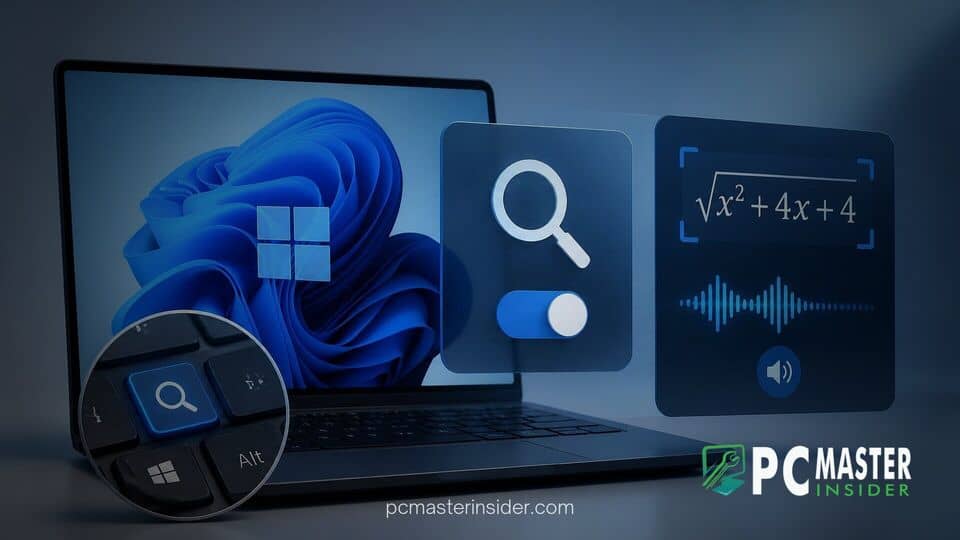
Microsoft has released a new preview build for Windows 11 Insiders, introducing targeted enhancements to system accessibility and user customization. The update addresses common user complaints regarding accidental hotkey triggers while broadening localized support for screen-reading tools.
Alongside key accessibility tweaks, the latest release includes granular permissions management for desktop applications and general system stability updates. Users enrolled in the Windows Insider Program can test these additions before they roll out to the general public.
windows 11 magnifier shortcut toggle accessibility
The headline addition to the latest Windows 11 build is a dedicated toggle for the built-in Magnifier keyboard shortcut. Previously, pressing the Windows logo key + Plus sign (+) automatically launched the screen magnification tool across the operating system. While useful for visually impaired users, the default behavior frequently caused frustration for gamers and power users who accidentally triggered the feature during intense gameplay or custom keybinding setups.
Under Settings > Accessibility > Magnifier, users now have a dedicated switch labeled "Keyboard shortcut for Magnifier". The setting remains enabled by default to preserve established user workflows, but turning it off completely unbinds the Win + Plus hotkey. Disabling the shortcut prevents accidental activation without removing the ability to manually start Magnifier through the main Settings menu or quick access panels.
New Accessibility Options in Windows 11 Beta Build
The addition of the hotkey toggle reflects Microsoft's broader effort to make Windows 11 accessibility features more flexible. Rather than forcing fixed system shortcuts, the operating system is increasingly giving users control over how assistive tools are triggered. This move aligns with recent operating system updates, such as when Microsoft introduced customizable right-click context menus in Windows 11 to help users declutter their workflows.
In addition to shortcut management, the update refine general navigation experiences. Users navigating through security key authentication will notice that the PIN entry screen no longer displays an extraneous "other user" icon, simplifying the sign-in prompt. Furthermore, Microsoft has sharpened thumbnail previews within the Recommended section of File Explorer.
Disabling the Windows Key Magnifier Shortcut
For users looking to turn off the automatic shortcut, navigation requires only a few steps inside the revamped Settings application:
- Open Settings using the Win + I keyboard combination.
- Select Accessibility from the left sidebar panel.
- Click on the Magnifier menu tab.
- Locate the Keyboard shortcut for Magnifier option and switch the toggle to Off.
Once disabled, pressing Win + Plus will no longer trigger the magnification overlay, eliminating conflicts with custom layout software or full-screen gaming applications.
Expanded Language Support for Math Reading in Narrator
Beyond the Magnifier changes, Microsoft expanded the functional capabilities of Narrator, the native screen-reading tool in Windows 11. Narrator now supports mathematical content reading across eight additional global languages. The newly added languages include Greek, Hungarian, Indonesian, Norwegian (Bokmål), Polish, Russian, Swedish, and Vietnamese.
This localized expansion allows students, educators, and professionals who rely on screen readers to seamlessly parse complex mathematical expressions, equations, and technical symbols in their native language. By integrating localized speech synthesis directly into Narrator, Microsoft reduces reliance on third-party educational add-ons.
Additional Bug Fixes and System Improvements in Build 26220
The latest build also delivers practical privacy updates for desktop environments. Windows Insiders can now manage camera, microphone, and location permissions on a per-app basis for traditional Win32 desktop applications, rather than relying solely on global system toggles. Similar granular management updates were seen when Windows 11 Beta Build added per-app privacy controls for desktop applications earlier in testing.
Microsoft has also implemented fixes for persistent system bugs. Recent preview builds resolved an issue where mouse personalization settings and custom wallpapers were unexpectedly resetting after a system reboot. While Microsoft works through final stability testing, it confirmed that a temporary rollback of solid boot spinner animations is currently active until a minor display glitch is resolved.
By offering greater control over shortcut triggers and expanding localized speech support, Microsoft continues to refine Windows 11 accessibility for both casual users and those who rely on assistive tools daily. These changes are currently undergoing testing in the Insider preview channels and are expected to roll out to all standard Windows 11 installations in upcoming cumulative updates.