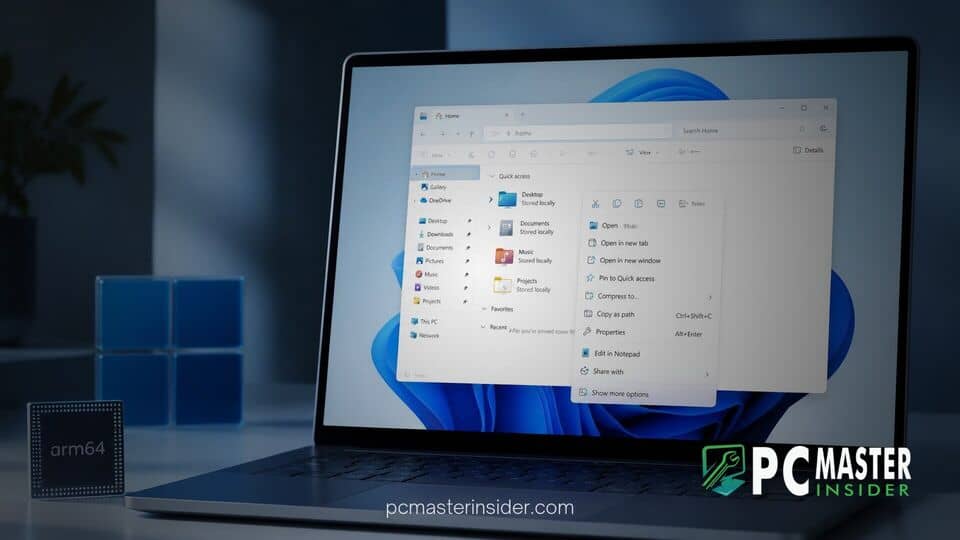
Microsoft has released non-security update KB5132265 for Windows 11, introducing long-awaited customization controls for the File Explorer context menu on Arm64 hardware. The update aims to reduce right-click clutter, improve shell responsiveness, and address long-standing shell extension performance issues on Arm-powered laptops and desktops.
Alongside context menu enhancements, the release incorporates foundational kernel adjustments and system performance updates tailored specifically to modern Snapdragon processors and legacy Qualcomm platforms.
Microsoft Releases Optional KB5132265 Update for Windows 11 26H1
The arrival of KB5132265 marks an important milestone for Windows 11 running on Arm architecture. As part of Microsoft's ongoing effort to parity feature sets across x64 and Arm platforms, this preview update focuses on refined file management, system responsiveness, and user control over desktop elements.
While preview updates remain optional for standard users, IT professionals and enthusiast communities often closely monitor these builds for preview features slated to roll out universally in upcoming Patch Tuesday cycles. The build brings refined stability to background services, ensuring that third-party applications running via emulation or native Arm64 code behave consistently across the OS interface.
As Microsoft continues preparing major system updates, including the ongoing automatic Windows 11 26H2 rollout for eligible PCs, targeting specific hardware architectural bottlenecks has become a key focal point for engineering teams.
File Explorer Context Menu Customization Controls
The centerpiece of the update is the introduction of built-in customization settings for the modern File Explorer right-click menu. Historically, users seeking to clean up redundant items or legacy context entries had to rely on complex registry edits or third-party tweaking tools. KB5132265 streamlines this experience by exposing direct toggles within the Settings app under Personalization.
Users can now easily hide legacy items, reorder primary action icons such as Copy, Paste, Rename, and Share, and manage third-party app shell extensions directly. This feature is particularly valuable for native Arm64 applications, where legacy x64 context menu handlers previously caused subtle UI stutters during invocation.
Early testing shows that disabling unused shell handlers significantly reduces right-click menu rendering latency, providing an immediate performance boost when managing large file directories.
windows 11 kb5132265 arm64 context menu update: Key Upgrades and System Improvements
Beyond context menu adjustments, the windows 11 kb5132265 arm64 context menu update brings several critical platform fixes aimed at resolving hardware and software compatibility bugs on Snapdragon X Elite and Snapdragon X Plus devices.
Key highlights of the build include:
- Native Context Menu Panning: Optimized touch gestures and fluid animations when navigating expanded context menus on touch-capable Arm tablet displays.
- Emulation Bridge Enhancements: Fixed an issue where legacy 32-bit x86 context handlers would occasionally cause File Explorer process crashes upon right-clicking archived formats. As Microsoft systematically reduces reliance on legacy binaries across its portfolio, such as when it decided to deprecate 32-bit app support in the next Windows Server release, keeping emulation bridges stable remains essential for consumer Windows builds.
- Prism Emulation Efficiency: Reduced CPU overhead when background third-party context extensions perform active status checks on cloud-synced files.
- Power State Management: Addressed a bug where connected standby power draw spiked after invoking File Explorer operations repeatedly.
Microsoft noted in its accompanying documentation that shell responsiveness overall has improved by up to 15 percent on native Arm64 configurations, making file navigation feel noticeably snappier during daily multitasking.
Deployment Schedule and Installation Guide for Arm64 Hardware
The KB5132265 update is available immediately through the standard Windows Update channel as an optional preview build. Arm64 device owners interested in trying out the new context menu customization controls can install the update manually by navigating to Settings, selecting Windows Update, and clicking Check for updates. Selecting Download and install under the optional updates header will begin the process.
For enterprise environments deploying Arm hardware, administrator controls for context menu management are also being made available via Group Policy templates and Mobile Device Management (MDM) profiles. IT managers can use these policies to centrally lock down context options, preventing unauthorized third-party apps from cluttering employee shell views.
Looking ahead, Microsoft intends to incorporate the feedback gathered from this preview build into future mandatory cumulative updates. For Arm64 users, this release provides welcome customization capabilities and vital fixes that bring the platform closer to feature parity with traditional x86 architecture.