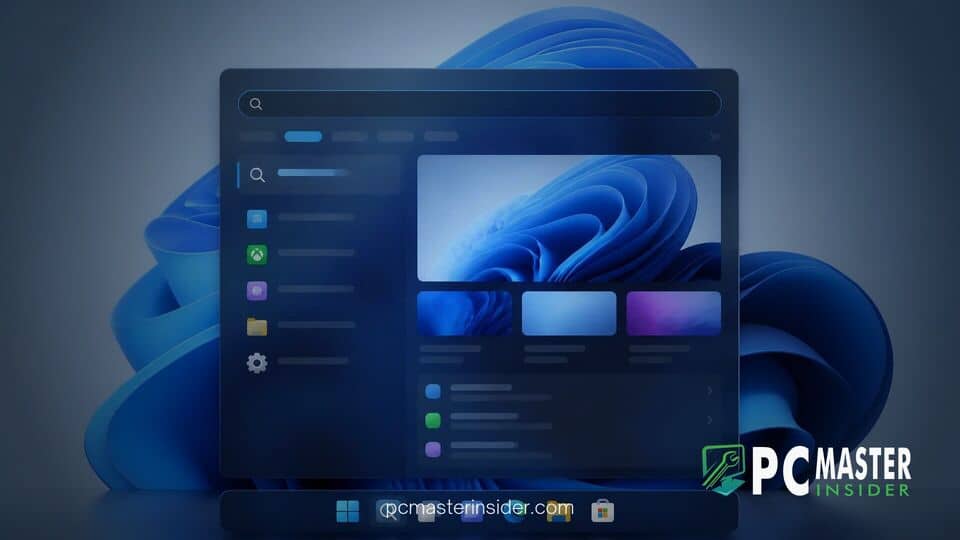
Microsoft has officially rolled out the preview update KB5132057 for Windows 11 versions 26H2 and 25H2, introducing a redesigned native search experience and multiple system enhancements. The optional release brings build numbers 26300.10075 and 26200.10075, offering a completely rebuilt search architecture along with broader interface modernizations.
Windows 11 KB5132057 Search Update Brings Native Performance and Rebuilt UI
The highlighted addition in the Windows 11 KB5132057 search update is the retirement of the older WebView2 web framework for the main desktop search overlay. By transitioning the interface entirely to WinUI 3, Microsoft has eliminated background dependency on browser processes when launching search from the taskbar. This architectural shift significantly cuts down on RAM consumption, minimizes launcher latency, and delivers instant query results without rendering heavy web panels.
Alongside the performance overhaul, the desktop search UI transitions from a heavy side-by-side preview panel into a clean, unified single-column layout. The updated design optimizes screen real estate while improving result accuracy for typos, synonyms, and natural language queries. Users can view contextual file data straight from the results list, including modification timelines, file storage paths, and author metadata.
Inline Quick Actions and Expanded OS Integration
Beyond finding local files and installed applications, the revamped search engine acts as a command console for desktop control. Users can execute common administrative toggles directly inside the search bar without opening the main Settings application. Commands such as switching between light and dark modes, toggling Bluetooth connectivity, adjusting display brightness, muting master audio, or minimizing active windows execute instantly upon input.
Microsoft has also integrated hardware and companion features into the search workflow. Through Windows Hello biometrics, screen brightness briefly auto-adjusts in dim environments to assist facial recognition log-ins. Meanwhile, deep links with Phone Link allow users to originate text messages, make cellular calls, or locate connected Android devices directly through taskbar search queries.
The update also touches File Explorer by moving searches conducted within "This PC" onto the central indexing system. This aligns directory search behavior with File Explorer Home, drastically cutting down wait times when scanning across large storage drives. The broader indexer speed improvements build upon ongoing enterprise management updates across the ecosystem, including how Windows Autopatch quality updates handle system service rollouts.
Modernized Run Dialog and System Accessibility Fixes
In addition to the main search canvas, update KB5132057 updates the classic Windows Run dialog (Win + R) with modern WinUI styling. The updated dialog matches dark mode preferences and supports fluid acrylic visual materials while retaining full legacy command compatibility. Microsoft has made this updated Run prompt an opt-in toggle within system settings during the initial preview phase.
Accessibility options receive quality updates as well. Administrators and end users can now completely disable the Sticky Keys trigger shortcut directly from accessibility menus to prevent accidental pop-ups during gaming or intensive typing sessions. As Microsoft continues refining desktop UX, these interface tweaks complement ongoing work on taskbar layouts, such as testing an optional taskbar list view in Insider builds.
System stability and security infrastructure also benefit from underlying patches included in this release. As enterprise workloads migrate toward isolated processing environments like Microsoft Execution Containers and user-mode security agents such as the Windows Endpoint Security Platform GA, keeping core OS interfaces fast and lightweight remains a primary focus.
Availability and How to Install Windows 11 KB5132057
Because KB5132057 is an optional non-security preview release, Windows Update will not download or install the package automatically. Users who want immediate access to the modern search UI and indexer speedups can manually check for updates:
- Open the Settings app on Windows 11.
- Navigate to Windows Update.
- Select Advanced options and click Optional updates.
- Locate 2026-11 Preview Update (KB5132057) and click Download & install.
Alternatively, standalone offline installer packages (.msu) are available through the official Microsoft Update Catalog. Users who prefer to skip optional updates will automatically receive these search improvements and underlying quality fixes as part of the mandatory Patch Tuesday cumulative update cycle.
With native WinUI 3 execution and tighter taskbar integration, KB5132057 represents a major step forward in addressing long-standing user complaints regarding Windows search latency. The release delivers a cleaner interface while making routine operating system tweaks faster and easier to access.