
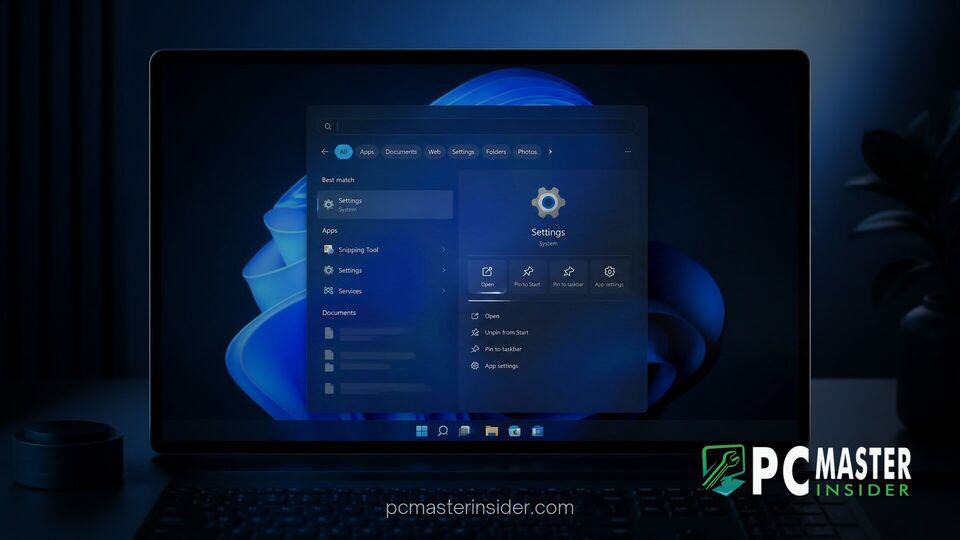
Microsoft has deployed a major architectural redesign for its built-in desktop search tool across multiple Windows Insider testing channels. The updated tool transitions from a traditional file and application launcher into an active control interface capable of modifying system settings and arranging windows directly from search queries.
The overhaul relies on a rebuilt user interface constructed with Microsoft's WinUI 3 framework, aimed at reducing memory consumption and improving response times. This shift marks a broader effort by the company to streamline core desktop components, replacing fragmented flyouts with consolidated single-pane controls.
Redesigned Windows Search Arrives in Insider Release Preview
The updated feature set is currently rolling out to testers in the Insider Release Preview, Beta, and Experimental channels. The release brings a modernized interface that shifts away from the previous two-column panel layout. Instead, search results now populate within a unified single-list format designed to streamline navigation and reduce visually distracting elements like third-party promotional panels.
Underneath the visual redesign, Microsoft overhauled the underlying query engine. The new framework allows windows 11 insider preview overhauled search experience builds to deliver faster index results with lower overall resource usage. System telemetry during initial test rings indicated substantial drops in operational memory consumption when launching and executing desktop searches compared to legacy versions of the feature.
Microsoft noted in its technical documentation that the primary objective of this rewrite is to transition desktop search from a passive discovery mechanism into an active hub for task completion. By reducing steps required to perform basic maintenance tasks, the OS aims to keep users focused on their active workspace without forcing them to open separate configuration menus.
Inline Actions for System Settings and Quick Controls
The core enhancement introduced in this preview build is the addition of inline quick actions. Rather than acting solely as a shortcut to open the Settings application, the search interface now embeds interactive controls directly into the result list. Typing natural language requests allows users to adjust hardware parameters or operational modes instantly.
Supported inline commands currently allow users to toggle system dark mode, enable Bluetooth, dim display brightness, mute master audio output, or engage Night light without leaving the active search box. Additionally, workspace management phrases such as minimize all windows or arrange windows on screen let users adjust desktop window layouts directly from the keyboard.
This update complements ongoing efforts to consolidate system management tools across Windows 11. Microsoft has recently introduced native diagnostic utilities within the taskbar flyouts, such as when Microsoft Removes Bing Search Link from Built-In Windows 11 Speed Test to streamline network monitoring. Bringing direct toggles into Search extends that philosophy across desktop operations.
Improved File Previews and Typo Recognition Algorithms
Alongside inline controls, Microsoft upgraded the indexing and matching algorithms powering local file discovery. Search queries now account for common typographical errors and natural language synonyms, returning accurate matches even when exact file names are misspelled or queried using alternative terminology.
File previews within the result pane have also been enhanced. Selecting a document, image, or presentation displays detailed metadata directly in line, showing creation dates, author information, file sizes, and storage pathways. Users can inspect file details and verify contents before opening the associated desktop application.
These search-level file management improvements arrive alongside broader OS adjustments to system context menus and file management features seen in recent cumulative builds, such as when Microsoft Rolls Out Windows 11 KB5132061 with Customizable Context Menu options.
Deployment Channels and Timeline for General Availability
The overhauled search experience is currently rolling out via a controlled feature rollout server-side package. It is available across multiple Windows 11 Insider Preview channels, including Release Preview builds for versions 25H2 and 26H2. At present, full functionality for inline system commands is restricted to English display language configurations while Microsoft evaluates feedback from early adopters.
If testing stability targets are met throughout the Insider evaluation window, the updated search UI is slated to reach general availability via upcoming optional monthly quality updates, followed by inclusion in standard Patch Tuesday security packages. Microsoft continues to tweak system protections and underlying core binaries across these preview updates, similar to how Microsoft Auto-Enables Memory Integrity in Windows 11 to harden security layers without disrupting basic OS interaction.
Insiders participating in the Release Preview channel can access the feature by checking for updates under System Settings and toggling on the option to receive the latest updates as soon as they are available. Microsoft plans to expand localized language support for inline commands and introduce additional system controls in subsequent preview revisions over the coming months.
By blending modern UI frameworks with actionable system commands, Microsoft is taking steps to reduce desktop friction. As the preview expands to broader channels, users can expect a faster, less cluttered search bar that serves as a central point for both discovering files and managing device settings.