
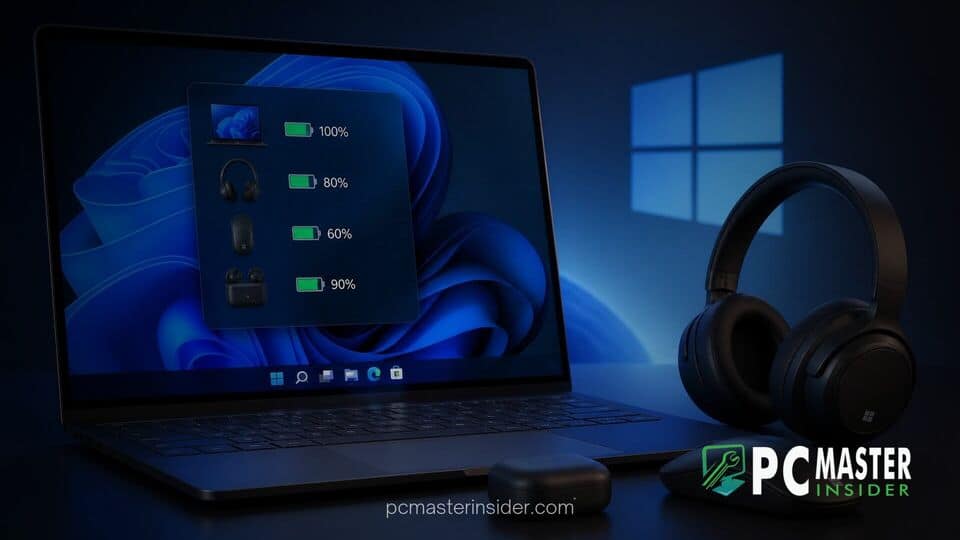
A recent discovery in preview builds suggests Microsoft is working on a centralized system widget to give users instant visibility over device power levels. Early assets leaked online indicate that Windows 11 will soon feature a unified battery status monitor designed for both the Widgets Board and the system lock screen.
The upcoming addition aims to resolve a long-standing inconvenience for laptop and desktop users who rely on multiple wireless accessories. Rather than requiring users to search through deeply nested system menus, the new tool presents a real-time overview of charge percentages across all connected hardware.
Windows 11 Battery Monitor Widget Leak: Unified Peripheral Tracking
References to the feature were first uncovered in early September 2026 after internal strings and graphic resources were identified within recent Windows 11 insider builds. While the dashboard is not yet active for end users, code hidden in test builds demonstrates how Microsoft plans to structure the experience.
According to visual assets found in the leak, the panel organizes devices into a clean, vertical list. The primary host device, such as a laptop or portable PC, occupies the top slot. Immediately beneath it, the widget displays connected Bluetooth peripherals, including wireless mice, keyboards, game controllers, and audio headsets. Each entry features a custom device icon, device name, and exact charge percentage.
Windows 11 Preview Builds Reveal Dedicated Battery Widget
The leak highlights a major push by Microsoft to enhance system level utility inside the Windows 11 interface. Historically, users looking to check peripheral battery levels had to open the Settings app or navigate through individual device menus inside Quick Settings. This process made tracking power levels across multiple accessories cumbersome during busy workflows.
By bringing this data to a front facing panel, Microsoft aligns Windows 11 with mobile operating systems like iOS and Android, which have offered consolidated battery widgets for several years. The change arrives as Microsoft continues expanding core system optimizations across desktop software, similar to recent efforts where Microsoft promises faster Windows 11 boot times and RAM optimizations for everyday users.
Key Features of the New Battery Monitoring Panel
Code snippets extracted from the preview builds outline several smart behaviors built directly into the widget layout:
- Dynamic State Indicators: Active charging status icons appear next to any device currently plugged into power.
- Energy Saver Status: Visual badges signal whether Energy Saver mode is actively engaged on individual devices or the host PC.
- Theme Support: Native dark and light mode designs adapt dynamically to system preferences.
- Low Battery Alerts: Prominent visual cues notify users when a connected peripheral drops below critical power thresholds.
Peripheral Battery Tracking and Lock Screen Integration
Beyond the primary Widgets Board, string references confirm that Microsoft plans to bring the battery monitor widget directly to the Windows 11 lock screen. Lock screen integration allows laptop users to glance at peripheral status without needing to log in or unlock their workstation first.
This design fits into Microsoft's broader updates to system usability and user control. Recent updates across the ecosystem have focused on streamlining desktop management, such as when Microsoft added options to skip forced updates in the Windows 11 Power menu or when Microsoft redesigned the Windows 11 Photos app to unclutter toolbar interfaces. Delivering utility-focused widgets helps transform the Widgets Board from a promotional space into a genuine daily tool.
Expected Rollout Schedule and Insider Testing Timeline
Because the battery monitoring interface was uncovered via build string leaks and non-functional assets, Microsoft has not officially announced an absolute release date. Typically, hidden feature flags appearing in preview builds undergo testing in the Dev or Canary channels before arriving in broader Beta builds.
If testing progresses smoothly, Windows Insiders could see a fully functional version of the widget in upcoming flight releases within the next few months. A public rollout for standard users would likely follow in an upcoming cumulative update or annual feature release.
As wireless peripherals become the standard for modern desktop setups, a native battery monitoring widget provides a simple, long-overdue solution for avoiding sudden hardware dropouts while working or gaming.



