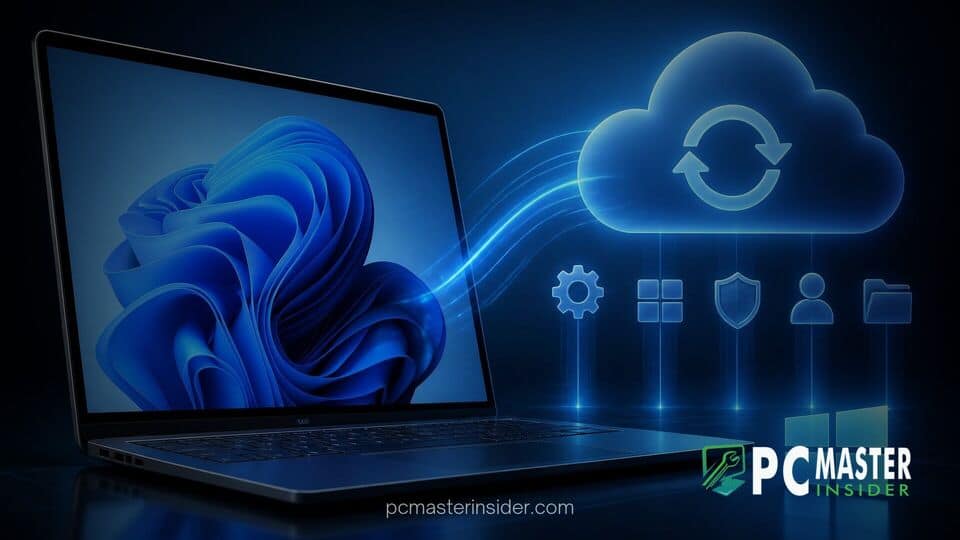
Microsoft has officially shifted its approach to enterprise device resilience by making Windows settings backup enabled by default for eligible devices starting with Windows 11 version 26H2. The change transitions the feature, previously managed as Windows Backup for Organizations, into a standard baseline capability for enterprise environments managed through Microsoft Entra ID.
Under the updated framework, any eligible device running Windows 11 26H2 with an administrative policy set to Not Configured will automatically back up supported system preferences and Microsoft Store application lists. Microsoft emphasizes that explicit administrator policies remain fully respected, ensuring that organizations with existing configurations will experience no unexpected operational changes.
Transition to Unified Settings Backup in Windows 11 26H2
The primary objective of the default-on change is to establish operational resilience across corporate fleets without requiring manual initial setup. Historically, IT departments had to explicitly deploy mobile device management (MDM) profiles or Group Policy settings to capture user preferences prior to hardware migrations or unexpected system crashes. By altering the default state for unconfigured policies, Microsoft aims to ensure that configuration data is available whenever a device requires a refresh, reimage, or emergency replacement.
The automatic backup mechanism captures supported Windows personalization preferences, network settings, accessibility configurations, and inventory records for installed Microsoft Store applications. However, Microsoft clarifies that the feature does not back up arbitrary user files, local data directories, or traditional Win32 desktop software installations. Personal data storage remains tied to cloud solutions like Microsoft OneDrive, while app settings outside the native store framework require dedicated enterprise management software.
Integration of Enterprise State Roaming Management
Alongside the policy shift, Microsoft has consolidated Enterprise State Roaming (ESR) within the unified Windows settings backup and restore administrative tools. ESR previously allowed organization-managed settings to synchronize across Entra-joined devices through separate configuration surfaces in the Microsoft Azure portal. With the release of version 26H2, IT administrators manage both cloud backup policies and multi-device roaming parameters from the same central controls in Microsoft Intune and Group Policy.
This consolidation streamlines administrative overhead by removing fragmented configuration paths. When system administrators manage settings backup options, the toggles also govern the behavior of roaming settings across Entra-joined hardware. Organizations maintaining compliance mandates can control data boundaries effectively, as all backed-up configurations remain pinned to the organization's specific Microsoft Entra tenant.
Key System Administration Changes
While the backup capability now operates by default on unconfigured systems, Microsoft has drawn a clear line between backing up system data and restoring it onto new hardware. Unlike consumer-focused backup experiences, enterprise restoration behavior is not enabled automatically. System administrators must still explicitly configure restore policies to allow end users to pull down backed-up profiles during initial Out-of-Box Experience (OOBE) provisioning or post-sign-in setup.
This distinction prevents unauthorized data restoration across unmanaged endpoints while letting IT departments control when and how user profiles migrate. If an organization chooses to restrict profile restoration to specific device tiers, administrators can keep restore capabilities toggled off while benefiting from background backups created across the fleet.

Default Policy Enforcement and Restore Summaries
For organizations already deploying Windows 11 updates, explicit policy configurations take absolute precedence over default operating system behavior. If an IT department has previously defined a policy to explicitly disable settings backup across corporate laptops, Windows 11 26H2 respects that directive without modification. The default-on behavior applies strictly to endpoints where the policy state remains completely unconfigured.
To assist both end users and support teams during hardware transitions, Microsoft has refined the restoration interface with a dedicated Restore Summary feature. Once a profile restoration finishes, users receive a system notification leading to an interactive browser report detailing which personalization settings and Store applications were successfully reapplied. The summary remains available for seven days following setup, allowing help desk staff to audit migration results if discrepancies arise.
Impact on Enterprise IT Workflows
The updated feature set complements recent enterprise changes across the operating system ecosystem. As organizations prepare for lifecycle transitions, such as evaluating support deadlines where Windows 11 23H2 Enterprise reaches end of support, automated settings management provides a smoother path toward adopting newer feature releases like 26H2. Furthermore, deployment workflows often align with build updates, such as when Microsoft releases Windows 11 Build 26320.9876 to Beta Channel users to test upcoming 26H2 features in staging environments.
Enterprise security officers should evaluate their tenant policies ahead of mass 26H2 deployments. Organizations operating under strict regulatory frameworks, sovereign cloud environments, or geographically restricted data regions will need to verify whether default backups comply with internal data governance guidelines. If cloud storage of system preferences conflicts with corporate compliance policies, administrators can deploy explicit opt-out policies using Intune Settings Catalog profiles or classic Administrative Templates before upgrading endpoints.
In summary, Microsoft's decision to enable settings backup by default provides enterprise fleets with an out-of-the-box resilience safety net. By pairing automatic background backups with strictly admin-controlled restoration paths, the update balances user convenience with enterprise security requirements. IT teams are advised to review their current Group Policy and Intune templates to ensure their explicit configuration targets align with organizational goals before enrolling devices into Windows 11 26H2.