
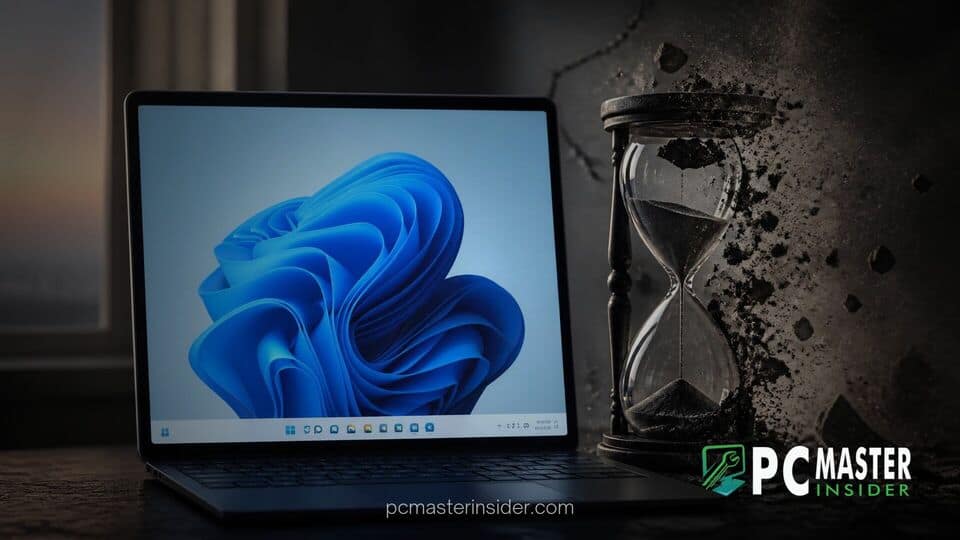
Microsoft is officially retiring Windows 11 version 24H2 for consumer editions, issuing the final cumulative security patch during its October Patch Tuesday release cycle . Home, Pro, Pro Education, and Pro for Workstations editions will no longer receive monthly updates, technical support, or security bug fixes after this release .
Users running version 24H2 are strongly advised to transition to a newer operating system build, such as version 25H2 or version 26H2, to maintain system stability and defense against newly discovered vulnerabilities . While affected computers will remain operational, continuing to run unsupported software exposes personal and business data to unpatched security exploits .
windows 11 24h2 end of support marks the end of a 24 month cycle
Under Microsoft's Modern Lifecycle Policy, standard consumer editions of Windows 11 feature updates receive exactly 24 months of active servicing from their initial general availability date . Windows 11 version 24H2 originally debuted in October 2024, introducing a wave of AI-driven tools, shell refinements, and underlying platform optimizations . With two years having elapsed, the milestone represents the scheduled end of servicing for mainstream users .
Today's October Patch Tuesday delivery brings the final batch of non-security and security adjustments to version 24H2 . Going forward, systems remaining on this version will not receive monthly cumulative updates . Microsoft has structured its Windows release framework around an annual update rhythm, encouraging seamless in-place updates to minimize downtime and prevent legacy build fragmentation across the global PC fleet .
Microsoft Sets Final Security Patch for Windows 11 24H2
The final servicing package for Windows 11 24H2 focuses on resolving known software bugs, closing zero-day vulnerabilities reported over the past month, and applying final stability updates . Once this update finishes downloading and installing through Windows Update, the operating system enters an unserviced state for consumer SKUs .
Microsoft notes in its release documentation that automated update workflows will begin upgrading eligible consumer devices still running 24H2 to newer releases. This automated push ensures that unmanaged personal computers do not fall behind on critical security defenses. Devices managed via enterprise controls or corporate IT policies will depend on system administrators to orchestrate the upgrade path.
Impact on Home and Pro Operating System Editions
The end of support milestone directly impacts several specific consumer and small business operating system editions, including:
- Windows 11 Home
- Windows 11 Pro
- Windows 11 Pro Education
- Windows 11 Pro for Workstations
- Windows 11 SE
While consumer editions reach end of life today, commercial customers utilizing Windows 11 Enterprise or Windows 11 Education on version 24H2 benefit from a extended timeline . Under Microsoft's multi-tiered lifecycle policy, Enterprise and Education editions receive 36 months of total servicing, granting IT departments until October 2027 before updates cease for those specific builds .
However, small business owners and remote workers using standard Pro licenses must act promptly . Because Pro edition follows the 24-month consumer cycle, those systems share the same end-of-support deadline as Home edition users .
Required Upgrade Paths to Windows 11 25H2 and 26H2
Users currently running version 24H2 have multiple upgrade options available, depending on hardware specifications and deployment preferences. Microsoft recommends updating to Windows 11 Version 26H2, which delivers performance optimizations and a smaller desktop memory footprint . Modern updates offer streamlined installation mechanics, allowing systems to transition smoothly via swift enablement packages rather than requiring a full OS reinstallation .
For users who prefer an incremental upgrade, version 25H2 remains fully supported through late 2027 . Upgrading to either supported build instantly resets the 24-month servicing clock, ensuring uninterrupted security patches and access to upcoming features, such as new native window tools and options like Copilot key remapping introduced in recent platform releases .
Installation Options and System Safeguard Checks
Checking your current Windows version is straightforward. Users can verify their system status by following these steps:
- Press the Windows Key + R to open the Run dialog box .
- Type winver and hit Enter .
- Examine the dialog window to review the version number and build details .
If the window confirms version 24H2, navigate to Settings > Windows Update and click Check for updates . In most instances, an option to download and install a feature update will be presented immediately .
In some cases, Microsoft places temporary safeguard holds on PCs with incompatible third-party drivers or specific hardware configurations . Ensure your hardware drivers are fully updated. For instance, graphics stability on newer Windows releases can be significantly improved by maintaining updated display drivers, such as the latest Intel GPU updates tailored for recent Windows builds. Hardware vendors continuously collaborate with Microsoft through quality programs to resolve safeguard holds and maintain system compatibility Driver Quality Initiative.
What End of Support Means for System Security
Reaching the end of support milestone does not cause a computer to stop functioning overnight . Applications, web browsers, and core operating system components will continue to execute as normal . However, the fundamental risk profile of the device changes significantly .
As threat actors discover new vulnerabilities in the Windows kernel, memory management systems, or network protocols, Microsoft will no longer engineer security hotfixes for version 24H2 . Over time, these unpatched security gaps make unsupported devices attractive targets for malware, ransomware, and remote code execution exploits . Furthermore, security risks increase as web browsers and software developers eventually phase out compatibility with older operating system builds.
In addition to basic security risks, operating outdated software can lead to compliance issues for small businesses . Many regulatory frameworks and cyber insurance policies mandate that all connected devices run currently supported software with active security patching schedules. Operating unsupported builds can invalidate insurance coverage or trigger compliance audits .
To avoid potential exposure, users should check their Windows version and install available feature updates promptly . Keeping systems updated remains the simplest and most effective way to safeguard hardware and personal data across the Windows ecosystem .



