
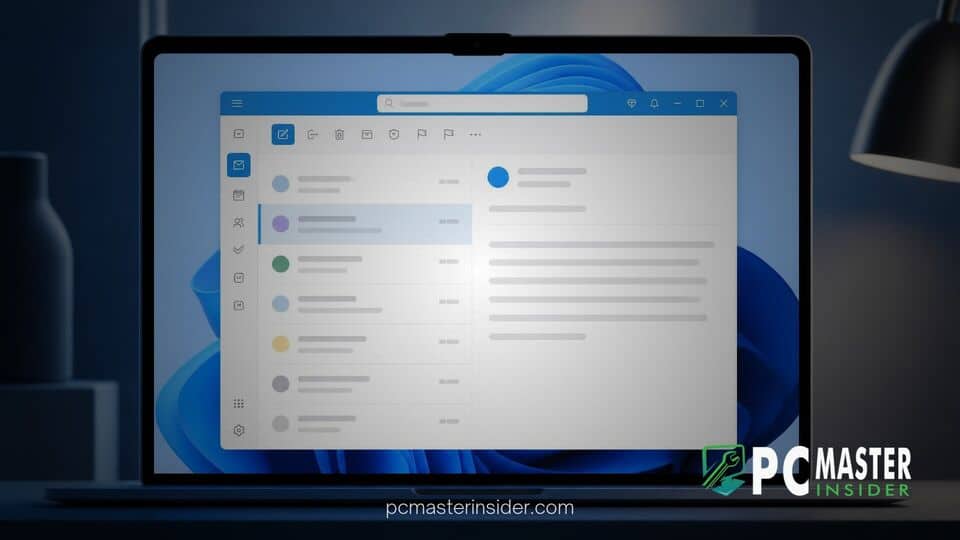
Microsoft has introduced a new Classic Outlook theme option for its web-based Outlook application on Windows 11 and Windows 10. The visual update is designed to make the transition smoother for users accustomed to the traditional desktop client while retaining the underlying functionality of the web-based architecture.
The new customization setting alters the application's appearance by applying visual changes to typography, icons, layout spacing, and navigation elements. By mimicking the aesthetic of legacy Win32 software, Microsoft aims to address feedback from enterprise users and long-time customers who have resisted migrating to the newer interface.
The new outlook classic outlook theme windows 11 Experience
The introduction of the new Outlook classic Outlook theme on Windows 11 provides a bridge between legacy desktop software and modern web apps. While the app remains a web wrapper built on web technologies, enabling the classic theme restyles the top navigation bar, message list, and folder pane to mirror the classic Win32 desktop application. Users can activate or deactivate this appearance directly within the app's settings without altering underlying mailbox data, administrative policies, or system configurations.
Microsoft Introduces Classic Outlook Style Toggle
Microsoft officially detailed the enhancement in a Microsoft 365 Message Center update under entry MC1458476. The rollout began in mid-August as part of a targeted release program and is reaching general availability across personal and enterprise accounts. According to Microsoft, the toggle is off by default for most existing users but may be turned on automatically for select users undergoing migration from classic desktop clients.
"When enabled, the setting applies coordinated changes across the Outlook experience, including visual styling, layout, typography, icons, and selected interactions," Microsoft stated in its message to administrators. The company emphasized that the feature is meant to lower friction during platform upgrades without forcing structural changes on IT departments.
Visual Design Changes and Features in the New Theme
When users toggle the Classic Outlook option, the interface adjusts density and spacing throughout the inbox view. The familiar ribbon toolbar layout receives adjusted color highlights and icon sets that reflect previous Office suite releases. The left hand navigation rail and primary folder list also adopt alignment rules reminiscent of classic Outlook 2016 and Outlook 2019 builds.
Despite these cosmetic updates, the underlying platform continues to run on Microsoft's modern web architecture. Users retain access to server side features such as real-time synchronization, cloud attachment handling, and integrated web extensions. Microsoft has previously introduced modular platform upgrades across the operating system, including work on unifying platform codebases in Windows 11, which aligns with its strategy of streamlining software maintenance across web and native experiences.
Limitations and Disabled Settings in Classic Mode
While the classic theme succeeds in replicating the visual shell of older software, it does not restore missing native features that legacy users frequently request. Advanced local MAPI protocol support, offline storage file (.pst) management, COM add-ins, and complex local rule configurations remain unavailable in the modern app. Some power users on community forums have noted that a visual skin does not fully resolve functional gaps for complex enterprise workflows.
Copilot and Accent Customization Restrictions
Enabling the classic theme also introduces specific interface adjustments regarding customization options. Certain modern accent colors and dynamic header themes are restricted or overridden while classic mode is active to ensure visual consistency. However, Microsoft Copilot integration and artificial intelligence tools remain accessible, operating within the redesigned classic toolbar headers without interruption.
This approach mirrors other client interface tweaks in Windows 11, where Microsoft balancing legacy familiarity with modern web services. Similar UI adaptations have appeared elsewhere in the OS, such as when Microsoft introduced a text-only taskbar preview list in Windows 11 to offer alternative navigation styles for desktop users.
Availability Across Windows 11 and Next Steps
The Classic Outlook theme is available globally through the settings menu in the new Outlook for Windows app as well as Outlook on the web. Users can navigate to Settings, select General, click Appearance, and toggle the Classic style switch on or off at any time.
As Microsoft continues its broader rollout of updated pre-installed software, desktop users will see further refinement to system apps. Recent system updates, such as the rollout of Windows 11 version 26H2, reflect an ongoing effort to standardize user experience components across the operating system. Additional customization options for the new Outlook client are expected in upcoming service updates as Microsoft gathers user feedback on the transition.



