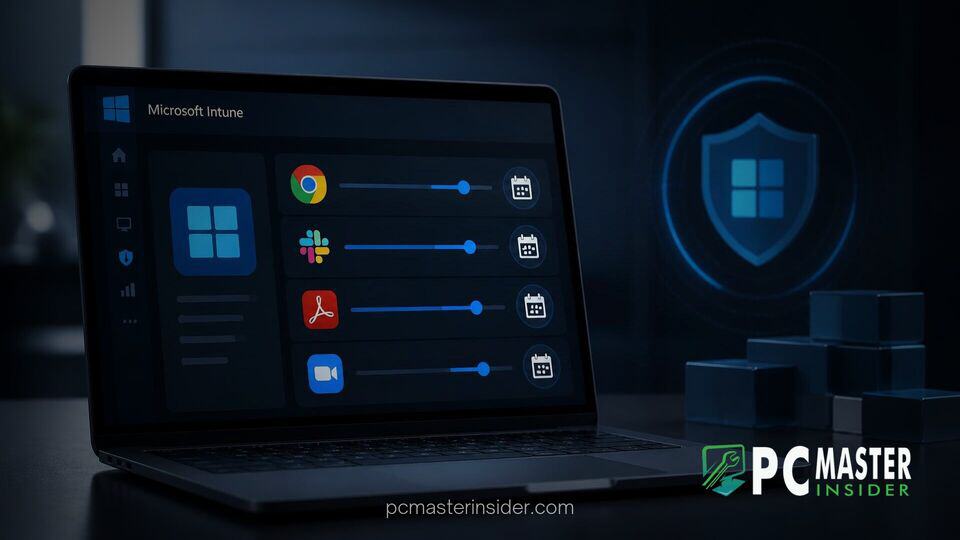
Microsoft is introducing granular update deferral controls within Microsoft Intune for third-party applications. This capability allows enterprise IT administrators to pause, delay, and stage software updates for non-Microsoft products across managed endpoints.
By bringing structured delay options to non-operating system software, organizations can establish customized evaluation windows before new application builds deploy broadly across their workstation fleets.
Microsoft Intune Enhances Enterprise Security with Staggered App Rollouts
Managing software updates across vast corporate environments requires a balance between rapid vulnerability remediation and operational stability. While operating system patches often follow predictable monthly schedules, third-party desktop applications update on disparate vendor timelines. The new deferral controls in Intune allow administrators to apply ring-based deployment strategies to non-Microsoft software, ensuring that fresh updates do not disrupt critical line-of-business operations.
Under these controls, administrators can configure specific deferral periods for catalog-managed application packages. For instance, IT teams can establish initial pilot rings that receive updates immediately, while broader production rings hold software updates back for a pre-configured buffer period. This capability bridges a key gap in cloud-native endpoint administration, complementing existing policies like Windows security setup updates and operating system update rings.
Why Microsoft Delays Third-Party Software Updates Behind Windows Patches
Internal IT practices within major technology organizations have demonstrated a clear split between operating system patching and third-party software deployment. Microsoft Digital, the company's internal IT organization, accelerates Windows patches to endpoints within two days of release. However, the group intentionally holds new third-party software updates behind a mandatory deferral window.
The reasoning stems from threat intelligence analysis and software release trends. When an independent vendor releases a software build, security researchers and vendor teams often require a short window to discover unexpected regression bugs or compromised distribution mechanisms. Holding non-operating system updates back for a brief, controlled period creates an evaluation buffer that protects enterprise endpoints from buggy or corrupted installer packages.
microsoft intune third-party app update deferral controls and automated protection
The addition of deferral settings in Microsoft Intune addresses growing demand from enterprise administrators who require greater oversight when deploying non-Microsoft software. Intune's third-party app update deferral features enable security teams to define custom pause durations, set explicit installation deadlines, and automate ring progressions without requiring complex manual repackaging or reliance on heavy custom scripting.
These capabilities build upon Intune's Enterprise App Management offerings. Previously, automated app updates within the platform applied immediately upon vendor publication unless administrators removed assignment groups entirely. With dedicated deferral controls, administrators can now schedule automatic release rollouts into pilot, secondary, and broad production rings.
Minimizing Supply Chain Risks and Compromised Releases
Software supply chain security remains a primary concern for modern enterprise CISOs. Attackers targeting third-party application repositories can potentially slip malicious code into legitimate application updates. If enterprise management systems automatically push those updates to thousands of endpoints upon release, widespread compromise can occur before security teams have time to react.
Implementing forced deferral windows reduces this exposure. If a vendor inadvertently releases a compromised build or a bad patch that breaks operating system components, early disclosure in the broader cybersecurity community usually occurs within hours or days. The deferral window ensures that production systems remain untouched while the industry identifies and remediates the compromised package. Furthermore, controls like Microsoft execution containers for process isolation help secure system resources even when application vulnerabilities emerge.
Implementation Guidance for IT Security Teams
To maximize the protection offered by third-party update deferrals, security teams should align application deployment rings with their broader system hardening strategies. Organizations can maintain rapid patching for critical operating system vulnerabilities while applying appropriate delay buffers to non-critical desktop tools.
When configuring Intune application policies, administrators should consider the following best practices:
- Define clear deployment rings: Allocate a small group of IT and volunteer test devices to Ring 0 (Immediate Deployment) to catch early stability issues.
- Set short deferrals for common apps: Establish a 2 to 3 day deferral for widely used utilities like web browsers, document viewers, and collaboration software.
- Integrate endpoint reporting: Monitor device compliance through platform analytics and tools like Copilot PC diagnostics to identify potential update failures early.
- Coordinate with security platforms: Ensure endpoint protection frameworks such as Windows Endpoint Security Platform solutions are active to safeguard unpatched software during deferral windows.
- Review baseline policies: Combine app deferral rules with Windows baseline protection configurations to keep endpoint configurations unified.
By combining rapid operating system patching with controlled, ring-deferred third-party application updates, enterprises can significantly reduce supply chain risks while maintaining fleet stability. These new deferral controls give administrators the exact timing levers needed to evaluate software updates safely across modern cloud-managed environments.